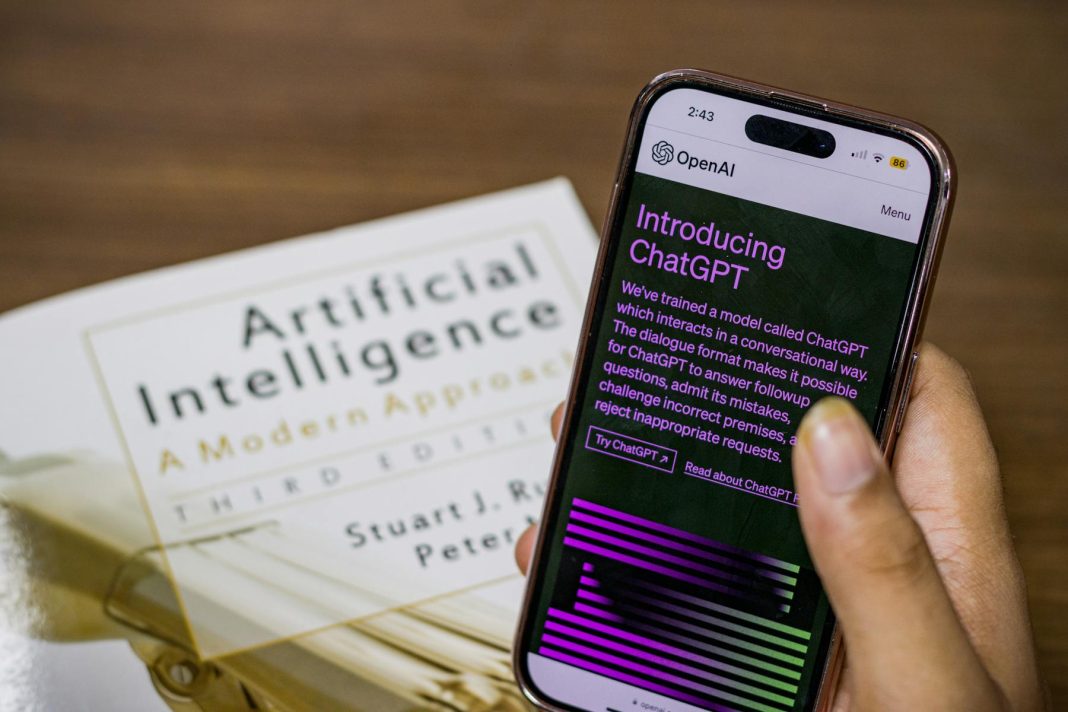
OpenAI “Deep Research” (DeepSearch)
OpenAI’s Deep Research (sometimes informally called “DeepSearch”) is a new ChatGPT agent built for in-depth web research. It runs on a specialized “o3” model tuned for browsing and analysis, and it can run multi-step searches on its own and pull together information from the internet.
In practice, a user with ChatGPT Plus or Enterprise can switch to Deep Research mode, type in a complex query, and the agent will comb through online sources for about 10 minutes to build an answer. The results arrive with clear citations and reasoning, so you can check the facts yourself.
According to OpenAI’s notes, the agent can finish in minutes research tasks that might take a person many hours, by searching, reading, and analyzing large amounts of text, images, and even PDFs across the web.
From the user’s side, Deep Research extends ChatGPT’s capabilities into real-time search. It fetches facts, explains its thought process step by step, and gives source links so you can see where things came from. Ask it to look into a current event, for instance, and it will pull data from several reliable sources (news sites, official reports, and the like) in real time, then write up a detailed report with context and analysis.
That makes it handy for analysts, researchers, and students who need trustworthy, current information. There are usage limits to keep quality high: Plus users get around 10 Deep Research queries per month, while higher-tier “Pro” users get a larger quota.
The standard ChatGPT has a fixed knowledge cutoff, but Deep Research always works with live data and thus is less likely to repeat outdated facts. OpenAI has not opened this feature up via API yet, keeping it inside the ChatGPT interface for safety reasons. In short, OpenAI’s Deep Research closes the gap between conversational AI and traditional search engines by acting as an autonomous research assistant that cites every answer.
Perplexity AI
Perplexity AI is an AI-powered search engine and chatbot that answers questions with short, cited responses in real time. People often describe it as a mix of Google Search and ChatGPT. Perplexity was founded in 2022 by former OpenAI and Google engineers who wanted to “democratize access to knowledge” through conversational search. You ask a question in plain language, and the system searches the web and returns a summarized answer with reference links. Where plain ChatGPT lags, Perplexity stays current and shows sources for every statement it makes.
That emphasis on sourcing makes it popular for academic and professional questions where you need to know where the information came from. Talking to it feels like talking to a knowledgeable assistant, but you’ll see footnotes or link buttons that trace facts back to websites (news articles, Wikipedia, academic papers, and so on), so you don’t have to sift through search results yourself.
Under the hood, Perplexity uses several large language models (GPT-4, Anthropic’s Claude, the open-source Mistral model, and its own models) for language processing. It searches the web in real time, most likely by tapping search engine APIs to find relevant pages, then reads the content with an LLM to write an answer. The system is built to give short, relevant answers instead of a list of links, which saves you time.
Perplexity’s answers often include images when they fit, and it will sometimes suggest a follow-up question or a deeper dive through a feature called Copilot, which breaks complex queries into sub-questions.
The service is free with some usage limits, and there’s a paid plan for heavy users that unlocks more daily searches and extras like GPT-4 responses, file uploads for analysis, and text-to-image generation through DALL.E and other tools.
So Perplexity tries to be a single AI search companion: as easy to talk to as a chatbot, as informative and current as a search engine, and cited so you can trust it.
Anthropic Claude 2
Anthropic’s Claude 2 is another AI assistant. It isn’t a search engine in the usual sense, but it retrieves information well thanks to its large context window and, in some deployments, current knowledge. Claude 2 is a large language model that launched in 2023 as a competitor to ChatGPT. Its main feature is the ability to take very long prompts, up to about 100,000 tokens (roughly 75,000 words), so it can read and analyze large documents or several sources at once.
For users, that means you can hand Claude a long report, book, or dataset and then ask questions about it. It works as a research assistant that can “search” within a custom set of data you provide. That helps anyone who needs to pull information together from large texts, such as legal briefs or scientific papers, without reading every word.
When Claude is connected to external data, such as a company’s knowledge base or a plugin, it can find relevant information and answer questions conversationally. Some applications use Claude to run customer support bots, drawing on provided documents or knowledge repositories to answer user queries.

Out of the box, Claude 2 does not browse the live web on its own; it has a fixed training cutoff, and at release it knew about the world up to early 2023. But it is good at analysis and synthesis, and it can be paired with retrieval tools. Some third-party platforms (like search engines or DuckDuckGo’s assistants) have tried using Claude to answer queries with real-time data.
To get current information, you usually have to give Claude the relevant text, either by hooking it up to a search API as a developer or by copy-pasting content yourself. Once it has the information, it gives clear, structured answers and is known for a polite, concise style. Anthropic also put safety and honesty first with Claude: it tries not to make things up and will say when it doesn’t know something.
Among AI search tools, Claude takes a more user-provisioned approach. Instead of crawling the web automatically, it relies on you (or an integrated system) to feed it data, which it then analyzes in depth. Because it can handle huge inputs, a researcher could hand it an entire academic journal issue and ask for a summary of the relevant points, which is beyond most other chatbots.
Claude may not replace a web search engine by itself, but it turns up more and more in the tools that do, for example as an option in Perplexity’s model settings or in other AI search assistants. Claude 2 is a strong general-purpose AI that is especially good at digesting large amounts of information, which makes it a good complement to web-focused tools like Deep Research and Perplexity.
Other Notable AI Search Tools
Beyond those, several other AI systems offering information search capabilities have shown up in the last year:
Bing Chat (Microsoft)
Microsoft’s Bing search engine now has a built-in chatbot powered by GPT-4, added in early 2023. Bing Chat can answer questions right in the search interface, citing sources for its statements. It combines the full Bing web index with OpenAI’s model. You can even pick the tone of responses (“Precise” for factual answers, “Creative” for more elaborate ones).
In practice, Bing Chat runs a live web search for your query, then writes an answer with footnotes linking to the sites it drew from. It usually gives a short summary, then suggests some follow-up questions or shows related search results. Because it’s part of a search engine, it does well with factual and current queries. Ask Bing Chat “What are today’s top tech news headlines?” and it will hand back a quick summary with references to the news sites.
The tool is free to use (with a Microsoft login) and has become a solid alternative to traditional search for many people, bringing the chatbot experience straight into web search results.
Google Bard and SGE (Google)
Google’s answer to ChatGPT is Bard, a conversational AI that can draw on the live web. It launched in 2023 and now runs on Google’s PaLM 2 model, and it can “extract information straight from the internet,” which helps it answer recent questions. Bard handled questions about events in 2022 that ChatGPT, working from older training data, could not. Bard usually gives you a few draft answers per query and may include images or diagrams.
It doesn’t always cite sources in the text, but it has a “Google It” button and often underlines key facts that reveal the source webpage when clicked. Alongside Bard, Google has been testing the Search Generative Experience (SGE) inside Google Search, which uses AI to write summarized answers at the top of the results. SGE takes a query, gathers relevant results, and shows an AI-written summary with links to the sources it used.
This is Google’s way of blending traditional search with AI: users get a quick answer plus the option to click through to authoritative sources. Content creators have noticed their pages being referenced in these AI snapshots, similar to featured snippets but drawn from several sites. Both Bard and SGE show Google’s careful but steady move toward AI-assisted search, keeping answers backed by the huge index Google has built while giving users a conversational feel.
Others (YouChat, ChatSonic, etc.)
A number of smaller platforms also merge search with AI. YouChat is a search engine that gives answers in a chat format. It uses its own indexing and an AI model to write responses, along with footnotes linking to websites. ChatSonic (by WriteSonic) is a chatbot with a “Google Search” toggle: turn it on and it fetches the latest information from the web and works it into its answer, which helps with current events or trending topics.
DuckDuckGo introduced DuckAssist, an experimental feature that uses Wikipedia (and later other sources) with OpenAI’s tech to answer questions right on its results page. And recently, xAI’s Grok (backed by Elon Musk) launched as a new AI chatbot with an ability to pull in real-time info. Grok reportedly has internet access and a bit of a sarcastic personality, aiming to stand out while still giving sourced answers.
Each tool has its own twist, but they share the same goal: shortening the trip from a question to a trustworthy answer by using AI to read and condense information from the web.
How AI Search Engines Retrieve, Rank, and Present Information
The interfaces differ, but most AI-driven search systems follow a similar pipeline behind the scenes to retrieve, rank, and present information to the user:
Query Understanding and Retrieval
When you ask a question, the system first reads the query, often using an AI model to work out intent and keywords. Then it runs a web search to gather candidate information. Many tools lean on existing search engines for this step: OpenAI’s agents and ChatSonic use the Bing or Google search APIs under the hood, and Perplexity has its own way of searching the web in real time.
The search component returns a list of relevant pages or snippets. Some advanced systems run several searches in a row: the AI takes an initial result, refines the query, and searches again, much like a human researcher would. OpenAI’s Deep Research is openly “agentic,” so it can pivot and issue new searches based on what it finds. If the first pass doesn’t answer the question, the AI digs deeper or broadens the search on its own.
Ranking and Filtering Sources
Once it has candidate sources, the AI decides which information to trust and use. Often the initial ranking comes from the search engine (top Google results are assumed to be relevant, for example). But the AI can re-rank or filter them by its own criteria. Credible sites (major news outlets, academic or government sites, well-known reference works) usually win for factual queries.
The AI might skim each candidate page, using the language model to judge whether the page actually answers the query. Some implementations use vector embeddings to measure semantic relevance, but more often the model just reads the text. If a page is paywalled or full of irrelevant material, the agent skips it. OpenAI’s crawler, for instance, automatically skips pages behind paywalls or containing disallowed content.
Many AI search agents also cross-check facts between sources
OpenAI’s Deep Research, for one, was built to verify claims by finding several sources and comparing them. If two reputable sources agree on a fact, the AI trusts it more; if they disagree, it either looks for more evidence or flags the uncertainty in its answer. This ranking and filtering stage matters because it keeps the AI from blindly trusting a single source and getting a wrong answer from one misleading webpage. At the end of this stage, the AI has a set of the most relevant, reliable snippets to put into the answer.
Answer Synthesis and Presentation
In the last step, the AI writes a coherent answer using the information it kept. The large language model takes the gathered facts and turns them into a natural-language response. The systems also try to preserve provenance: citations are attached so you can see where each piece of information came from.
Tools handle this differently. Perplexity and Bing Chat use numbered footnote markers in the answer text; click one and the source article or page opens. OpenAI’s Deep Research and Google’s SGE give inline links or a list of sources next to the answer. The synthesis isn’t just copy-pasting sentences: the AI paraphrases and merges points, adding context or explanation where it helps.

Ask a complex question and the answer might come in paragraphs or bullet points that cover each aspect, with several sources cited throughout. Some systems also show their reasoning: Deep Research explains why it reaches a conclusion, pointing to the evidence it found.
The response can include images or diagrams when they help; Bard and Perplexity have both shown this. Many AI search tools also suggest follow-up questions or related topics after the answer, so you can keep exploring.
The point of the presentation stage is to give you a clear, correct answer without having to click through several links, while still letting you check the details through references. That balances depth with transparency.
These AI systems also keep learning from user feedback to sharpen retrieval and ranking. If users often click a particular source or mark an answer as useful, the system can weight those sources more heavily later. If an answer turns out wrong, developers adjust the retrieval algorithms or add that case to training data so the mistake doesn’t repeat.
So AI search works by combining classic search engine techniques with modern AI: search engines find and rank the content, and LLMs read, reason, and write a summarized answer with citations.
Optimizing Websites for AI-Driven Search Visibility
As AI search tools spread, website owners and content creators want their content indexed and featured in AI-generated answers. In many ways this is an extension of traditional SEO (Search Engine Optimization) with a few new wrinkles. Here are some ways to optimize your website for AI systems.
Allow AI Crawlers to Index Your Site
Check that your site’s robots.txt and meta tags don’t block AI-focused crawlers. OpenAI’s GPTBot, for example, is a crawler that collects web data to train models like ChatGPT. If you want your content to inform these AI, let GPTBot reach your pages. OpenAI has said that “allowing GPTBot to access your site can help AI models become more accurate and improve their general capabilities and safety”.
In August 2023, many large news sites chose to disallow GPTBot over copyright concerns. But if you want to be part of AI training data, make sure you aren’t blocking it too. The same goes for other crawlers: don’t forbid Common Crawl’s bot (used by many researchers), and allow search engine bots (Googlebot, Bingbot), since most AI search tools rely on those indexes. Keeping your content open to crawlers is step one for AI visibility.
Maintain Strong Traditional SEO
AI search results still lean heavily on the underlying index of traditional search engines. Bing Chat and Perplexity pull from Bing and Google results, and Google’s Bard and SGE pull from Google’s index. So the old advice holds: use descriptive page titles, relevant keywords, and clear headings so your content ranks well for its topic.
If your site ranks on the first page of Google for a query, an AI summarizer is far more likely to use it when answering that query. A high Bing ranking likewise raises your chances of being cited by Bing Chat. Keep investing in good content and standard SEO practices (fast load times, mobile friendliness, proper meta descriptions) so search engines recognize your pages. The AI can’t summarize or cite what it doesn’t find in the first place.
Provide Clear Answers and Structured Data
Many AI tools look for short passages that answer questions directly. Structuring your content around common questions can make it easier for them to use. Consider adding an FAQ section, or headings phrased as questions (H2 and H3 tags like “How does XYZ work?”). If a user asks something similar, the AI is more likely to spot that your page holds a direct answer.
Structured data (schema markup) for Q&A, how-to instructions, definitions, and so on can also help your content stand out to search engines and any AI that parses the HTML. Current AI bots mostly read raw text, but structured data helps the search engine understand your content, which can indirectly shape what the AI presents. Write clearly and organize information in a logical, question-and-answer format where it fits: that makes it easier for an AI to pull key points from your site into its response.
Demonstrate Authority and Trustworthiness
AI systems aim to give accurate information and often favor reputable sources. Aim for E-E-A-T (Experience, Expertise, Authoritativeness, Trustworthiness), a term from Google’s guidelines that is becoming relevant to AI too. If your site is known for high-quality, well-sourced content, AI models (which have read a lot of the internet during training) may treat your content as more reliable.
Some AI search implementations also boost signals of authority. OpenAI’s agent, for example, was described as pulling from “high-quality sources” like mainstream news and official publications. To benefit, keep your content factual, current, and preferably backed by references or data. If you have credentials (say you’re a medical professional writing about health), mention that on the page.
Over time, as AI models learn from user interactions, content from sites that users trust, or that other sources cite often, will likely be favored. It’s also smart to check your content for accuracy: if an AI cites your page and it holds an error, that mistake can spread fast. Being a dependable source raises the odds that an AI search tool will pick up and recommend your material.
Keep Content Accessible and Up-to-Date
Make sure important content on your site isn’t locked behind logins or heavy paywalls (unless your business model needs it), because AI crawlers and even search engine bots may not reach it. Freely accessible content can be indexed and used by AI. Update your content regularly too, since AI tools tend to prefer fresh information for topics that change over time.
If you have a page about a technology or a law that’s updated each year, keep those updates coming. An AI like Bard or Bing Chat may prefer a more recent source when the question implies timeliness (“as of 2025, what is the status of…”). Showing the date of last update on your pages also helps signal recency. In AI summaries through SGE and others, newer information often gets highlighted. Staying current raises your chances of being included when an AI searches for the latest on a subject.
Monitor AI Traffic and Mentions
Just as you track SEO rankings and referral traffic, start watching for traffic from AI sources. If Bing Chat cites your site, you might see hits from the Bing domain or from an “edge agent.” Likewise, if an AI tool links to your page, some analytics may record it. This feedback tells you which of your content is resonating with AI-driven search. Also pay attention to any summaries of your content that AI produces when you come across them. If the AI is misreading or truncating your content in an odd way, you may need to adjust how you present that information (maybe the first sentence is unclear). We’re in a new era of “AI SEO,” and staying alert to how these tools use your content will help you adapt.
Optimizing for AI search comes down to being visible, relevant, and trustworthy. Let your site be indexed, follow good SEO practices, structure your information well, and provide reliable content, and you raise the odds that AI search assistants include and recommend your website in their answers.
The reward is direct traffic (when users click your cited link) and the quieter benefit of your information shaping countless AI-driven interactions.
As one tech journalist put it, in the age of AI search “the best answer wins“. Prepare your site for these tools and you put yourself in the best position to be that winning answer.
