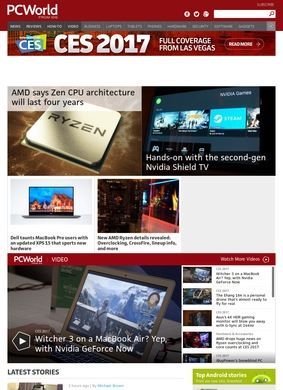
Foundry, the technology media group once known as IDG, owns PCWorld, and that backing shows in the sheer breadth of hardware the publication keeps tabs on. A single visit to PCWorld turns up reviews of laptops, desktops, tablets, monitors, printers, external storage, graphics cards, processors and the small peripherals most outlets ignore. The catalogue is wide, and it has been filling out for decades, which is part of why so many buyers end up here when they are weighing a purchase.
Hardware testing and benchmarks
The core of the operation is testing. PCWorld runs hardware through benchmarks and writes up the numbers, then folds those results into reviews and into the best-picks roundups that sit alongside them. If you are deciding between two graphics cards or trying to work out whether a mid-range monitor is worth the extra money over a budget one, the site gives you measured performance data rather than a paragraph of impressions. When the difference between products is a handful of frames per second or a slightly faster read speed on an SSD, that distinction is what separates a useful review from a general opinion piece.
Buying guides by category
What I find useful is how the testing connects to the buying guides. A review of a single CPU is one thing, but PCWorld also publishes roundups that pull the best options together by category and price, so a reader can start broad and narrow down without reading twenty separate pages. The Best Picks section does this work, and the Reviews section sits behind it with the detail for anyone who wants to dig into a specific model before deciding.
Software, security, networking
The coverage stretches past raw components too. PCWorld writes about software, security tools, and networking gear, which makes sense given that nobody buys a PC in isolation. You set up a router, you install an antivirus suite, you back up your files. Treating those adjacent decisions as part of the same conversation is sensible, and it means a reader sorting out a new machine can handle most of the surrounding choices in the same place.
Writing for different audiences
There is a clear sense of who the material is aimed at. Everyday consumers buying a first laptop sit next to enthusiasts chasing the fastest configuration, and small-business buyers trying to kit out an office fall somewhere in between. The writing flexes to suit. A how-to on cleaning up Windows storage reads differently from a deep benchmark comparison of high-end GPUs, and PCWorld pitches each at the right level of patience and assumed knowledge.
News and deals
Beyond the buying advice, the site runs a steady News operation covering the PC hardware and software industry. New chip announcements, software releases, security developments, the shifting price of components: this is the daily churn that an enthusiast follows even when they are not in the market for anything. It keeps the publication current and gives regular readers a reason to return between purchases.
How-to guides
The How-To section is the quieter workhorse. Tutorials and troubleshooting guides answer the practical questions that surface after a machine is already running. How to fix a connection that keeps dropping, how to speed up a sluggish boot, how to set up a piece of software that ships with confusing defaults. This is the kind of content people reach through a search engine at the exact moment something has gone wrong, and having it backed by an outlet that also tests the hardware lends the advice some credibility.
Price tracking for products
Deals round out the offering, tracking discounts on the same products the site reviews elsewhere. The link between a tested recommendation and a current price is a natural one, and it spares readers the work of cross-checking whether a sale item is any good in the first place.
Does volume create navigation challenges?
If there is a tension in a site this large, it is the usual one for long-running tech publications: the volume of content is enormous, and the line between a hands-on review, a roundup and a news item is not always obvious at a glance. A reader who wants the tested verdict has to know to look in Reviews or Best Picks specifically, since the News feed and the deals listings move at a faster pace and carry less depth. The sections are named plainly enough that this sorts itself out quickly, but the scale is real.
Taken together, PCWorld covers the full arc of owning a PC: the research before buying, the verdict at the point of decision, the price tracking, and the support afterward when something needs fixing. The benchmarking discipline is the thread that holds it together, since the same testing that produces a review also feeds the roundups and gives the deals their context. The breadth of devices PCWorld tracks, from a desktop processor down to a single printer cartridge comparison, is wider than what most specialist outlets attempt to maintain, and for anyone deep in a hardware decision, having the measured data and the practical guidance in the same place is the whole point.