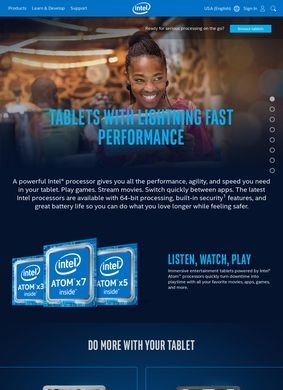
If a tablet runs on a chip from this company, where do you go to find out exactly what is inside it? Intel: Tablets answers that from the silicon side. The pages under Intel: Tablets cover the processors and platform technology that power tablets and 2-in-1 convertibles, not the finished devices. The chipmaker builds the chips; OEM partners turn them into the slabs and folding laptops people buy. So this section reads less like a shopping window and more like an engineering reference for the part of a tablet that does the thinking.
Atom processors and Core Ultra families
The lineup inside Intel: Tablets splits along clear lines. Atom processors sit at the low-power end, built for compact designs, modest battery draw, and the budget or entry-level segment where a tablet just needs to handle the basics without getting hot or thirsty. Above that, the Core Ultra families (Series 1, 2, and 3) carry the weight in 2-in-1 convertibles, the kind that flip between a tablet you hold and a clamshell you type on. These use a hybrid layout of performance cores and efficiency cores paired with integrated Arc graphics, which is the combination aimed at people doing real productivity or creative work on a device that still folds flat.
Low-power designs for entry-level tablets
The newer angle running through Intel: Tablets is on-device AI. Core Ultra mobile (Series 2) parts include a Neural Processing Unit packaged alongside the CPU, the hardware the page points to for what it calls AI PC workloads on thin-and-light and 2-in-1 machines. The pitch is that certain AI tasks run locally on the NPU instead of leaning on a server somewhere, with real consequences for battery life and for anything you would rather keep off the cloud.
Neural Processing Unit for on-device AI
How much that NPU buys a given user depends entirely on the software written to use it, and the pages here are honest enough to frame it as a platform capability rather than a finished promise. That restraint is welcome. A buyer weighing a 2-in-1 purchase can at least use Intel: Tablets to see which generation introduced the feature and which form factors carry it, which is more grounding than the average AI hardware marketing page bothers to give.
How NPU capability depends on software
For businesses, the vPro platform gets its own treatment within Intel: Tablets, described as the enterprise option, with hardware-level security and remote management aimed at fleets of devices that an IT department has to keep patched, locked down, and trackable. It is a narrow slice of the catalog, but a clearly labelled one, and anyone deploying tablets across a company will recognise why it sits apart from the consumer parts.
vPro platform for enterprise deployments
The strongest part of the whole section is ARK, the product specifications database. For any given SKU it lists core count, TDP, memory type and speed, cache size, supported instruction sets, integrated graphics, and connectivity down to Wi-Fi standards, Thunderbolt, and USB. It also tags each part with a use-condition classification, so you can see whether a chip is flagged for PC, client, or tablet duty. This is the layer that turns Intel: Tablets from a brochure into something you can verify against, and it is the reason a buyer or a system builder would come here over a retailer's spec sheet or a business directory listing that just names the chip family without the detail.
ARK specifications database
Numbers like TDP and memory speed are not abstractions when you are choosing a fanless tablet versus an actively cooled convertible. They decide whether a device throttles under load or holds its clocks, and ARK puts those figures in one place per chip. Two SKUs that look identical in a store listing can read very differently once you line up their ARK entries side by side, and that is exactly the kind of comparison this database is built for.
Why TDP and memory speed matter
The depth has a cost. ARK assumes you already know what a P-core is, what an instruction set extension does, and why TDP shapes a chassis design. A casual shopper picking between two tablets at a store will find it dense, possibly impenetrable. Intel: Tablets is plainly written for someone who wants the engineering truth, and it does not soften that for a general audience. Whether that is a strength or a barrier comes down to who is reading.
Developer tools and support resources
Around the hardware sits a developer and support layer worth noting. The oneAPI toolkit and OpenVINO target developers building or optimising on-device AI inference, with OpenVINO in particular tied to getting models running efficiently on the platform's NPU. The Developer Catalog rounds that out. On the practical side there is a driver and download center, automatic update tooling, community forums, and warranty information, the routine maintenance machinery that keeps a tablet's chip current after purchase. None of it is flashy, and most users will only touch the driver center, but it is all where you would expect it.
Reference tool for processor comparison
Put together, Intel: Tablets works best as a reference rather than a destination. It will not tell you which tablet to buy, because the company does not sell one. What it gives you is the ability to understand the processor behind whatever device you are eyeing, to compare generations honestly, and to check claims against published specs. The writing stays technical and avoids overselling, which suits the material.
Deeper spec archive than AMD alternatives?
Set it against AMD's own product pages, the natural alternative for anyone cross-shopping chip platforms, and the contrast is mostly about depth of the spec archive. AMD covers its Ryzen mobile parts capably, but the ARK database has a longer, more granular history of SKUs to dig through, and that catalog is the reason a careful tablet buyer ends up reading Intel: Tablets instead of taking a retailer's word for what is inside the box.