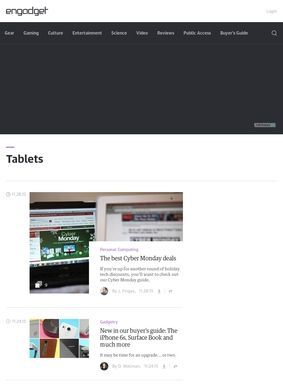
Picking a tablet is one of those purchases where the gap between what the marketing says and what the device feels like in your hands can be embarrassingly wide. Someone deciding between an iPad and a Samsung Galaxy Tab and a Microsoft Surface is really trying to answer a few small questions: will it handle what I do, will it last, and am I paying for a name or for the hardware. The tablets section at Engadget: Tablets is built around exactly that uncertainty, pulling together reviews, news, and recommendations into one place a person can browse before spending the money.
Reviews, news and guides in one hub
What you find here is a hub that collects every tablet-related piece the publication runs. There are hands-on reviews where editors have used the device, news write-ups when a new model is announced, spec comparisons that line one slate up against another, and buying guides such as the recurring best-tablets roundups. The mix matters in a specific way: a single review tells you whether one device is good while a roundup tells you where it sits against the field. The hub at Engadget: Tablets keeps both within reach, so a reader can drop in for a quick verdict or settle in for the longer comparison.
Brands covered across price tiers
The coverage spans the names you would expect. Apple's iPad line, Samsung's Galaxy Tab, the Surface from Microsoft, Amazon's Fire range, and Android tablets from other manufacturers all turn up, which is the right spread for a category where the operating system shapes the whole experience as much as the screen or chip does. Putting a budget Fire alongside a premium iPad in the same hub is useful precisely because most shoppers are deciding across price tiers, not within one.
Best-tablets roundups explained
The buying guides are where Engadget: Tablets does its most useful editorial work. A best-tablets roundup narrows a crowded market down to a handful of picks, usually sorted by who the buyer is rather than by raw spec sheets. That framing, matching a device to a person instead of ranking numbers, is the harder editorial job and the more honest one. Pair that with the individual reviews behind each pick and you get a chain a careful buyer can follow from recommendation back to the reasoning.
Beyond the standard slate
What held my attention was the way the section treats tablets as several different products wearing one name. Beyond the standard slate, Engadget: Tablets folds in adjacent categories that often get lumped together carelessly elsewhere. Drawing tablets get their own attention, which suits artists and designers who care about pen latency and pressure sensitivity far more than they care about app stores. E-readers sit here too, a sensible inclusion given how many people cross-shop a basic tablet against a dedicated reading device. Kids tablets round it out, and that is a genuinely distinct buying problem, with durability and parental controls weighing heavier than processing power.
Treating those as separate threads rather than footnotes to the main category is a small editorial decision with real consequences for the reader. A parent looking for something a seven-year-old cannot break is not served by the same review as a digital illustrator. The breadth is wide without going shapeless because each sub-area keeps its own logic.
Inside a wider technology publication
The tablet hub also does not pretend to exist in isolation. Engadget: Tablets sits inside a publication that covers smartphones, laptops, gaming, wearables, audio, home tech, AI, and transportation. For a reader, that context is quietly valuable: the same publication weighing in on a tablet is also tracking the laptops and phones a buyer might pick instead, so the recommendations come from people watching the whole device landscape, not one narrow slice of it. Content format is part of what makes the section workable.
Long-form reviews carry the depth, news articles keep pace with announcements, buying guides condense the field, deals coverage flags when something is worth grabbing at a lower price, and video gives the option of watching a device in motion when a photo and a paragraph cannot convey how a hinge feels or how quickly an interface responds.
Two decades of tablet coverage
There is real history behind all of this. The publication that runs Engadget: Tablets has been publishing since 2004, which makes it one of the longest-running consumer technology outlets still operating, part of the Yahoo and AOL media portfolio. Two decades of covering gadgets means the people writing these reviews have watched tablets go from a curiosity to a mature category, seen formats rise and die, and have a frame of reference a newer outlet simply cannot have. That continuity shows up in how settled the comparisons read. The publication carries a substantial number of reader reviews and a strong public reputation on the major tech media tracking sites, which lines up with what the editorial record would predict.
The audience the section is built for is broad but legible. General consumers researching a purchase get the buying guides and plain-language verdicts. Tech enthusiasts get the deeper reviews and the spec detail. People who follow the industry for its own sake get the news flow. The same hub at Engadget: Tablets covers all three without forcing any of them to wade through material meant for the others, which is a harder balance to strike than it looks.
If there is a limit worth naming, it is the flip side of the breadth. A section that covers iPads, Surfaces, Fire tablets, drawing slates, e-readers, and kids devices, all under the wing of a publication also reporting on cars and AI, is necessarily a generalist's view. A reader who needs the absolute deepest dive on stylus performance for professional animation may eventually want a specialist source as well. For the far larger group deciding which tablet to buy, the generalist depth at Engadget: Tablets is more than enough, and the cross-category context is a genuine advantage over a narrower outlet.
What lands, taken together, is a section that respects how people actually shop for these devices. Engadget: Tablets does not assume the reader already knows whether they want an iPad or a Fire, an e-reader or a drawing slate. It lays the options out, explains the trade-offs in each direction, and connects the quick recommendation to the long review that backs it. The spec comparisons in Engadget: Tablets are there for the buyer who wants to argue with the verdict, and the deals coverage is there for the one who has already decided and is waiting for the right price.
A person dropping into Engadget: Tablets to settle a single question can usually get a defensible answer in one sitting, then keep reading if they want to understand why. The roundups carry the headline picks, the individual reviews hold the reasoning, the sub-categories catch buyers who need something other than a standard slate, and the news keeps the whole thing current as new models land. iPad and Galaxy Tab and Surface coverage runs side by side, the Fire and other Android tablets get their place, and the drawing and reading and kids variants each get treated as the separate problems they are. For a generalist tablet resource, that is a reasonable amount to ask.