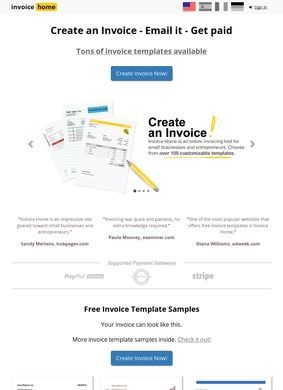
You finished a job, you want to get paid, and you do not want to spend an evening fighting a spreadsheet that does not add up or hunting for a template that looks halfway professional. That is the exact moment Invoice Home is built for. The platform lets a freelancer or small business owner pick from more than a hundred customizable invoice templates, drop in a logo, set unit pricing and due dates, and send a clean PDF straight to the client by email. Invoice Home pares billing down to the parts that move money when cash flow is the thing keeping you up at night.
Cloud storage syncs across devices
The cloud setup is the practical core of Invoice Home. Customer records and documents sit online, so the same invoices follow you from a laptop to the iOS or Android app without re-keying anything. Purchase order numbers and multi-currency support are built in, which tells me the people behind it were thinking about cross-border freelancers and anyone juggling more than one client at a time. You can export Excel reports for your own bookkeeping, and the logo customization even bundles access to free professionally designed logos, a small touch that helps a one-person operation look less like a one-person operation. The mix fits the kind of service small operators genuinely look for, which is why it gets listed where they go searching.
Payment collection through Stripe or PayPal
The link between sending an invoice and getting money in the account is where Invoice Home pulls ahead. PayPal and Stripe integration means a client can pay online from the invoice itself, cutting out the awkward follow-up email asking whether the bank transfer went through. For a sole trader, that gap between billing and collecting is often the whole problem, and closing it is worth more than any cosmetic feature. It is the difference between a tool that documents a debt and one that helps you collect it.
Pricing tiers with a $1,000 monthly cap
The free plan is generous on paper but capped: you can invoice up to $1,000 in any rolling 30-day window before you hit the ceiling. Paid subscriptions are flat-rate and remove the cap entirely, which is a sensible structure. Someone billing a few small jobs a month may never pay a cent, while a busier consultant crosses the threshold quickly and upgrades to a predictable monthly cost. No per-invoice nickel-and-diming, which I appreciate. Run your real monthly billing total against that $1,000 line before deciding whether the free tier covers your situation.
Learning resources on YouTube
Worth noting that the company also runs a YouTube channel with 217 videos and roughly 3.75 million total views, a genuine library of walkthroughs and not a quick handful of promo clips. For a tool aimed at non-accountants, having that much visual help on hand counts for something. People who learn by watching instead of reading a help article will get further with Invoice Home than with most billing apps, which keep their guidance locked in dense text.
Reviews across multiple platforms
The outside picture for Invoice Home is mostly favourable, with one clear dissenting corner. On Capterra it holds an average of 4.7 out of 5 across 82 verified reviews, a strong result on a meaningful sample. GetApp, drawing from the same pool, puts value for money a touch lower at 4.4. G2 carries a smaller set, 5 reviews averaging 4.3, and Software Advice lists reviews without a confirmed count. Trustpilot runs to at least nine pages of feedback, though no single aggregate score surfaced in the research. The Apple App Store shows active reviews with the developer replying to users, a good sign that someone behind Invoice Home is paying attention to post-sale experience.
Negative feedback on PissedConsumer
The exception is PissedConsumer, where 5 reviews average a harsh 1.2 out of 5. That is a low volume and skews, by the nature of the site, toward people already angry enough to seek out a complaint platform, so it should not override the broader pattern around Invoice Home. Still, it is honest to flag it: the negative reports exist, and a prospective user weighing a paid plan should skim them to see whether the complaints touch anything relevant to their own workflow.
Email support with public responses
On reachability, the support address (support@invoicehome.com) shows up publicly in the company's replies to Trustpilot reviews, which is more reassuring than a quiet inbox because you can watch support fielding complaints in the open. No phone number is published anywhere on the site, so anyone who prefers phone contact should set expectations accordingly; this is an email-first operation.
Put it together and Invoice Home is a coherent package: templates, PDF generation, email delivery, online payment, mobile apps, and cloud storage, all aimed squarely at people who bill but do not employ a bookkeeper. The free cap is the one thing to watch, and the lone bad-review pocket is worth reading before upgrading to a paid plan. The tool has enough real-world usage and verifiable platform reviews to make an informed call without guesswork. Send a few real invoices through Invoice Home on the free tier, connect Stripe or PayPal to test the payment flow, and email support directly about any feature you depend on before spending money on a subscription.