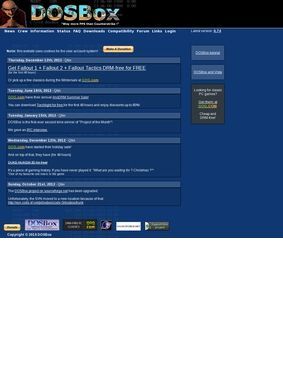
Can you still run a DOS game from 1992 on a machine that has never known anything but Windows 11 or a recent build of macOS? Yes, and the tool most people reach for to do it is DOSBOX, the free emulator distributed from this site. It recreates an x86 processor in software, complete with the DOS environment those old programs expect, so a title that once needed a beige tower and a sound card from a long-defunct manufacturer will start up inside a window on hardware that did not exist when the game shipped.
Execution modes and compatibility
DOSBOX covers both real-mode and protected-mode execution, and plenty of early-to-mid-nineties software switched into protected mode, so titles that needed it would simply refuse to load on a stricter setup. That breadth of coverage is the first reason DOSBOX tends to be the answer when someone asks how to get old software running again.
Hardware emulation
The hardware it pretends to be is the part that makes it useful. DOSBOX models the sound cards of the era, the various graphics modes a DOS program might call, a joystick port, and serial ports, so the audio and the input behave roughly the way the original author assumed. A single download handles a wide span of old software instead of just the few titles a narrower emulator was tuned for. The current stable build of DOSBOX offered here is 0.74-3, with security patches alongside it, and the same files are mirrored through the project's SourceForge page for anyone who wants the source code or alternate downloads.
Cross-platform availability
The software runs on Windows, macOS, Linux, and several other platforms, so the machine you happen to own is rarely the obstacle. Because the source is open, the build you download has been compiled and inspected by many hands over the years, which is part of why DOSBOX has become the default answer when someone asks how to run an old DOS title today.
Documentation and game database
Beyond the binary itself, the site carries a few things that turn a raw emulator into something a newcomer can actually use. There is a setup tutorial that walks through getting a game mounted and running, which is the step where most first-timers get stuck, and a full manual for the people who want to dig into configuration files and tweak CPU cycles or memory settings by hand. There is also a compatibility database you can search by game title, so before spending time on a particular old release you can check what other users have reported about whether it runs cleanly, runs with caveats, or does not run at all.
For a piece of software whose whole job is making unpredictable legacy code behave, that searchable record of real outcomes is more valuable than any feature list, and it is one of the better reasons to start at the DOSBOX site instead of grabbing a copy from a mirror.
The audience splits into a few clear groups. Retro-computing hobbyists use DOSBOX to keep old environments alive. Gamers reach for it to replay the titles they grew up with, or to try classics they missed the first time. Developers occasionally need it to run legacy DOS utilities that have no modern equivalent and were never ported, the kind of internal tool a business may have depended on for decades. Educators and archivists fit in too, since an emulator like this is often the only practical way to demonstrate or preserve software that assumes hardware nobody sells anymore. None of those uses costs anything. DOSBOX is open source and entirely free, with no paid tier, no commercial add-on, and no upsell waiting once you install it, which is worth stating plainly because so much "free" software now arrives with strings attached.
The project also keeps a news and status section and a crew page that names the contributors behind the work. That kind of openness about who is involved is normal for an established open-source effort and quietly reinforces that DOSBOX is maintained, with real people attached to it, not an abandoned binary someone reuploaded. Community support is handled off-site, though. Questions go to the VOGONS forum, a long-running gathering place for vintage-computing discussion, and the site links out to it instead of running its own help channel.
Community support through VOGONS
That hand-off to an external forum is the honest description of how support works here. There is no contact email, no phone number, and no contact form on the site. If you hit a problem, the answer is to post on VOGONS and hope someone there has seen it before. For a volunteer-run open-source project that model is understandable, and the forum is genuinely active, so help does exist. It is still worth knowing in advance for anyone expecting a direct line to the people who make DOSBOX, because there is not one. You are joining a community, not opening a support ticket, and that distinction will frustrate some users while suiting others fine.
On the question of whether the thing is safe to download and broadly trusted, the outside picture looks solid. ScamAdviser rates dosbox.com as legitimate and safe and notes a Tranco popularity score of 30, which puts it among the more heavily trafficked sites on the web. Web of Trust flags the domain as safe. SaaSHub lists DOSBOX as a recognized open-source tool.
Trustpilot holds a single review at 3.6 stars, which is too small a sample to say much either way. The SourceForge project page tells a fuller story, with multiple pages of user reviews that skew positive, most of them praising exactly what the software promises: getting old DOS programs and games running again. People who download a free emulator, get their game working, and move on quietly do not tend to leave reviews on consumer rating sites, so the SourceForge feedback, gathered where the downloads actually happen, is the more representative measure. Taken together those sources point the same direction, and none of them raise a flag.
What you should expect going in is honest effort, not a polished consumer experience. Mounting a directory as a virtual drive, editing a config file, getting the cycles right so a game runs at the speed it was meant to: these are tasks the DOSBOX manual explains but does not hide. The reward is that an enormous catalogue of software that would otherwise be stranded on dead hardware becomes runnable again, on whatever you happen to own now.
For most people chasing a specific old game or utility, that trade is an easy one to accept, and the documentation does enough to keep the learning curve from turning anyone away. The configuration options run deep if you want them, letting you cap or raise the emulated CPU speed, pick a particular sound device, or scale the display, but DOSBOX also boots with sensible defaults so a curious user can get something on screen before reading a single page of the manual. That balance, simple enough to start, detailed enough to tune, is a large part of why DOSBOX has held its position for so long.
DOSBox-X as an alternative
The natural comparison is DOSBox-X, a community fork that builds on the same foundation and adds a longer list of emulated hardware, a fuller configuration interface, and more frequent releases. Someone who wants the deepest possible accuracy, or who is preserving obscure machines, may well prefer that branch. For the common case of replaying a known game or running a familiar DOS tool, though, DOSBOX stays the simpler and better-documented starting point, with the larger compatibility record and the steadier reputation behind it. Try DOSBOX first, and reach for the fork only after hitting its limits.