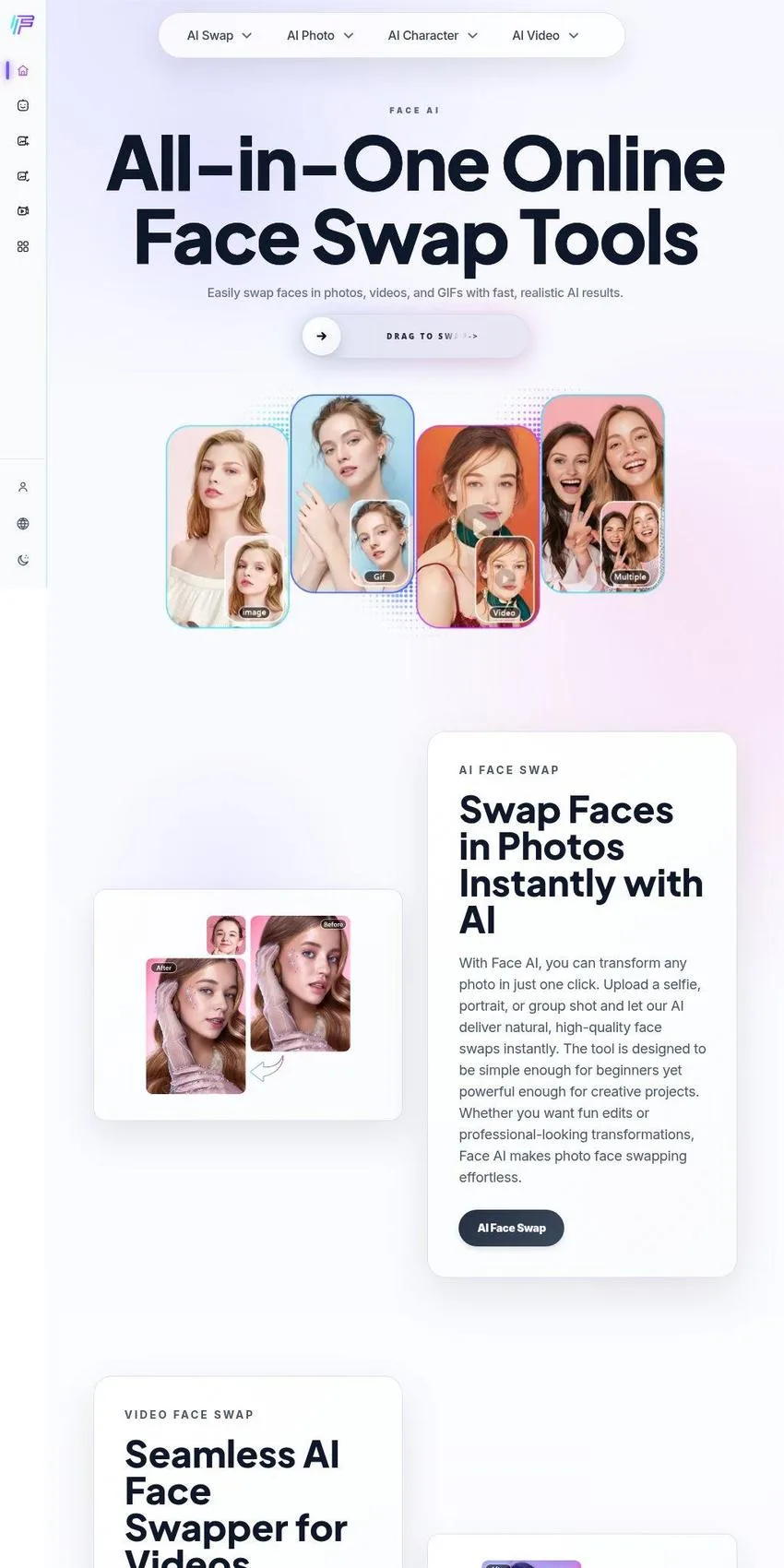
Face AI, found at faceai.art, is a browser-based collection of face swap and image tools. Its niche is online AI photo and video editing, the kind you open in a tab instead of installing on your computer. The name gives away the focus: faces first, with everything else built around them. Nothing needs to be downloaded and nothing needs to be configured.
Face swapping started out as a party trick inside phone apps. This site treats it as a whole workshop. Where many services do exactly one thing, Face AI gathers dozens of tools under one roof and sorts them into clear groups, which matters once you see how far the catalog stretches beyond simple swaps.
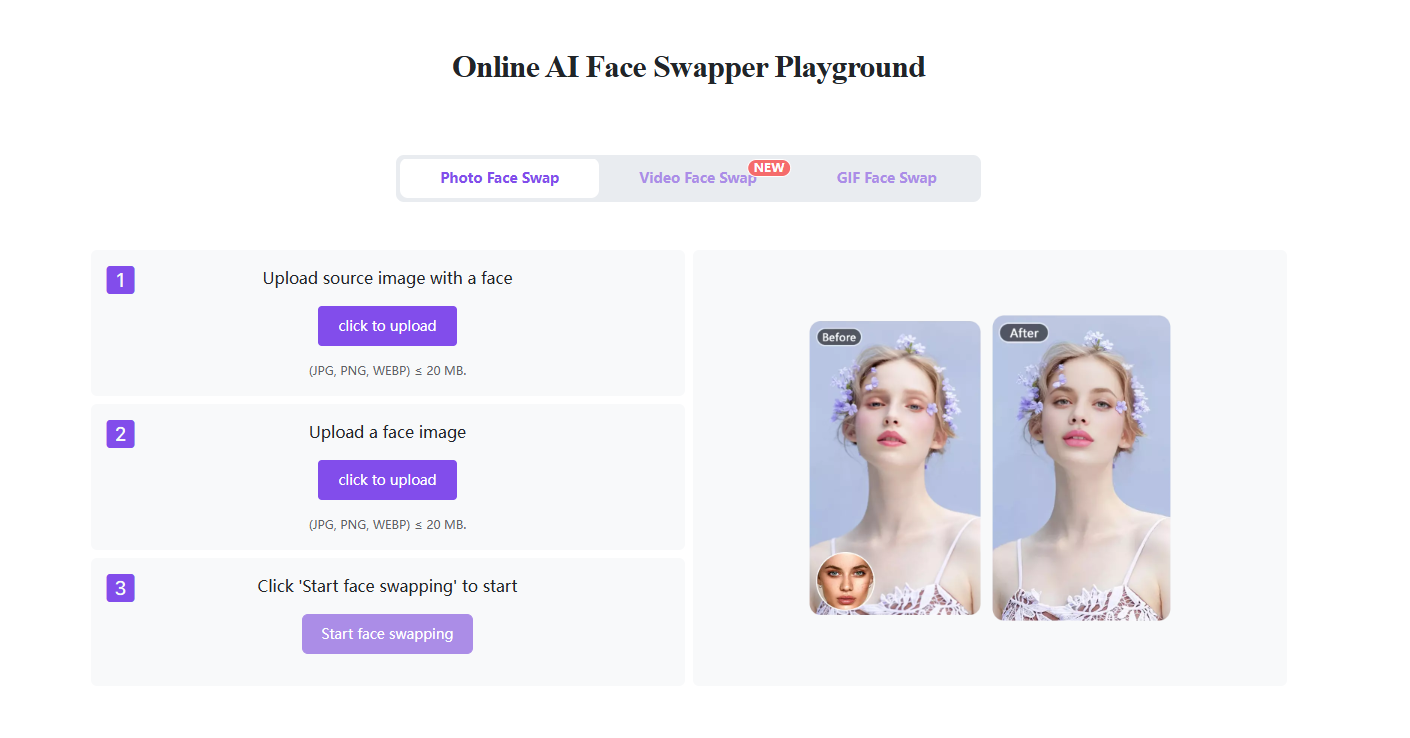
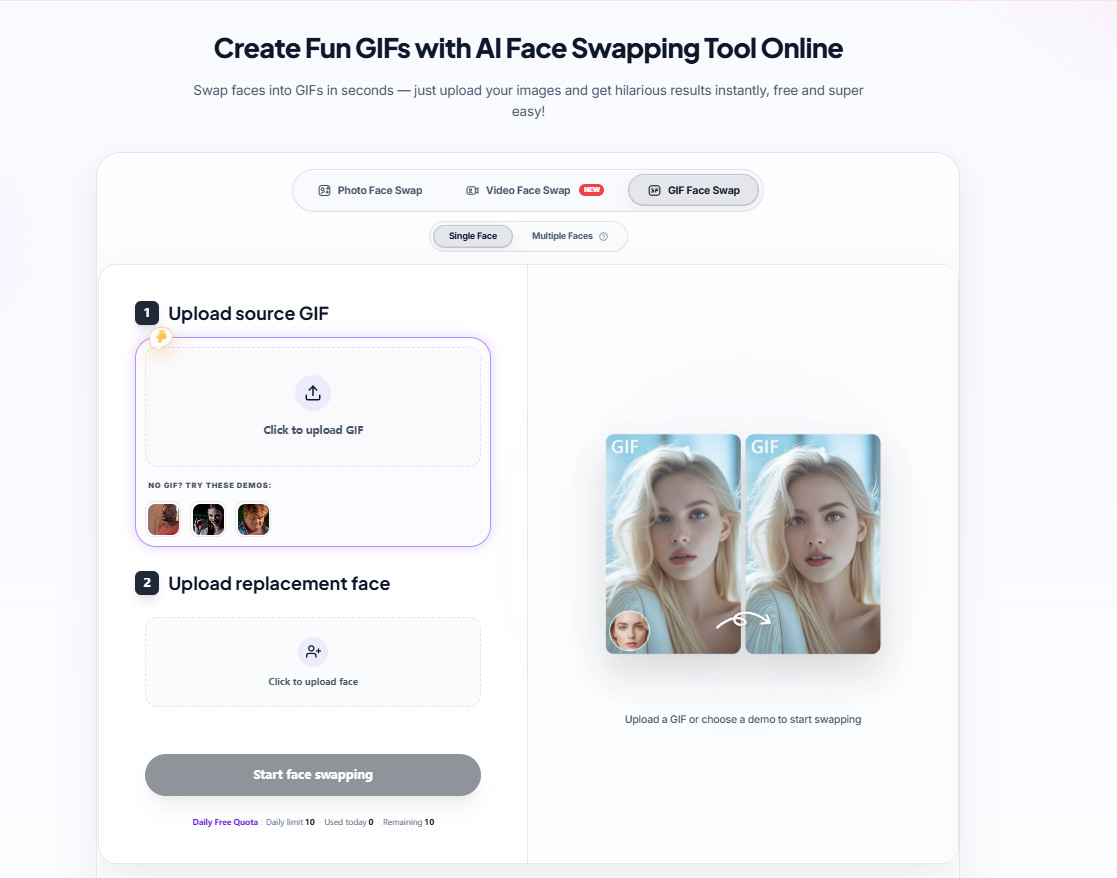
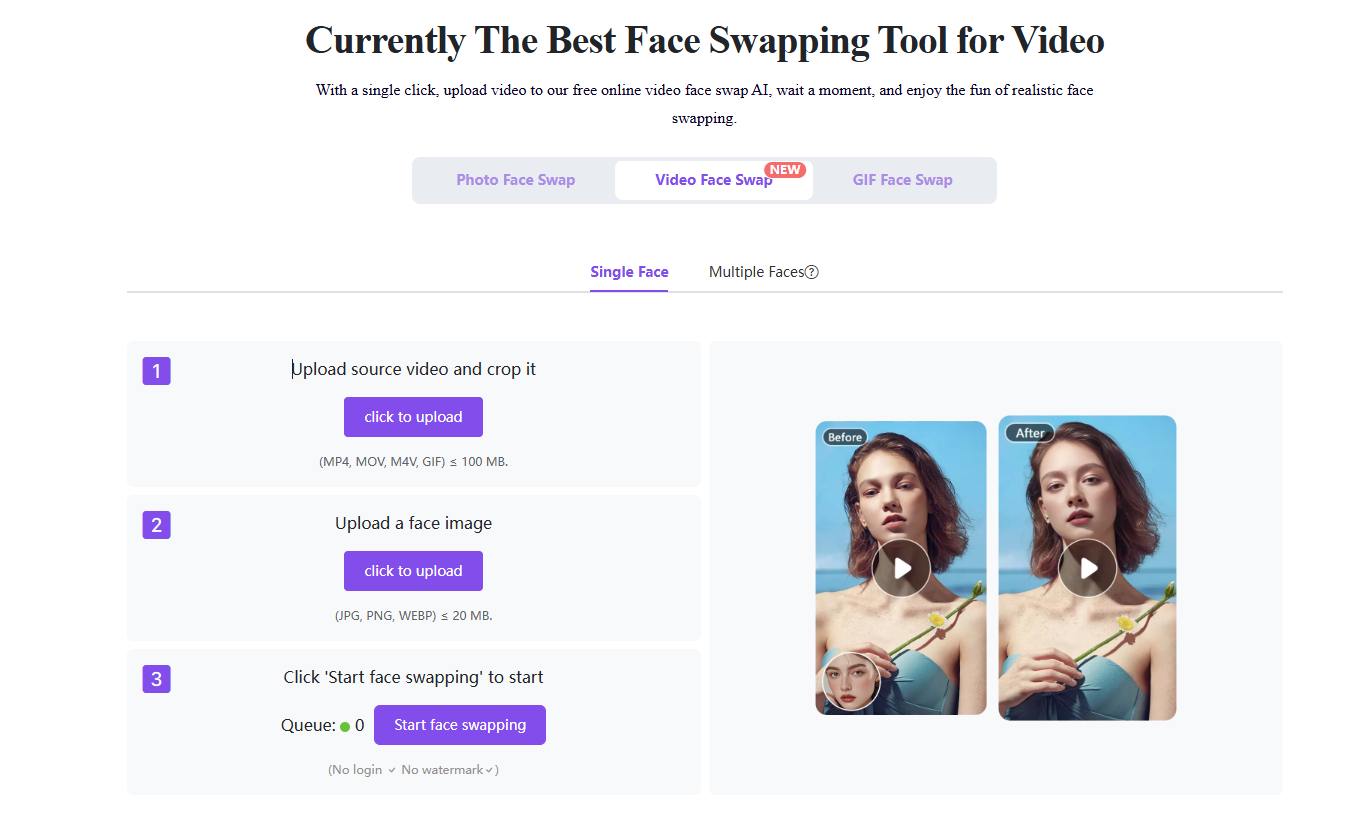
The core lineup covers three formats. Photo face swap replaces a single face in a still image, video face swap works frame by frame so the new face stays put while the clip moves, and GIF face swap handles the short loops people trade in group chats. Same idea, three different jobs.
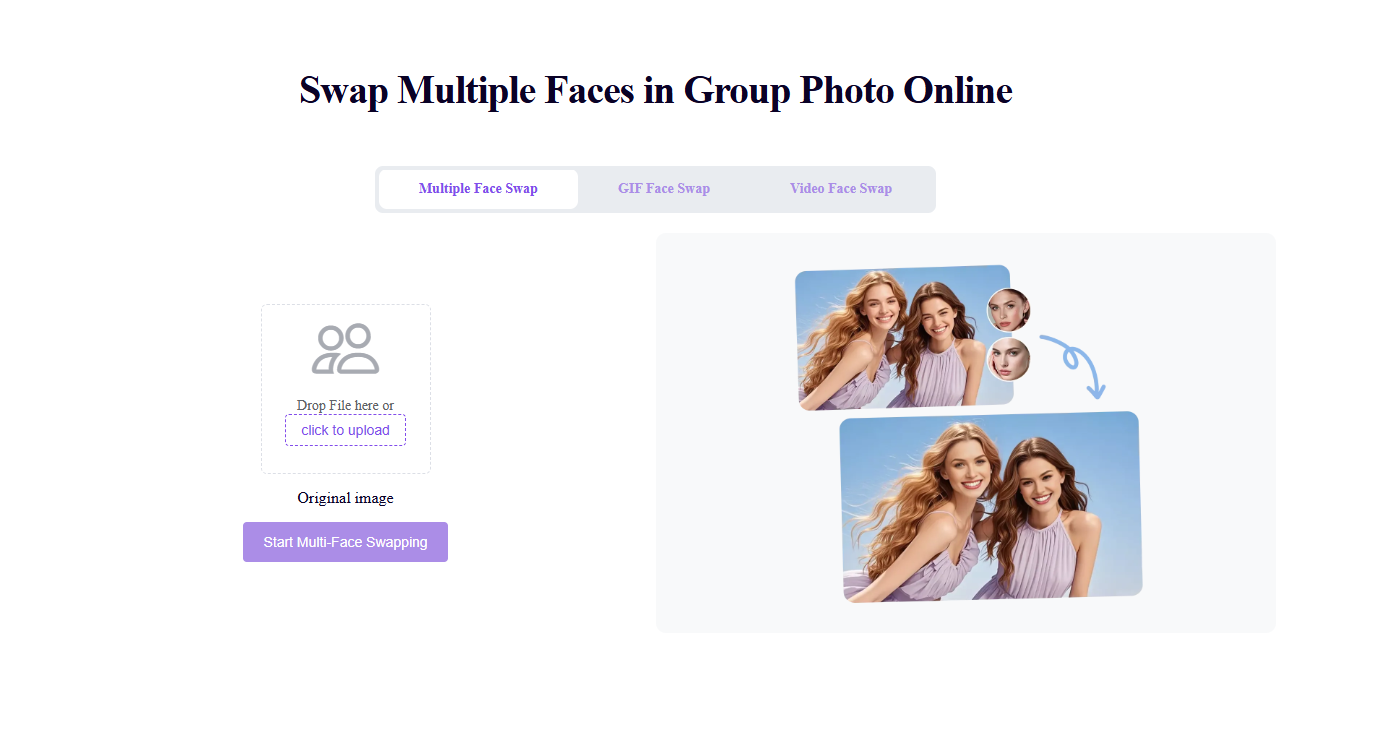
Group shots get their own treatment. The multiple face swap tools change several faces in one picture at once, and there are matching versions for video and GIF files. That solves a real headache, since editing a family portrait one face at a time is slow work even for folks who know their way around Photoshop.
Then comes the playful shelf. Head swap moves the entire head rather than just the face, animal face swap blends people with their pets, and face morph either builds a transition video between two portraits or mixes them into one blended still. Ever wondered what your cat would look like wearing your grin? There's a button for that, plus two meme makers built for quick reaction images.
Using any of it follows the same short path. You pick a tool, start from a ready-made template or upload your own file, and wait while the AI does its thing; the site says most swaps come back in about five seconds. As a reviewer, I like when a service explains itself in three steps and then gets out of the way.
Templates deserve a mention of their own. The library holds more than a thousand photo and video starting points, by the site's own count, and it keeps growing. They work a bit like a photo booth backdrop: you step in, and half the job is already done for you.
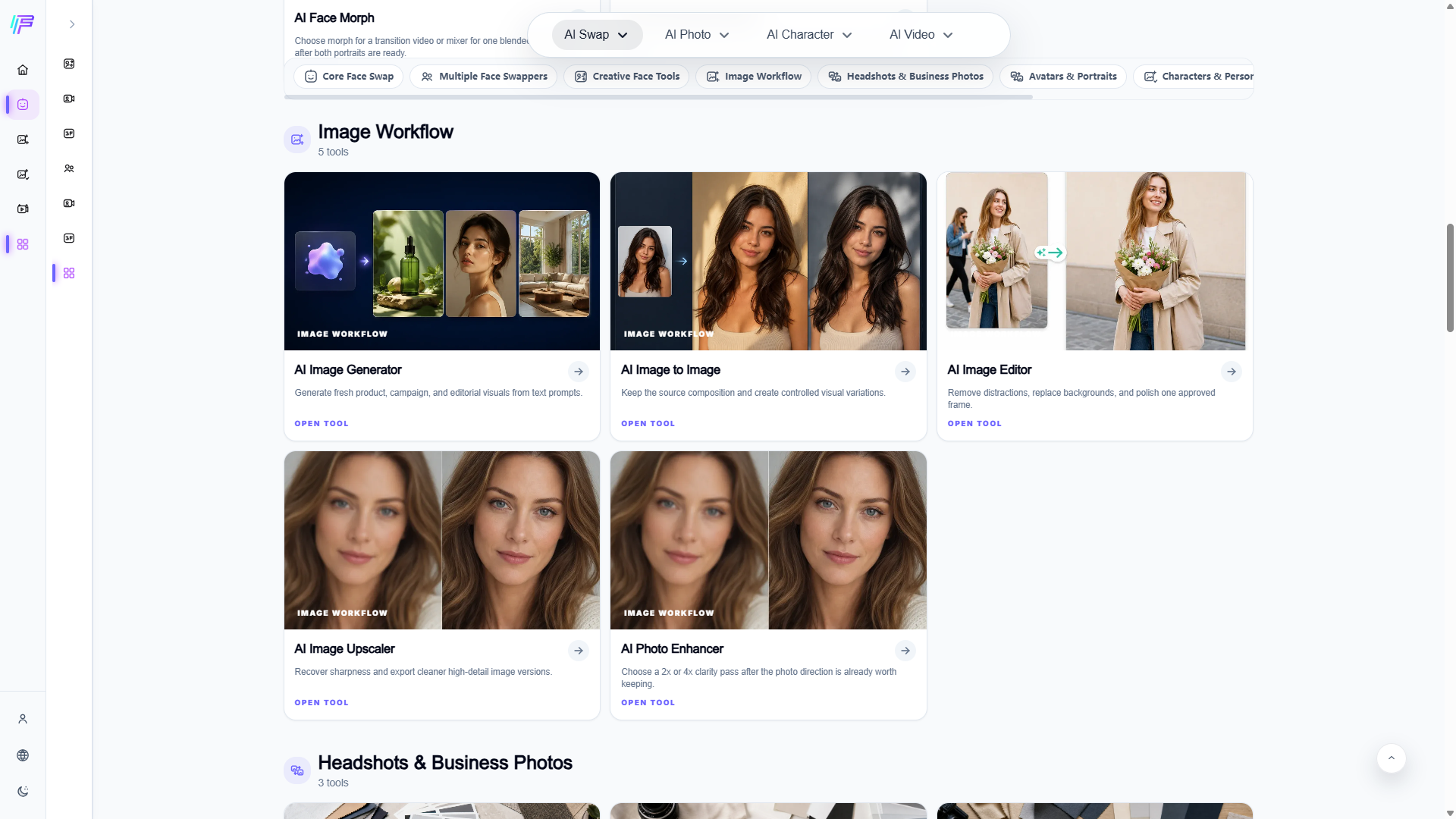
Beyond swapping, there's a full image workbench. An image generator turns text prompts into fresh pictures, image-to-image keeps your original composition while changing the style, and an image editor removes clutter or replaces backgrounds. For older or blurry shots, the upscaler and photo enhancer run a 2x or 4x clarity pass. One half makes new pictures; the other rescues the ones you already have.
The business corner is more sober. Headshot, business photo, and LinkedIn photo generators let you upload a few reference pictures, pick a style, then tweak the crop, outfit, and background. Recruiter-ready looks are listed right on the page, so the guesswork stays minimal. For someone polishing a resume, that beats booking a studio session between interviews.
Personal keepsakes get plenty of room too. You can turn a portrait into an avatar in realistic, cartoon, anime, 3D, or gaming styles, or feed two photos into the couple photo maker. The wedding photo generator goes further and places a pair into studio, garden, beach, or ballroom scenes, right down to season and mood notes.
Writers and gamers have their own aisle. The character generator, OC maker, and anime character generator build original figures from role, outfit, pose, and style choices, with the OC maker producing full character sheets. An action figure generator wraps a subject in toy-style packaging, and an influencer generator sketches out a creator persona for campaign images.
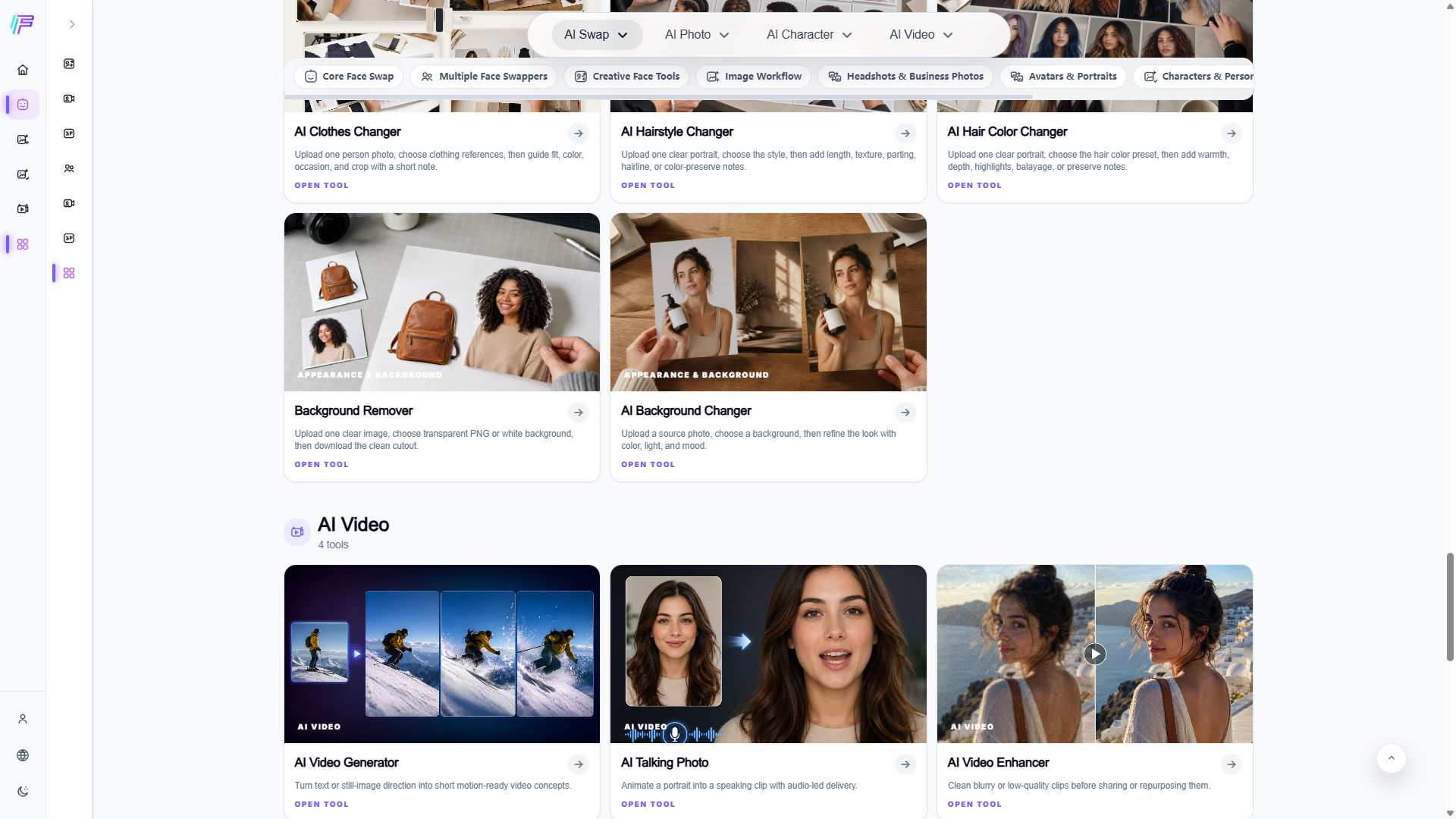
Appearance tools round out the photo side. The clothes changer, hairstyle changer, and hair color changer all follow the fitting room idea, applied to your own head: try the bob, the bangs, or the copper shade before scissors ever touch your hair. A background remover exports clean cutouts as transparent PNGs, and a background changer drops your subject into a new scene.
Video has grown into a section of its own as well. A text or image prompt can become a short motion clip, the talking photo tool animates a portrait so it speaks along with an audio track, and the video enhancer cleans up shaky or low-quality footage. You won't need editing skills for any of it, which is clearly the point. Short clips for social feeds are the obvious use, though nothing stops you from animating an old family portrait.
Access is refreshingly casual. You can work in guest mode without creating an account, and the daily image and video counters sit right in the corner of the screen, so you always know where you stand. Logging in adds saved projects and account history on top.
Privacy gets a plain-language promise rather than fine print. The site states that uploads and results are deleted within 24 hours, that nothing sits in backups, and that files are never used to train third-party AI. In my opinion, that pairing of instant access with a clear data policy is what makes Face AI easy to suggest to casual creators, meme lovers, and anyone curious about what their next haircut might look like.
Business address
Face AI
1234 W Sunset Blvd Ste 200,
Los Angeles,
California
90026
United States
Contact details
Phone: 7025550177