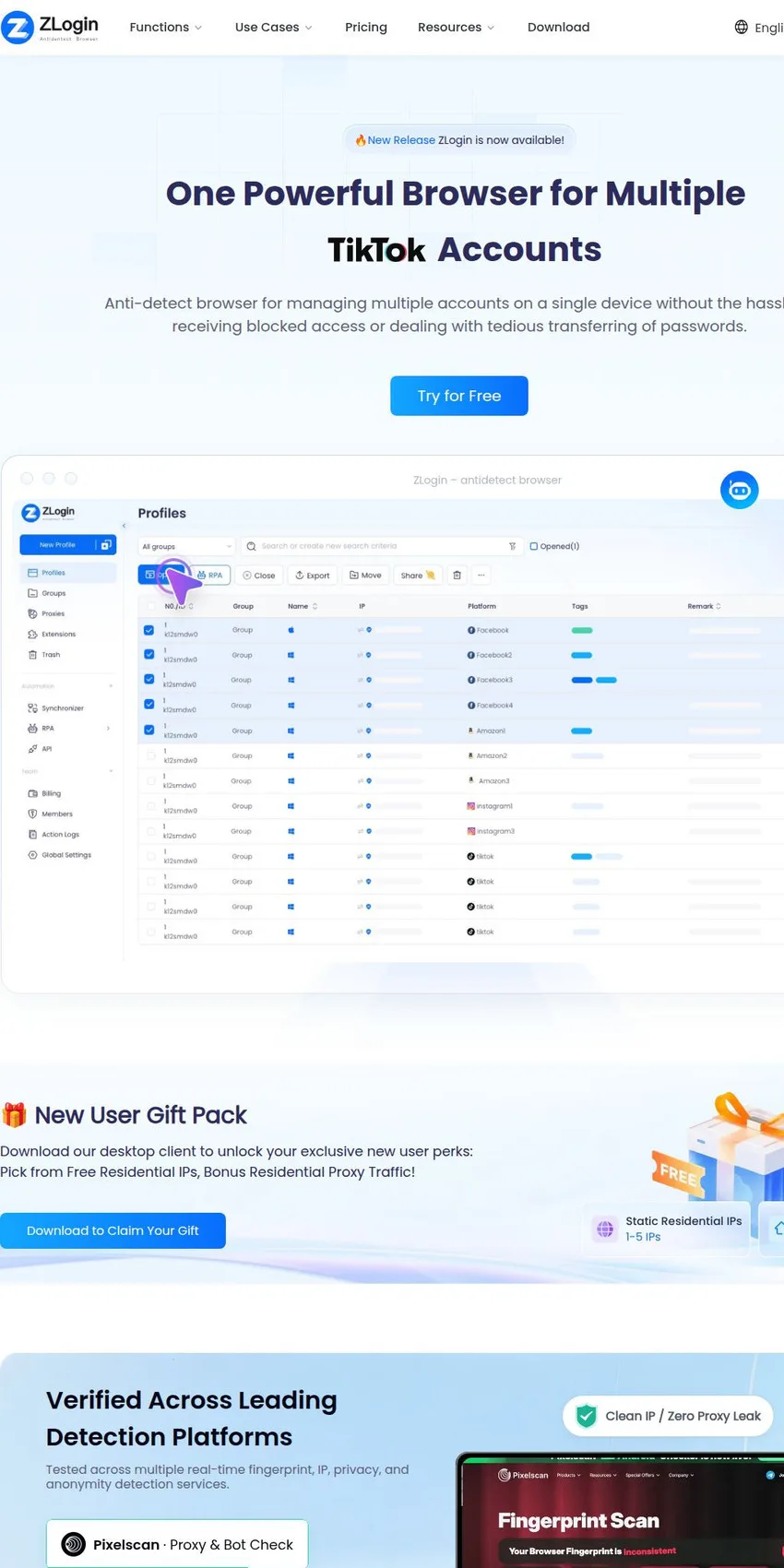
ZLogin is an anti-detection browser, a desktop programme for those who manage multiple online accounts from the same computer. The product is developed by Northvale Systems Pte. Ltd. and runs on Windows, macOS and Linux. The target audience consists of marketers, online sellers, digital agencies and teams who work with dozens or hundreds of accounts on a daily basis.
The basic idea is easy to explain. Every browser leaves a digital fingerprint, consisting of details such as the operating system, time zone, language or installed fonts. ZLogin creates separate profiles, each with its own fingerprint, cookies and cache, as if you had several computers on the same desk. The profiles do not share data with one another, so a session open in one is not visible in another.
What, specifically, can you do with it?
The core function is managing multiple accounts in environments isolated from one another. The website mentions over 20 fingerprinting options and over 50 adjustable parameters. The time zone and language automatically match the location of the proxy's IP address, and the fingerprinting data is encrypted. The proxy is configured directly from the profile, and new users receive trial residential IP addresses upon download.
For large volumes, there is batch profile management. You can create hundreds of profiles at once, rather than configuring them one by one. For those switching from another tool, the 'Migrate to ZLogin' option transfers data from the old configuration. For a shop with dozens of accounts, the difference is measured in hours saved.
The window synchroniser is the most impressive feature. An action performed in one window is replicated in real time across the others, from two profiles up to thousands. It's like an orchestra conductor who raises their baton just once, and the whole hall starts playing in unison.
Automation without a single line of code
ZLogin has a built-in RPA (Robotic Process Automation) engine, designed for repetitive tasks in the browser. The user records a script once, then runs it across as many profiles as required. The engine is no-code, so you don't need to know how to code. This means a routine operation only needs to be performed manually once.
For technical teams, there is also an API for the browser client, documented in Postman. Paid plans also include a local API, plus automation tools. A developer can thus integrate ZLogin with their own scripts or an internal administration panel.
How does an entire team work?
The Teamwork module allocates permissions amongst team members. Each member sees only the profiles they need, whilst the administrator monitors the activity log. Profiles are synchronised in the cloud, across devices, with encrypted data.
The main account, in turn, has several layers of protection. There is two-factor authentication (2FA), a list of permitted IP addresses for logging in, and alerts for failed attempts or logins from a different location. The administrator can also monitor active sessions, much like a hotel manager can see at any time who has the key to which room.
Who uses it?
The list of use cases covers affiliate marketing, online shops, ad placement, social media management, traffic arbitrage and data collection for analysis. Among the platforms mentioned are Facebook, TikTok, Amazon, eBay, Google, LinkedIn, Etsy, Shopify and AliExpress. Regional marketplaces such as Shopee, Lazada, Linio and Jumia are also included, along with payment services like PayPal and Payoneer.
In my opinion, the clearest benefit is for an agency that manages accounts for multiple clients. Each client is given their own profile, separate from the rest, and the risk of data mix-ups is greatly reduced. The same applies to a seller who runs shops on several online marketplaces simultaneously.
What plans are available?
The Free plan remains free indefinitely and includes two profiles. The Professional plan increases this to ten profiles and adds cross-device synchronisation, batch management and a local API. The Business plan, which is the most popular, offers tiers ranging from 200 to 1,000 profiles and includes personalised assistance with data migration. Additional team members are added separately to all paid plans.
The Enterprise plan is designed for very large operations, ranging from 5,000 to 100,000 profiles, with dedicated support and bespoke development. Separately, there is Lifetime Profile, meaning profiles purchased once and retained permanently, with updates included. Billing can be arranged monthly, quarterly or annually.
Resources and support
As a reviewer, I appreciated how well-organised the resources section is. It includes a help centre, API documentation, a blog, a changelog and free tools, including a browser fingerprint checker. The website states that the product has been tested with well-known checkers such as Pixelscan, AmIUnique, CreepJS, BrowserScan and Whoer.net.
For contact details, the website displays a support email address, with no telephone number or opening hours. There is also an affiliate programme, a partners' page and branding materials. The terms of use, privacy policy and refund policy are linked in the footer. The desktop client has the same version, 1.0.1.4, across all three operating systems.