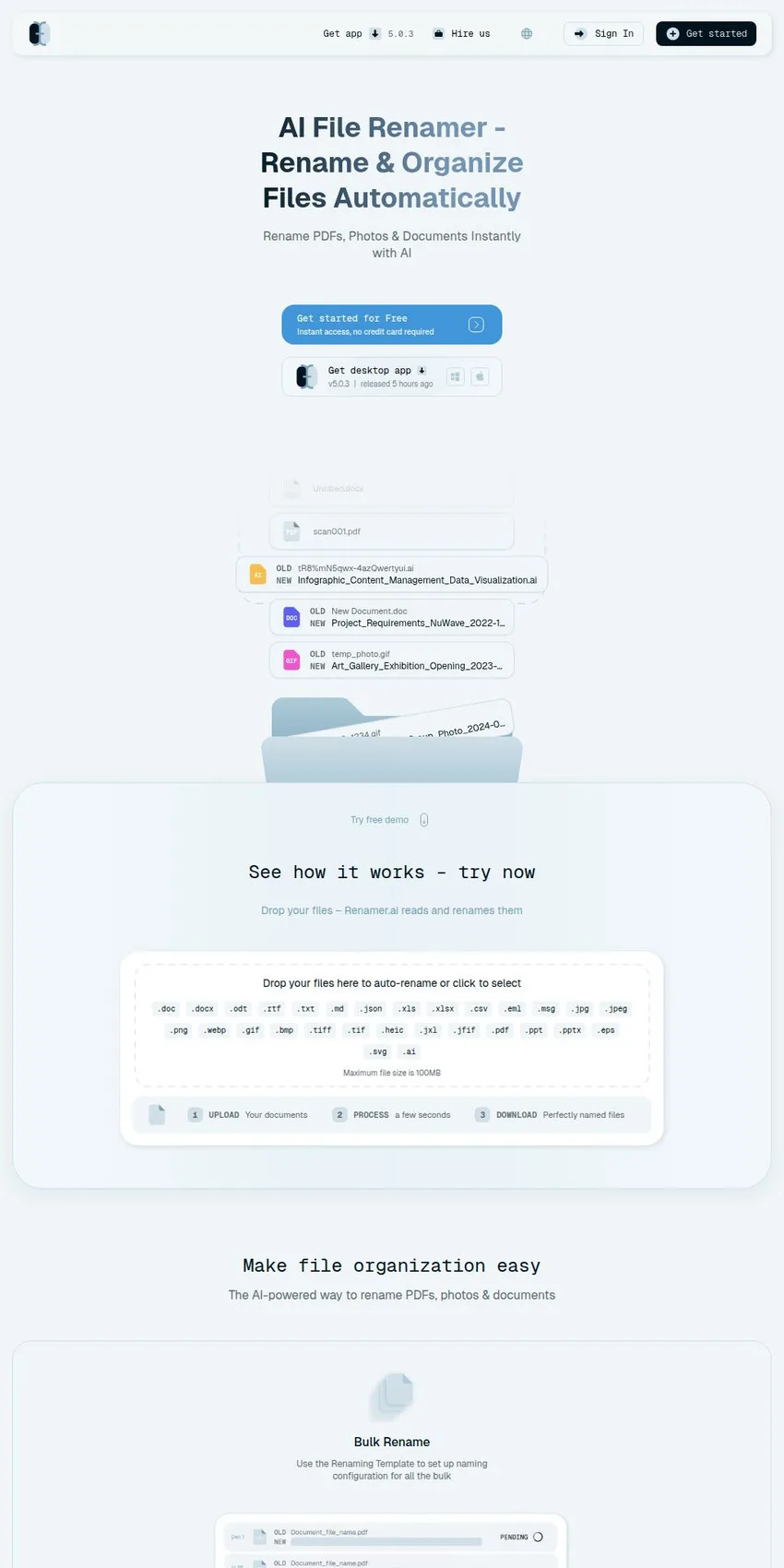
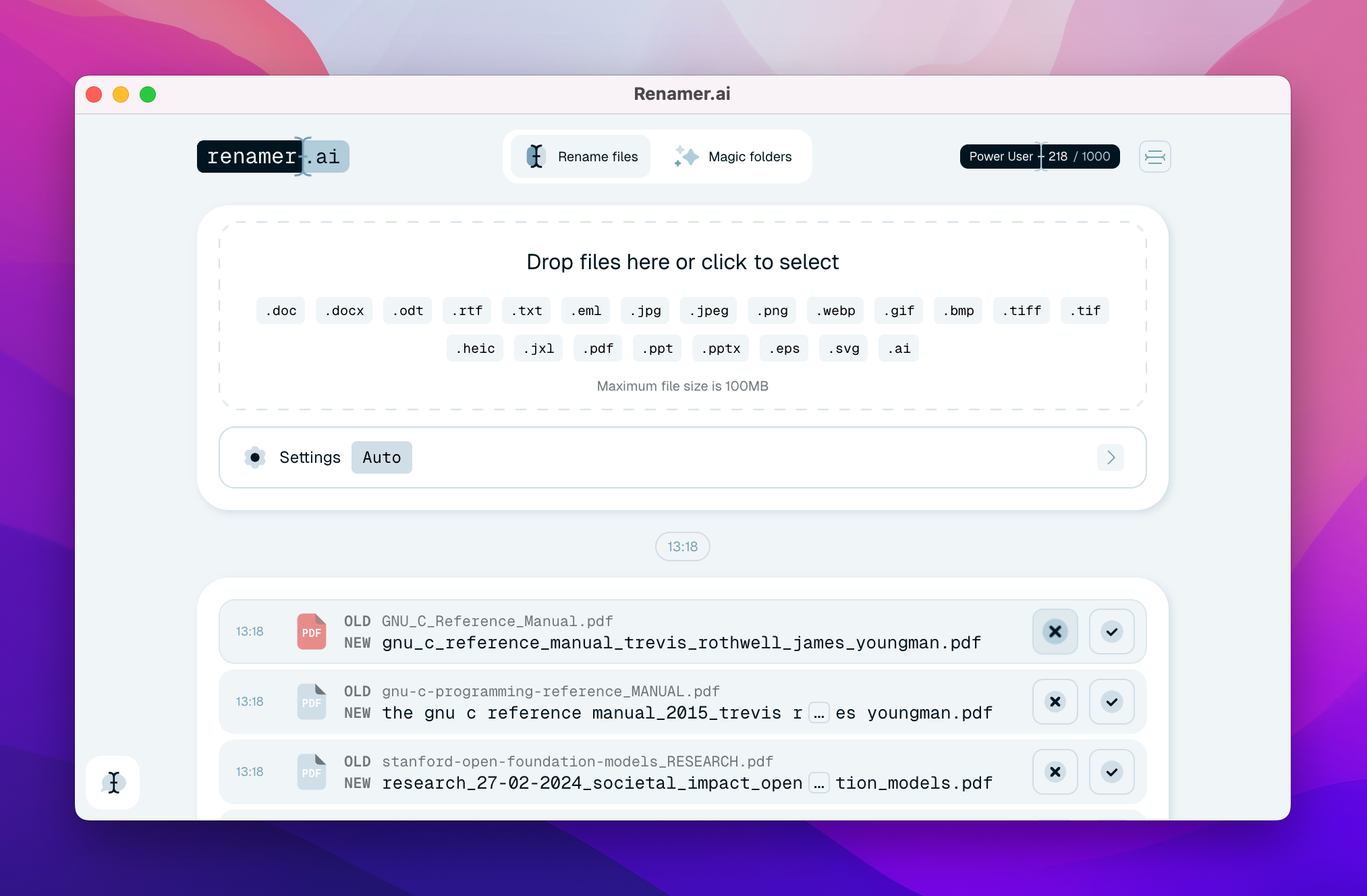
For $9.95 a month, Renamer. processes 200 files, reads their content via OCR and visual image analysis, and—based on the extracted data (document type, date, issuer, amount, invoice number)—suggests a descriptive name to replace vague labels such as IMG_2847.jpg or Document1.pdf. The product is developed by FUTURISTICA d.o.o., a company registered in Maribor, Slovenia, and is aimed, according to its own presentation, at accountants, law firms, human resources departments, and, in general, anyone who manages large volumes of invoices, contracts, and scanned documents. The idea is not new. What sets this tool apart from traditional renaming tools, which rely on rules and regular expressions, is that the filename is derived from the file's content, rendering the old filename irrelevant.
Pricing is based on monthly volume: the free Starter plan allows 25 renames per month; Pro costs $9.95 for 200 files; Power User, $29.95 for 1,000; Ultimate, $99.95 for 5,000, and annual payment offers a 15% discount. On a per-file basis, the cost drops from about five cents on the Pro plan to three cents on the Power User plan and two cents on the Ultimate plan, which accounts for the 40% savings shown on the page. For larger volumes, Renamer.ai offers custom plans (the changelog mentions a monthly limit of 30,000 files) and additional credits, valid as long as the subscription remains active. It's worth noting that the Capterra listing still mentions 15 free renames—a figure the website has exceeded—which at the very least indicates that external listings aren't keeping up with the product.
Its independent reputation is, for now, virtually nonexistent, and this fact should be noted as such. The Trustpilot profile is claimed by the company but contains no reviews; the Capterra listing has no user ratings; Softpedia hosts the Windows app, with a few hundred downloads; the aggregator explainx.ai displays an average of 4.5 stars, but notes that illustrative ratings are included in the calculation, which disqualifies it as evidence. Consequently, the figures promoted by Renamer.ai (over 6,100 users, 92% satisfaction, over 95% accuracy on high-quality documents), testimonials with names and job titles, as well as the projects cited in the "Hire Us" section (50,000 standardized reports for a consulting firm, over 100,000 reorganized legal files) remain claims made by the provider, with no named clients and no external confirmation.
At Renamer.ai, customer contact is handled in a straightforward manner: the website provides a support email address, a form for requesting custom plans, and, in the footer, the company's name and headquarters address; however, there is no phone number listed and no business hours displayed. Support is provided in writing, with a response time of 48 hours for the basic plans and 24 hours for the Power User and Ultimate plans, which is acceptable for a software tool of this caliber.
Magic Folders and naming templates
The feature with the greatest practical value is Magic Folders: Renamer.ai's desktop application, available for Windows and macOS, monitors a designated folder (such as "Downloads" or a shared folder) and renames each newly arrived file in the background; monitoring can be paused and resumed at any time. The change log documents tests on collections of over 50,000 files, duplicate management designed to avoid unnecessary credit consumption, and automatic resumption of files blocked by other applications. For an office where a scanner deposits dozens of PDFs into the same folder every day, this is the real reason to pay for a subscription.
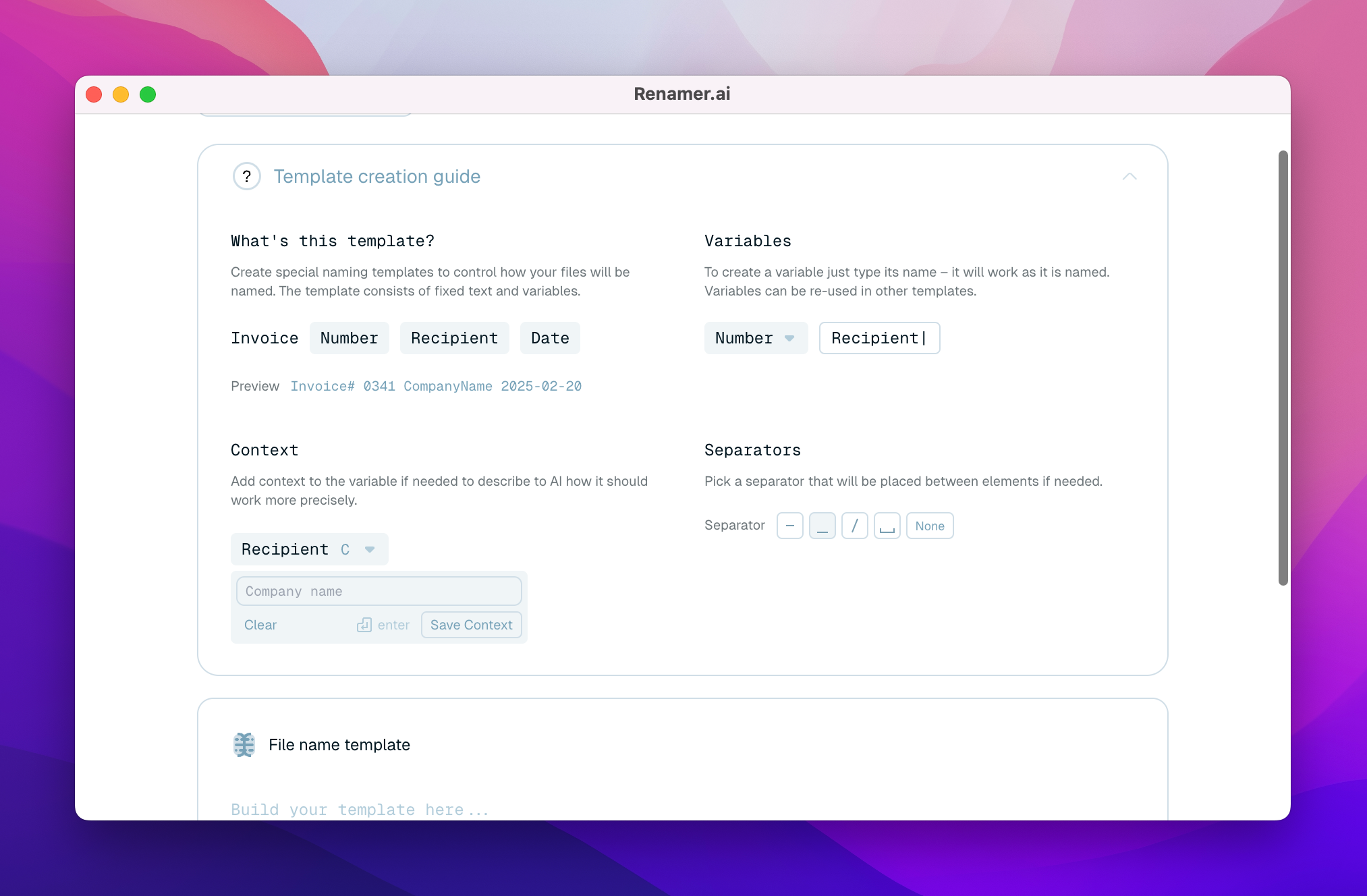
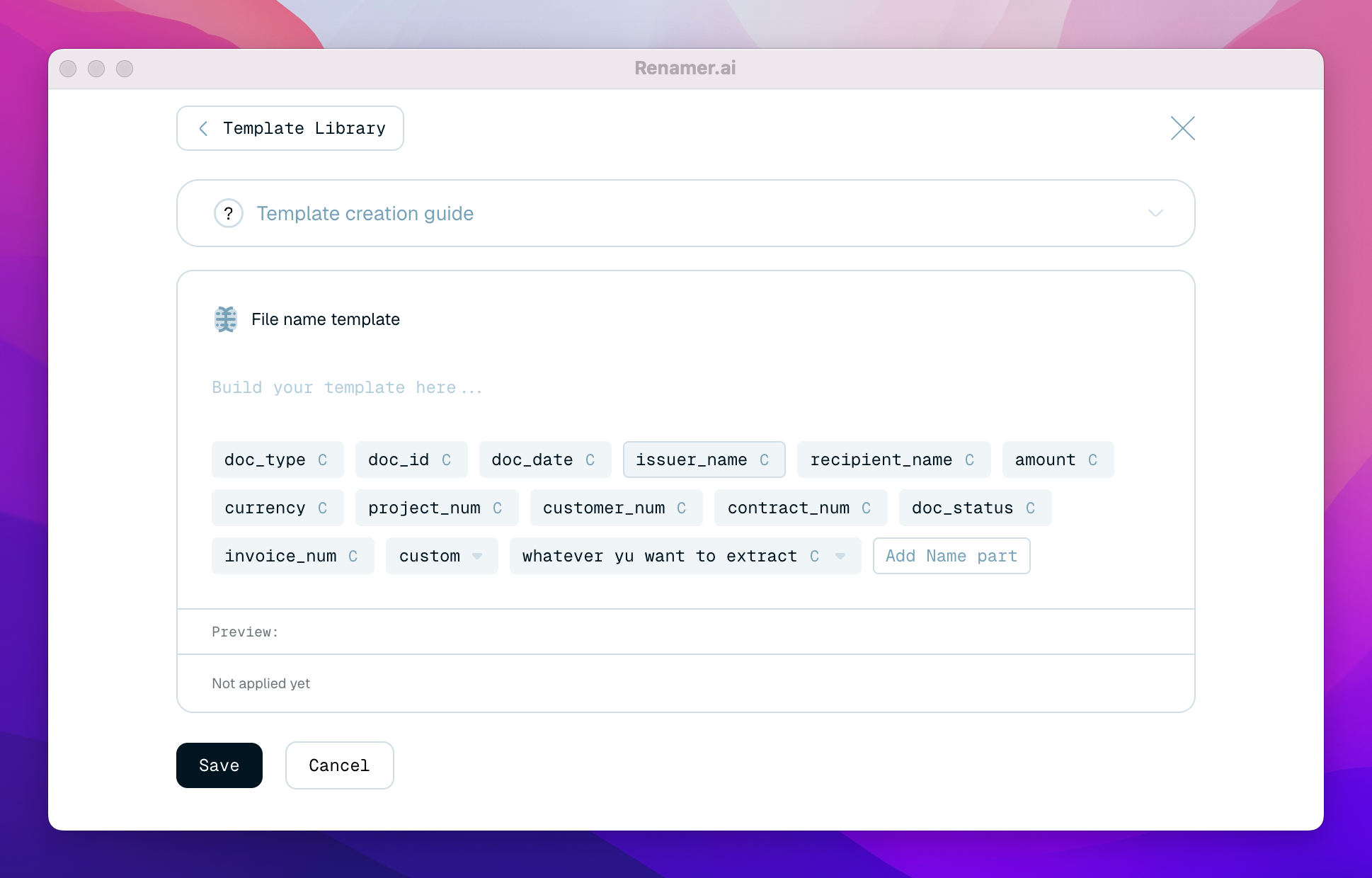
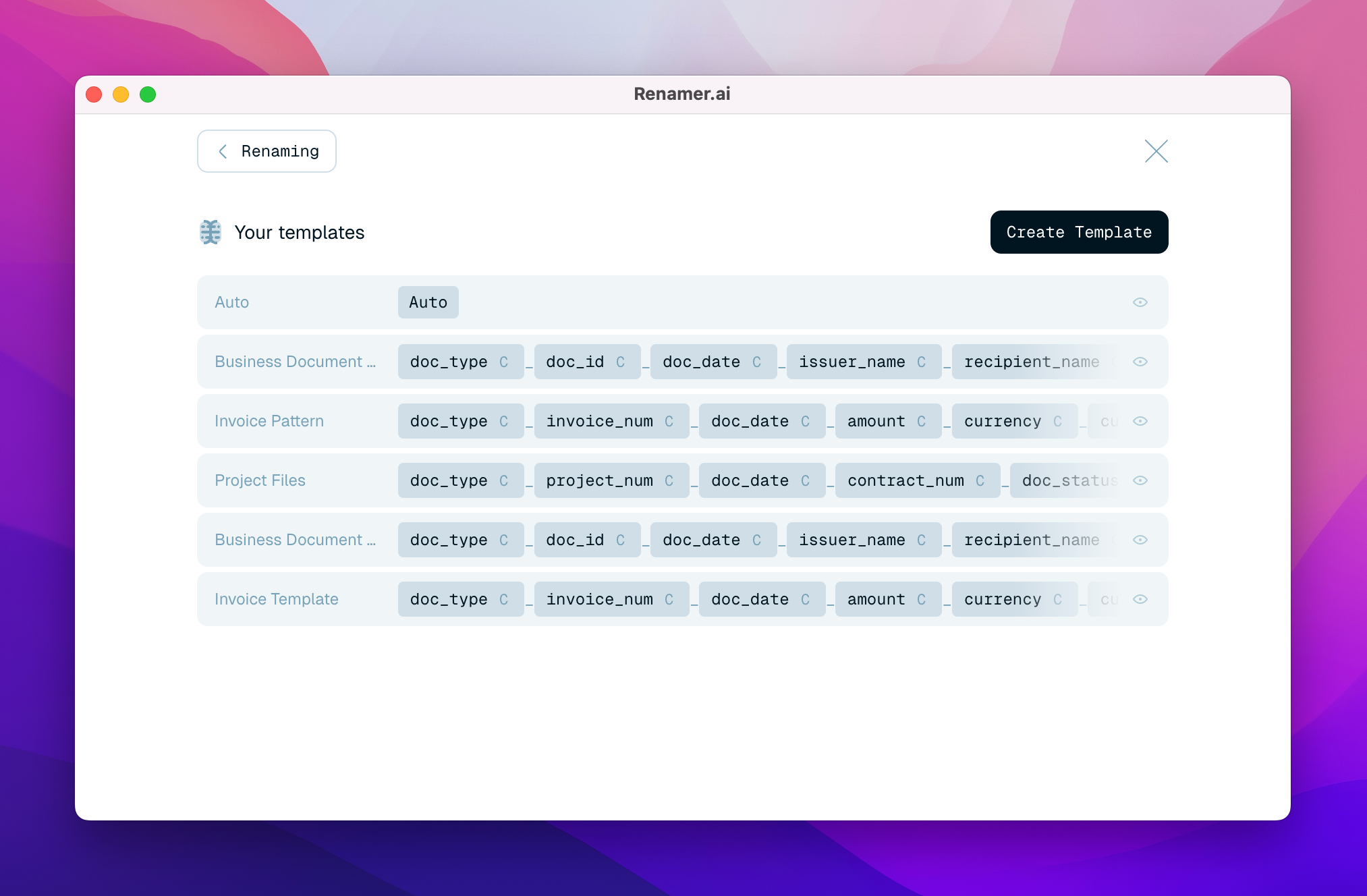
Templates in Renamer.ai are built using drag-and-drop from variables such as document type, date, company or person name, invoice number and amount, or user-defined context fields, while separators, date format, and name language are set at the template level. The latest major release added a template gallery filterable by tags, synchronization of templates with the account so they're available on any computer, and the ability to test a template on your own file before applying it. More relevant from an archival perspective is the extension of the logic from filenames to location: the same variables can generate a nested folder structure, so that an invoice goes directly into a path such as Supplier/Year/Month.
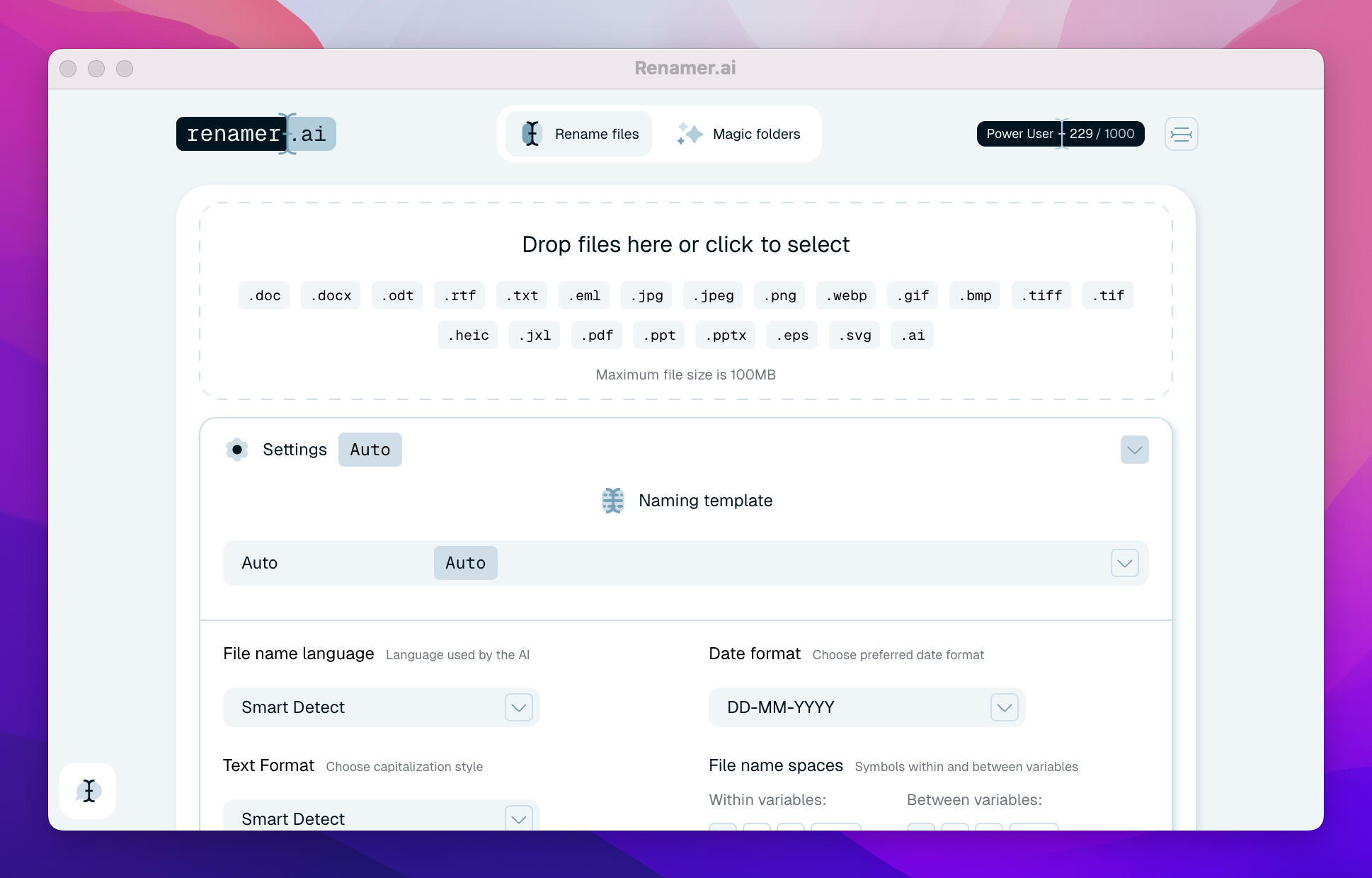
Regarding file formats, the FAQ section lists over 30 types, including PDF, DOCX, ODT, and RTF; XLS and XLSX spreadsheets; JPG, PNG, HEIC, and TIFF images; PPTX presentations; EPS, SVG, and AI vector files; as well as EML and MSG messages; however, another section on the same page mentions only 25 formats—a minor discrepancy, but one that speaks volumes about the attention paid to the site's own content. Renamer.ai supports over 20 languages with automatic detection, a 100 MB limit per file, a preview of file names before renaming, and a "undo" button that cancels any renaming. There is also a web demo that requires no installation, useful for getting a first impression, although the automation features remain exclusive to the desktop application.
Cloud, local, or self-hosted
The issue that warrants the closest scrutiny with Renamer. is privacy, since the documents in question (invoices, contracts, personnel files, tax documents) are precisely the ones that should not circulate unchecked. The web version retains uploaded files for a maximum of 24 hours for download; in the app's cloud mode, the content is transmitted to the company's servers for extraction and analysis, then deleted; the processing is carried out by third-party AI services, bound by agreements that, according to the company, prohibit them from using the data to train models. However, there is a discrepancy between two statements on the Renamer.ai homepage: one suggests that files processed by the app are renamed directly on the device and are not stored at all, while the other states that they are sent to servers for analysis. Both statements can be true at the same time, but an uninformed reader might misunderstand where their documents are stored, even if only temporarily.
The most convincing solution to this issue comes from the latest major release, which introduces three processing modes. In addition to the standard cloud service, Renamer.ai allows users to run local models—downloaded to their computer in four quality levels (Auto, Low, Medium, and High)—in which case the files never leave the device, and the app alerts users when the hardware cannot support the selected model; the third option, "Bring Your Own Key," connects your own OpenAI or Gemini account, with a usage meter and an optional file limit. For a law firm or payroll service, the local mode makes it much easier to justify the tool's use to a data protection officer.
Renamer.ai's change log, detailed and written in user-friendly language, shows a release cycle of several weeks, with specific fixes (compatibility with Active Directory domains, offline startup, renaming over slow connections, limiting the length of generated names) alongside new features. Such a log indicates genuine and sustained development activity, which is why it is likely the most credible signal the product sends about itself—certainly more credible than the satisfaction percentages on the homepage.
So, who is Renamer.ai best suited for? The accountant or legal secretary who receives invoices and scans daily with machine-generated filenames and is willing to pay two to five cents per file in exchange for a consistent naming convention; for purely mechanical renaming tasks (numbering, text replacements, EXIF data), Bulk Rename Utility or Advanced Renamer—with which the company itself compares itself on dedicated pages—remain sufficient and do not require a subscription. The sensible approach is to test the 25 free renames on a sample of real documents—locally if they contain personal data—and only then choose a paid plan, keeping in mind that there isn't yet a wealth of independent reviews to back up the figures displayed.
Business address
FUTURISTICA d.o.o.
Ul. Frana Žižka 20,
Maribor,
2000
Slovenia