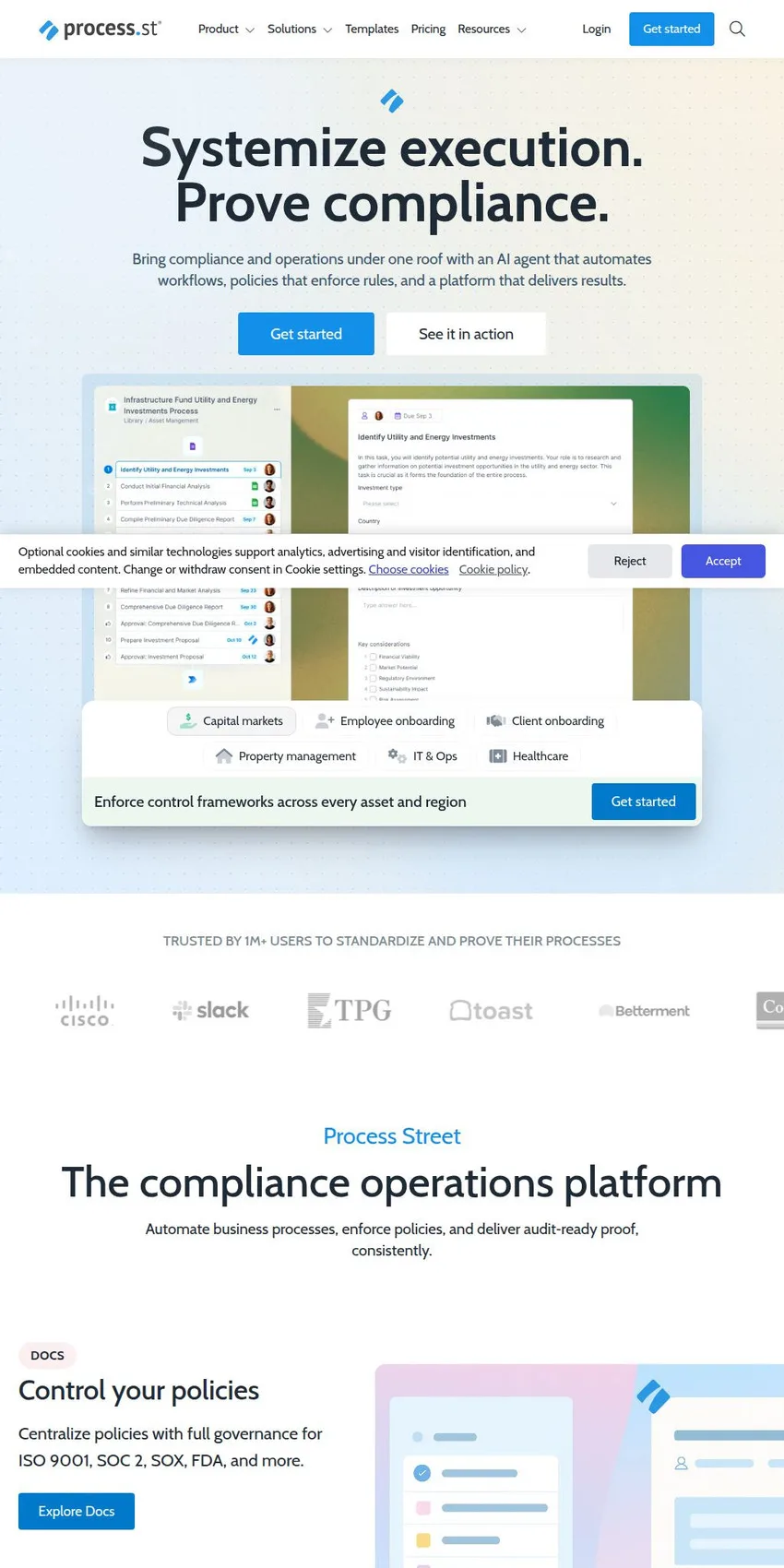
Process Street is a software platform for compliance operations. It transforms a company's policies and procedures into automated workflows, driven by artificial intelligence. The platform comprises three products – Docs, Ops and Cora – and, according to its website, is used by over 3,000 companies and one million users.
Why would a company need something like this?
A written procedure often ends up as a document that few people bother to read again after their first day at work. Process Street breaks it down into concrete steps that people can follow and tick off. Every action leaves a trace: who did it, what they did and when. It's the difference between a recipe stuck on the fridge and a chef cooking alongside you, step by step.
Where are the documents stored?
Docs is the product for document management. It manages Word, Excel and PDF files, as well as video files, with role-based permissions: who can create, who can edit and who approves. Every change is recorded in a complete history, from which you can compare versions or revert to an older one.
Policies go through an approval workflow, with designated approvers and review cycles. A change is not published without the signature of the person responsible. The browser-based Pages editor is where standard operating procedures (SOPs) are written, with formatted text, permissions and change tracking.
The website lists the compliance frameworks for which Docs is designed. These include ISO 9001, ISO 27001, SOC 2, SOX, HIPAA, FINRA and FDA 21 CFR. The list in the FAQs section goes further, including ISO 13485, GxP, NIST CSF and PCI DSS.
Who actually does the work?
Ops is the execution side. Repetitive processes are broken down into steps, and each task has an assignee, a deadline and a space for comments. The forms within the workflows collect data in an organised, logical manner with validation.
All plans include conditional logic, approvals, mandatory task sequencing, dynamic deadlines and scheduled workflows. Data Sets stores data common to multiple workflows, with saved views, interconnected drop-down lists and synchronisation with the company's record-keeping system. Projects and Inbox show at a glance what is being worked on and where things have stalled.
Automations move work between teams and applications without manual intervention. They are triggered by events and can include AI-driven tasks, scheduled runs and actions in other systems. Integrations include Slack, Microsoft Teams, Salesforce, Google Sheets, Zapier and Power Automate, plus an API for custom integrations.
And what does Cora do?
Cora is the platform's AI compliance agent. It runs in the background and monitors overdue tasks, skipped steps and adherence to agreed deadlines. When something goes off track, it raises an alert before the issue ends up in an audit report.
The agent compares actual working practices with written procedures and flags outdated or missing steps. It can read a policy document and derive a structured workflow from it. For a new process, you simply give it a name, and Cora builds the workflow. It also keeps a timestamped log and prepares exportable reports for audit purposes.
In my opinion, the link between Docs and Ops is the best-thought-out feature. When a document changes, the workflows linked to it are updated, and the platform alerts you if the procedure in practice has deviated from the source. It's like a sat-nav that recalculates the route as soon as a road is closed.
Who uses it?
The platform is aimed at the financial services, property, manufacturing, healthcare, professional services and technology sectors. The teams targeted include operations, human resources, finance, IT and security, as well as compliance departments. The most frequently cited uses are onboarding new employees, customer onboarding, ISO compliance and document control.
Notable clients include Salesforce, Slack, the Government of Canada, Colliers, Cisco, Betterment and Toast. The website also provides figures: over 49,000 employees onboarding at Salesforce using standardised processes, and 30 per cent faster documentation at the Government of Canada. Colliers reports improved team efficiency across several countries.
What plans are available?
There are three plans: Startup, Pro and Enterprise. Startup offers unlimited workflows, tasks, forms and pages, for five members and ten guests. Pro comes with a 14-day free trial, no credit card required, whilst Enterprise adds customised reports, integration with BI tools, a dedicated success manager, training and process consultancy.
On the security front, the website highlights ISO 27001, SOC 2 Type II, HIPAA and GDPR compliance. Single sign-on via SAML and user management via SCIM are also included. The platform offers mobile apps, as well as integrations with Slack and Teams, and organisations can customise it with their own logo, colours and subdomain.
Where can you find help?
As a reviewer, I noted the template library, which includes templates for onboarding, property management, IT, healthcare and capital markets. Resources also include a blog, case studies, API documentation, a community forum and a partner directory. According to the website, the support team responds within five minutes on average, and contact is made via the help centre, with no telephone number or email address displayed on the homepage.
Business address
Process Street
United States
Contact details
Phone: +1 347 552 2835