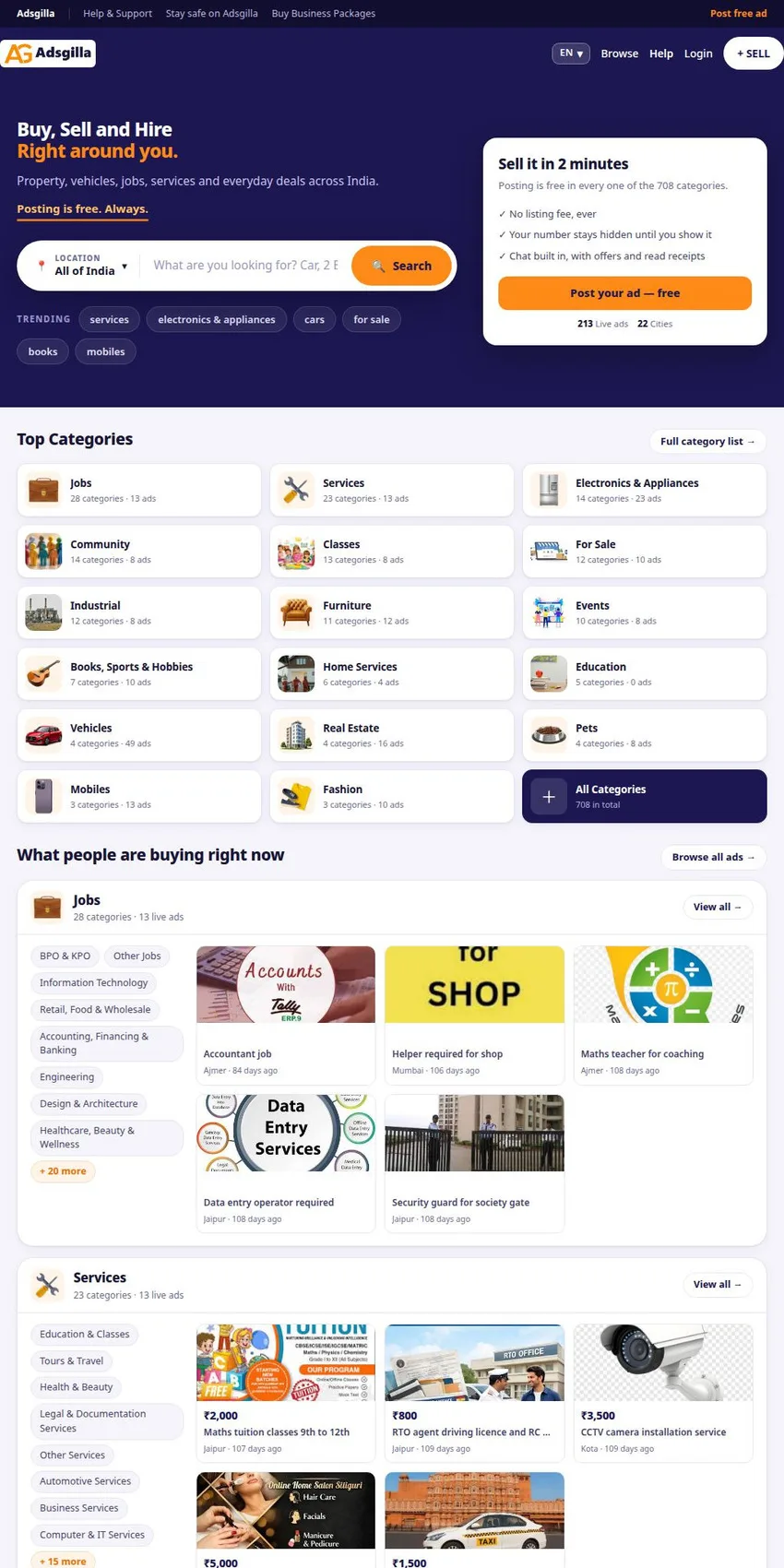
Adsgilla is an Indian free classifieds website where people buy, sell and hire in their local area. The adverts cover property, vehicles, jobs, services and everyday items. The platform operates in 22 cities, with the highest number of adverts in Rajasthan and Jaipur, followed by Maharashtra, Mumbai and Pune.
The Indian online classifieds market is long-established and crowded, featuring well-known names such as OLX and Quikr. Adsgilla is based on the concept of neighbourhood, so the adverts are organised by city, neighbourhood and surrounding areas. It's like the noticeboard at the entrance to your block of flats, except you read it on your phone and can also see what's been posted on the next street.
What can you sell, or look for, on Adsgilla?
The site has 708 categories. Among the main ones are home services, education, jobs, industrial, vehicles, courses, electronics and white goods, property, furniture and fashion. The list also includes events, community, pets, mobile phones and a general category for books, sport and hobbies. For those looking for something specific, there are also separate pages listing all categories and all towns.
This mix says a lot about the audience. The same site can be visited by someone selling their scooter and someone looking for a tutor for their child or an electrician for Saturday morning. The 'Industrial' category and the jobs section bring the platform closer to small local businesses.
How does an advert get online?
The process is quick. You tap '+ SELL', choose a category, fill in the details, add photos, confirm the location and verify your mobile number. Before publication, a moderator reviews each advert. The phone verification step links each advert to a real number.
If the advert is rejected, the reason appears in the 'My Ads' section, under 'Moderated'. From there, click 'Edit now', make the corrections and save, and the advert will be sent back for review. It's similar to a form submitted at a counter, which the clerk returns to you with a note in the margin.
Posting is free in all categories, and the site states that this will remain the case. You only pay if you want to promote your advert, and no fee is charged for the actual sale. It's the classic noticeboard model: the advert is free, whilst a more prominent position costs a little extra.
Want to sell faster?
For promotion, there's the 'Sell Faster' button in 'My Ads'. The advert can be highlighted (featured), moved to the top of the list or upgraded to 'Elite' status. Businesses that post frequently also have ad packages available in the 'Buy Business Packages' section. A car dealer or estate agent, who always have something new to list, can get started straight away from here.
Payments and invoices can be viewed under 'Bought Packages & Billing'. Business owners can add their GST number – the tax code for the Indian Goods and Services Tax – which will then appear on the invoice. This detail matters for a small business owner who wants to claim their advert as a business expense.
Your number remains yours
Your phone number remains hidden until you choose to share it. Conversations take place via the site's chat feature, where you can make offers and see when a message has been read. It works like a WhatsApp within the platform, which also keeps a record of the conversation history. This is equally helpful for buyers, who don't have to give their number to dozens of strangers.
In my opinion, the internal chat is the most useful feature for those who sell frequently. Your phone no longer rings at ten o'clock in the evening about a fridge that's been on sale for a week. And if a negotiation falls through, the chat history is there, just a click away.
What does the site do to ensure your safety?
The Safety Centre is written in plain language. The basic rule: you only pay once you've received the item, with no advance payments, 'delivery charges' or 'refundable' deposits. Never give your OTP code, UPI PIN or card number to anyone, as receiving the money doesn't require a PIN. A QR code sent 'to receive the money' is flagged as the most common scam on classifieds websites, as scanning it actually transfers money from your account.
For meetings, the guide recommends a busy, well-lit location in broad daylight, preferably with a companion. The item should be checked before payment, including the serial number or documents, and in the case of cars and properties, the buyer should check the title deeds themselves. Any rush to move the conversation to another app is flagged as a red flag.
As a reviewer, I've noticed that the guide provides concrete steps to follow. The 'Report Ad' button flags suspicious adverts, those already sold or listed in the wrong category, and the report is sent to the moderation team. 'Block seller' hides a seller's adverts without them knowing. Anyone who has lost money is directed to their bank and to the national portal cybercrime.gov.in.
Where can you find help?
The Help & Support page explains the steps for posting, editing, promoting and invoicing. For direct contact, it refers you to the details displayed at the bottom of the website. There you'll also find the blog and the privacy, content, cookies and vulnerability reporting policies, plus a guide for law enforcement agencies. The pages are short and get straight to the point.