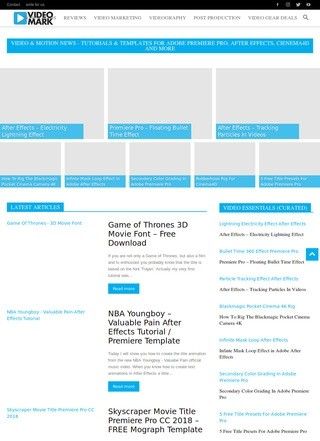
What does a videographer get from Video Mark before paying anything? Free templates and free tutorials, mostly, aimed squarely at the Adobe end of the creative pipeline. The site collects downloadable assets and walkthroughs for Premiere Pro, After Effects, Cinema 4D, Photoshop, and Illustrator, which is a sensible spread for anyone who edits footage one day and builds a motion graphic the next. There is also material on video marketing and a broader stack of motion design resources, so the scope reaches past pure editing into how finished work gets used and promoted.
Free templates and tutorials
The audience is clear enough from the content itself. Content creators, working videographers, and motion designers who want learning material and ready-made design assets are the people Video Mark is built for. That focus is a strength, because a site that tries to teach everyone usually teaches no one well, and Video Mark stays in its lane. The Adobe-certified angle helps here too: the operator presents on YouTube as an Adobe Certified Professional in Video Design and a 3D motion designer, which is the kind of background that makes free tutorials worth more than the average aggregated blog post. A certification is not a guarantee of good teaching, but it does point toward someone who has done the work in After Effects and Cinema 4D rather than just written about it second-hand.
Target audience for creators
I spent a while trying to gauge how deep the library really goes, and that is where my read turns more cautious. The categories are promising on paper, yet Video Mark does not surface a course catalogue, a count of templates, update dates, or any sign of how often new material lands. A resource hub lives or dies on freshness and volume, and neither is something a visitor can confirm from the surface.
Library depth remains unclear
The site runs on the Newspaper WordPress theme, a common choice for content-heavy publishing, which fits the format but tells you nothing about whether the tutorials are recent or whether the download links still work. None of that is damning on its own. It just means the only honest description is that the offering looks useful in shape, and the proof sits behind clicking through a few items and checking the dates on the posts themselves.
Social media contact only
Reach is handled almost entirely through social platforms. Video Mark points to Facebook, Instagram, Twitter, and a YouTube channel under the handle videomarknet, and for a creator-led resource that arrangement makes sense, since the tutorial videos and the audience already live on those networks. Anyone wanting to follow new releases or ask a question would do it there. The flip side is that the landing page itself carries no phone number, no postal address, and no way to get in touch outside of those profiles. For a free educational site that is a minor point, because nobody expects a help desk attached to a free template, but it does mean someone hoping to reach a real person directly has to chase them across social media first.
No public ratings available
There is very little third-party opinion to go on. Video Mark's Facebook page sits at "Not yet rated" with two reviews, and no ratings turned up on Google, Trustpilot, Yelp, BBB, or any of the usual platforms. That is a quiet record, not a damaging one. A site this size, run by one creative professional, is never going to accumulate the review volume a consumer business does, so the absence reads more like low public profile than trouble. It is worth flagging one trap for anyone searching the name: a separate and unrelated product called VideoMark, a Chrome extension at videomark.app, carries a 4.0 rating on the Chrome Web Store. That score belongs to a different product entirely and says nothing about Video Mark, so do not let it color the picture.
Small resource, unverified quality
What you are left with is a small, focused, free resource that leans on the operator's Adobe credentials and a handful of social channels, with genuinely useful subject coverage but no public track record to lean on. If the templates and tutorials are current and well made, Video Mark is the sort of bookmark a motion designer keeps quietly in a folder and returns to when a project needs a quick After Effects starting point or a Cinema 4D refresher. The honest caveat is that none of that quality is verifiable from the outside, so the sensible move is to treat it as a free library worth exploring rather than a known quantity.
Go in, click through a few downloads and a tutorial or two, and decide from there. For a no-cost resource the risk is close to nothing, and the upside, if the depth matches the categories on offer, is a steady source of Adobe-focused learning from someone who clearly knows the tools. Video Mark sits in that middle ground: narrowly aimed, promising in scope, and still unproven where the actual depth and freshness of the content is concerned.