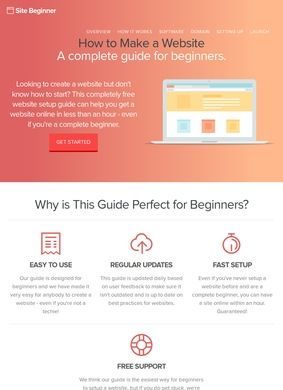
Standing up a working website without writing a single line of code is the whole premise behind Site Beginner, and the guides are built around proving that to someone who has never touched a server or a CMS. The writing targets people with an idea for a blog or a small site who have been put off by the jargon. Reading level is kept low on purpose, and the walkthroughs assume you know nothing going in.
Written tutorials for domain, hosting and WordPress
What you get, concretely, is a sequence of written tutorials that march through the early decisions in order: picking a domain name, signing up for hosting, installing WordPress through the one-click route, choosing a theme and adjusting it, then the day-to-day mechanics of pages, posts, menus, widgets and sidebars. None of that is exotic, but it is the exact stretch where most first-timers give up, and laying it out as a fixed path has value. There is also a free email course that drips follow-up lessons on more advanced WordPress tweaks after the basics are done.
Sequential steps through Bluehost setup
The tutorial content is the spine of the operation. It is sequential, which suits the audience, and it does not pretend the reader already understands hosting accounts or DNS. The one-click WordPress install is demonstrated specifically through Bluehost, so the instructions are tied to that provider's interface. For someone following along step by step that is helpful, since generic instructions tend to fall apart the moment a real control panel looks different from the screenshots.
Email course for advanced customization
The email series is a reasonable extension of the same idea. Instead of dumping every advanced topic onto one long page, it spaces out the customization lessons so a beginner is not overwhelmed on day one. Whether those lessons stay useful as WordPress changes its interface is an open question, and that is a real limitation of any static how-to project run by one person. The guides are only as current as the last time they were touched.
Reviews of builders, hosts and platforms
Alongside the tutorials sits a reviews area covering third-party products: website builders like Sitebuilder.com, Elementor and Shopify, hosting companies including Bluehost, InMotion Hosting and Web Hosting Hub, and a handful of eCommerce platforms. This is where a reader should slow down. Site Beginner names Bluehost at $2.95 a month as its top hosting pick and discloses affiliate relationships with Amazon Associates and other companies it mentions.
Affiliate relationships with featured providers
Credit where it is due: the disclosure is visible, which is more than a lot of recommendation sites bother with. It does, though, change how the reviews should be read. When the same provider that earns a commission is also the one threaded through the main install tutorial, the recommendation and the revenue point in the same direction. That does not make the advice wrong, and Bluehost is a mainstream choice that plenty of beginners use without trouble. A careful reader should treat the rankings as one informed opinion with a financial interest attached, and cross-check the hosting decision before paying for a year up front.
Discrepancy between recommendations and site infrastructure
Worth noting: Site Beginner pushes Bluehost as its headline recommendation, yet the site itself runs on InMotion Hosting and Web Hosting Hub. That is not necessarily a contradiction, since a content site and a beginner's first blog have different needs, but sceptical visitors will spot it.
Solo project with limited support options
The About page is refreshingly plain about scale. Site Beginner is a one-person project aimed at beginner and intermediate users, and it does not dress itself up as a company or a team. That honesty works in its favour. It sets expectations correctly: this is a personal teaching site, not a managed service with a support desk.
Contact form as the only help channel
Reaching the person behind it is less straightforward. Site Beginner offers free support through a contact form, but that form is reportedly not always working, and there is no phone number or postal address published anywhere on the site. For a free tutorial project that is not damning, since nobody expects a help line. But the broken or uncertain form is the one route offered, and a reader who hits a snag mid-setup has nowhere to turn. That undercuts the promise of free support more than the missing phone number does.
No independent verification of content quality
Third-party coverage of Site Beginner is essentially absent. A search turns up no meaningful independent reviews of the site itself; the only results that surface are Site Beginner's own internal articles reviewing other people's products. A visitor is judging it purely on the quality of the pages in front of them, with no outside track record to lean on.
Taken together, the verdict lands somewhere in the middle. As a free, plainly written starting point for someone who genuinely knows nothing about building a site, Site Beginner does the basic job: the path from idea to a live WordPress blog is laid out clearly and in the right order. The honesty about being a solo effort and the visible affiliate disclosure both count for something.
Against that, the recommendations lean on a provider that pays the site, the support channel may not function, and the absence of any independent coverage leaves no way to confirm the guides are kept current. It is a fine free reference for the tutorial content, and a poor place to rely on if something goes wrong mid-build. Take the Bluehost pitch with the caution any paid recommendation deserves, and keep a backup plan for getting help elsewhere.
Business address
Site Beginner