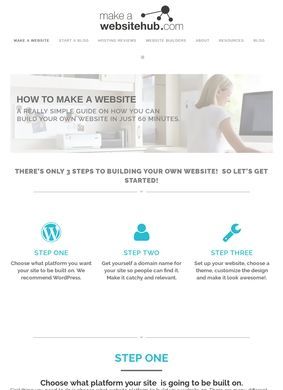
Someone who has never written a line of code, but wants a working WordPress site by the end of the afternoon, lands in a familiar trap: a dozen tabs open, every host and builder promising the easiest setup, and no clear sense of which advice is honest. That is the exact reader How To Make A Website is built for. The headline promise is a walkthrough that gets a beginner from nothing to a live WordPress site on Bluehost in under an hour, and How To Make A Website is structured to deliver on that one job before anything else competes for attention.
WordPress setup on Bluehost
The Bluehost route is the spine of the whole site. Pick a host, register a domain, install WordPress, and the steps are laid out in order with the affiliate links sitting right where you would expect them. How To Make A Website does not pretend to be neutral about this: Bluehost is clearly the featured partner, and the referral model is the reason the tutorial exists. A beginner gets a path that works, the author gets a commission, and the trade is at least visible if you read closely. I appreciate the candour there. The recommendation is shaped by the partnership, so the "best host for beginners" framing is one informed opinion with a financial stake behind it, not an independent verdict.
Transparent affiliate model
Where How To Make A Website earns more trust is in how much it covers beyond that single funnel. There are hosting comparisons that separate budget shared plans from managed options, and reviews that line up the big website builders against each other: Wix, Shopify, Squarespace, Weebly and others get their own treatment. If WordPress is not the right fit, How To Make A Website does not force it. The CMS reviews stretch to Drupal and Joomla, which few beginner-focused sites bother including, and there is material on domain registrars, blogging platforms, landing page builders, and the plugin and theme decisions that trip up first-time WordPress users. A person who arrives sold on one tool can leave having compared it against three real alternatives.
Hosting builders and CMS options
Most of the content on How To Make A Website carries Jamie Spencer's byline, which gives the site a single consistent voice instead of the anonymous, churned-out feel a lot of affiliate review sites have. A named author who keeps an ongoing blog on web development topics is easier to weigh up than a faceless brand. There is a comments section where people ask follow-up questions and get answers, so the advice is not delivered into a void and readers can push back, which is worth something.
Author byline and reader engagement
The blog also keeps How To Make A Website from being a static funnel. Web development moves, hosts change their plans and pricing, builders add and drop features, and a site that stopped updating in 2018 would quietly mislead the very beginners it claims to help. An active stream of posts is a reasonable sign that the comparisons are being maintained, though a careful reader should still check that any specific plan or price quoted still holds before spending money.
How often is the content updated?
On the question of outside reputation, the picture is mixed. A GoodFirms profile exists for the brand with reviews attached, but no aggregate score surfaced from a search, so it marks presence more than it marks standing. There is no Trustpilot, Google, Yelp or BBB trail for How To Make A Website specifically, which is common for content sites that sell information instead of a product or a local service. Absence of a star rating is not unusual in this category, but it does mean you are weighing the advice on the strength of the writing and the named author, not on a crowd of outside ratings.
Outside reviews and reputation
Contact is the weakest part of the package, worth flagging plainly. There is no phone number or physical address on the homepage of How To Make A Website, and the only route to the author runs through a form linked off the About page. For a tutorial site that earns through referrals, that is acceptable enough: you are reading guides, not hiring a contractor or sending a payment. A reader who needs accountable, responsive support while building a site should know that the help on offer here is the published content and the comments, not a support line.
Contact support channels
What you actually get from How To Make A Website is a curated map of the beginner web-building decisions, written by one person with a clear and disclosed commercial angle. The under-an-hour WordPress promise is a real, followable path, and the surrounding reviews give enough context to make a choice with eyes open. The thing to hold in mind is that the recommendations lean toward the affiliate partners, so cross-checking the headline picks against an independent source costs nothing and sharpens the decision.
When to cross-check recommendations
How To Make A Website is a genuinely useful starting point for a complete beginner, and the move is to read the WordPress walkthrough end to end before clicking any host link, then drop a question in the comments if a step does not match what you see on screen. Readers shopping purely for the cheapest or most independent hosting verdict should treat the picks from How To Make A Website as a starting shortlist and confirm current pricing directly with each host.