Everything on Powerpoint Styles is free. The site gives away more than 260 royalty-free PowerPoint designs, with no paywall, no per-download credit system, and no premium tier quietly holding back the good ones. That single fact shapes what the place is worth and who it is worth it to.
What the library holds
The files are plain .PPT templates and backgrounds, ready to open in Microsoft PowerPoint or in OpenOffice, and they import into Google Slides for anyone working in a browser. Compatibility runs back to PowerPoint 2007, which is generous. An old office machine that never got a software refresh can still open and edit these without a fuss.
The Powerpoint Styles library of 260-plus designs is a real collection, though not an enormous one next to the big commercial catalogues. The trade is obvious and it is stated by the site's own model: fewer designs, but none of them cost a cent, and none carry the royalty strings that make free files from other corners of the web risky to drop into a client deck.
Format matters more here than design polish. Because the files arrive as ordinary .PPT documents rather than locked images or proprietary bundles, a user can pull a single slide apart, recolor a shape, or lift a background straight into an existing deck without wrestling the software. That openness is what makes a free library actually useful instead of merely available. A template that cannot be edited is a poster; one that opens cleanly in PowerPoint, OpenOffice or Google Slides is a starting point, and these are the second kind.
The compatibility reaching back to PowerPoint 2007 reinforces the point, since a design that only opened in the newest release would shut out exactly the budget users a free site tends to attract. None of the templates here carry a watermark or a trial limitation either, which is the trap that catches people at the free tiers of the paid sites.
Browsing by category, color and tag
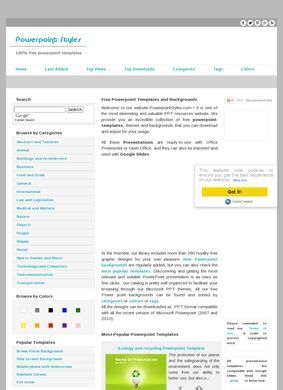
Finding something is where Powerpoint Styles does more than a plain heap of files would. The library sorts into 18 categories, among them abstract, textures, technology, business, medical, nature and sports, and it can also be filtered by color, white through grey and black with blue, green, yellow, orange, red, purple and pink in between.
Keyword tags such as cube, vintage or molecule cut across those buckets, and popularity filters (Last Added, Top Views, Top Downloads) surface what other visitors actually reach for. For a free site, that is a considerate amount of sorting, and it is the difference between a library a person can work and a folder they give up scrolling halfway down.
Who reaches for it
The audience Powerpoint Styles names is broad but coherent: students who need a deck for a class, business professionals and sales managers assembling something for work, and anyone who wants a presentation to look finished without paying a designer to build it. A background from here plus an hour of typing gets a passable, professional-looking result. Someone chasing a distinctive, tightly on-brand corporate template will outgrow the collection quickly, and that is a fair limit to set on work given away for nothing.
Around the library sit the usual extras, an articles and updates section, links out to Facebook, Twitter, Pinterest and other social accounts, and standard Terms of Use and Privacy pages. Powerpoint Styles keeps its own SlideShare account too, with close to a thousand followers and around 98 uploaded decks, which is the nearest thing on offer to a public track record of people putting the material to use.
What is missing from the pitch is any clear sign of how fresh the collection stays. Powerpoint Styles frames its designs as royalty-free and ready to use, and the popularity filters imply a steady trickle of downloads, but there is no obvious cue to how often new templates land beyond that Last Added view. For a free resource it is a minor complaint. A student or a sales manager cares whether a usable background exists today, not whether the library grew last month, and on that narrow test the collection delivers what it says it will.
Students, sales decks and business use
The split between casual and working use is where the free model pays off. A student rarely wants to spend money on a one-time class presentation, and this site removes that decision entirely. A sales manager under deadline can grab a technology or business background, drop in the figures, and move on.
I will say the color filter is the underrated tool in that whole workflow, since matching a deck to a company's palette is often the actual job, and picking by color first spares a lot of scrolling.
Standing and how to reach it
Independent reviews of the site barely exist, and that is worth saying plainly instead of dressing it up. Searches for reviews of Powerpoint Styles turn up other things entirely, the big template marketplaces and reviews of Microsoft's own PowerPoint software, but no rating platform seems to cover this particular site.
Its SlideShare account, with close to a thousand followers and around 98 uploaded decks, is the only real signal that people put the templates to use, and a follower count is not the same thing as an actual review score. No outside body vouches for quality here, so the collection has to prove itself once a visitor starts opening files.
Where it goes quiet
Contact is the clear weak spot. There is no phone number, no email, and no address listed anywhere on the site, and no separate contact page turned up at all. What a visitor gets instead is a set of social links and the policy pages. For a free template site that is common and not alarming, since there is no purchase to support and no order that can go wrong, but anyone who needs to ask about licensing for a specific file has no direct channel to do it, only a social account and the hope of a reply.
So where does Powerpoint Styles land against a paid catalogue like SlideTeam or SlideGeeks? For a student or a rushed sales deck it wins on the one factor that counts most, price, and its browsing tools make the smaller library genuinely easy to work through. For an agency needing hundreds of polished, fully editable, on-brand layouts with support standing behind them, the paid sites are worth the money, and Powerpoint Styles is not trying to compete on that ground. The right answer depends entirely on which of those two people is doing the searching.