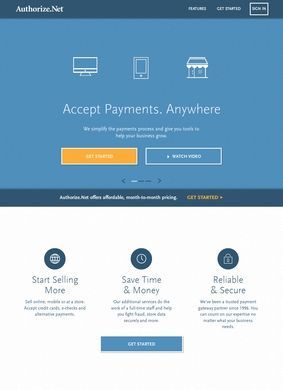
Authorize.net is a payment gateway run by Visa that lets businesses accept card and bank payments online, in a store, or over the phone. It sits between a merchant's website or point of sale and the banks that move the money, taking the card details, checking them, and passing the transaction through to settlement. That role has not changed much in years, and the site reflects a company that knows exactly what job it does and writes about it without much drama.
Card and bank payments online or in store
The core of what Authorize.net sells is card and debit acceptance plus eCheck, meaning ACH bank transfers, so a merchant can pull money straight from a customer's checking account instead of a card. On top of that basic pipe sit the tools that most sellers actually spend their time in. Authorize.net handles recurring and subscription billing for anyone charging monthly, invoicing for businesses that send a bill and wait to get paid, and a virtual terminal that turns any browser into a card-entry screen for phone and mail orders. That last piece matters more for small operators than the marketing suggests, because plenty of them still take orders by phone and have nowhere clean to key the card in.
Recurring billing and virtual terminal tools
For companies that sell in person or on the move, there are mobile and in-store payment options, which extends the same account across the counter and the checkout page. Authorize.net pitches one merchant account and one reporting view whether the sale happens on a phone, a terminal, or a shopping cart. Whether that unified picture is as tidy in practice as on the page depends heavily on which integrations a business stitches together, and the site is honest enough to route you toward its developer material instead of promising it all works by magic.
Mobile and in-store payment options
Two features get more attention than the rest, and they deserve it. The Advanced Fraud Detection Suite that Authorize.net includes is a set of configurable filters that screen transactions before they go through, letting a merchant block or hold orders by things like transaction amount, velocity, or mismatched address and card data. Fraud screening is the sort of feature that sounds dull until a business gets hit with a wave of stolen cards, at which point it becomes the thing they care about most. Authorize.net treating it as a named, documented product instead of a buried checkbox is a point in its favor.
Advanced Fraud Detection Suite
The other is the Customer Information Manager, a vault that stores card and bank details as tokens so the merchant never keeps the raw numbers on its own systems. That tokenized storage is what makes repeat billing and one-click checkout possible without dragging the seller deep into card-data compliance, and it is the backbone of the recurring billing and saved-customer features elsewhere on the platform. For a business that bills the same people over and over, this is the part of Authorize.net that quietly does the heavy lifting.
Customer Information Manager for tokenized storage
Connecting all of this to the rest of a business is where the platform shows its age in a good way. Authorize.net has been around long enough that it plugs into almost everything a merchant already uses. There is a QuickBooks link and other accounting hooks for reconciling payments against the books, and ready-made plugins for the common e-commerce platforms, Shopify, WooCommerce, and Magento among them. For anyone building something custom, the developer section carries the API and SDKs, documentation, and the hosted payment pages and simple checkout buttons that let a smaller site take money without engineering a full integration from scratch. That range covers a solo store owner dropping in a payment button and a larger firm wiring the API into its own software.
Integrations with accounting and e-commerce platforms
The Authorize.net site is organized around that spread of buyers. Products and Solutions break the offering out by what a business needs and by industry, Pricing lays out the plans, which typically run as a flat monthly fee plus a per-transaction charge, and separate areas serve Partners, developers, and support through a Help Center. The About and company sections cover the corporate side. It is a lot of surface area, and the navigation mostly keeps it legible instead of drowning a visitor in options, though the sheer number of products means a first-time merchant will spend a while working out which pieces they actually need.
Gateway model requires understanding payment structure
What is worth being clear-eyed about is that Authorize.net is a gateway, not the whole payment stack for every seller. Some businesses use it alongside a separate merchant account, and the pricing and fee structure reward understanding that distinction before signing up. The platform assumes a certain baseline of comfort with payment terminology, and a newcomer expecting a single-click, all-in-one setup like some newer processors may find the layered model of gateway, merchant account, and add-on tools takes reading to grasp. The documentation is there to close that gap, but the gap is real.
Who should consider Authorize.net?
As a place to process payments, Authorize.net holds up well for the businesses it was built for: established sellers, subscription operations, and anyone who wants deep integration options and serious fraud controls under a name backed by Visa. It is less obviously the right pick for a brand-new microbusiness that just wants the fastest possible way to take a first card, since that buyer often lands better with a more bundled competitor. The honest read is a capable, mature payment gateway that rewards businesses willing to learn how its pieces fit, and one that has earned the reach of integrations it carries. The right merchant will find it worth the setup time; everyone else should read the pricing page slowly and figure out whether they need a separate merchant account first.