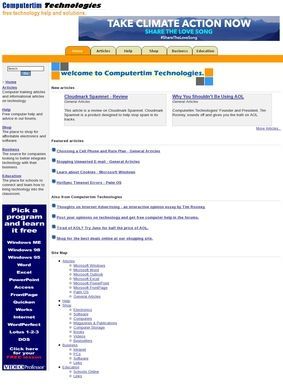
Computertim is a free computer training site built around written tutorials for everyday Microsoft software, started in 2003 by Tim Rooney. The articles are sorted by program, so anyone looking for help with Word, Excel, Outlook, PowerPoint, or the older FrontPage can pick the relevant section and start reading. The site also covers Microsoft Windows itself and includes a set of guides for Palm OS, which says a lot about when most of this material was actually written. The aim is plain enough: teach a home user or a small-office worker how to do specific tasks, at no charge.
Program-by-program tutorial layout
What works about the structure is that Computertim does not pretend to be more than it is. The program-by-program layout means you are not hunting through a search box hoping to land on the right page. If your question is about Outlook, you go to the Outlook section and read. The level sits somewhere between absolute beginner and moderately comfortable, which is the right call for the audience it seems aimed at: people who can find a menu but need to be walked through the steps once.
Inside the Office tutorial library
The core of Computertim is its tutorial library, and that library leans heavily on the Office programs that dominated desktops in the early 2000s. Word, Excel, Outlook, and PowerPoint all get their own grouping, with FrontPage included for anyone who was building web pages the way people did then. General technology articles round things out, and Tim Rooney's opinion essays sit alongside the how-to pieces, covering internet advertising and a comparison of AOL against Juno as an ISP. Those essays date the site as clearly as anything else on it, but they also give it a voice, which a pure tutorial dump usually lacks.
Community forums for extra questions
Beyond the static articles, Computertim hosts free community help forums where visitors can post questions and trade advice. Pairing a forum with a tutorial archive is a sensible setup: the articles answer the predictable questions and the forum catches the rest. How active those forums are today is another matter. Given the age of the other material, a quick reply is not something to count on. Still, the intent is sound, and the forum is the one part of the site that could in theory keep growing long after the articles were finished.
Extra sections beyond the tutorials
Past the tutorials, Computertim spreads into a few other areas. A Shop points toward electronics, software, computers, magazines, books, and storage, which reads as an affiliate arrangement added onto the help content. A Business section gathers resources on setting up an intranet and integrating computers into a small company's daily work. An Education section is pitched at schools looking to bring technology into the classroom, which was a common concern at the time the site launched. These sections widen the stated audience to cover home users, small businesses, and schools, though they feel considerably lighter than the tutorial core. The Shop in particular is the kind of add-on that ages badly, since product links go stale faster than written instructions do.
Affiliated resources and site age
The site also points outward to affiliated resources, including a shopping portal and the community forums, so part of the archive works as a hub directing people elsewhere as much as a destination in its own right. That is a reasonable model for a one-person project, even if it makes the edges of Computertim a little fuzzy. The copyright still reads 2003, and nothing about the site suggests it has been updated in a long while. For a tutorial about formatting a cell in an older version of Excel, that may not matter much, since the basic steps have changed less than the interface around them. For anything tied to current software versions, current hardware in the Shop, or live discussion in the forums, the age is a real constraint.
Contact options for site visitors
Computertim keeps a Contact Us link in its navigation, which gives visitors a route to reach whoever still tends the site. The homepage does not list a phone number, a street address, or business hours, and the contact path begins and ends with that single link. For a free, personally run resource, that is not unusual. A Computertim reader should understand going in that the contact surface is limited to a page link, consistent with a hobby-scale project rather than a company with a storefront.
Checking reputation and reviews online
On reputation outside the site itself, there is little to report. A search for views on Computertim turns up other businesses with similar names, a couple of repair shops trading as Tim's Computers or Tim's Computer Repair, but nothing that actually concerns computertim.com. No ratings, no complaints, no public thread that speaks to the site directly. That leaves the content itself to make the case, which is not a knock against Computertim so much as a quiet fact about a small site that never accumulated a public review trail. The Computertim listing in this business directory gives it at least one more entry point for people who might find it useful.
Behind Computertim's dated niche
Set against the wider field of tutorial sites, Computertim occupies a particular and dated niche. Someone supporting an older Windows machine, an aging copy of Office, or with genuine curiosity about a Palm device may find a clear, plainly written answer on Computertim that newer help pages no longer bother to cover. Anyone chasing instructions for the current generation of software will hit the gaps quickly. Computertim is what free, personal computer help looked like when one person decided to publish what he knew, and the site has sat more or less as he left it. The articles are still readable, the forums are still posted on the page, and the 2003 copyright at the foot of the screen fills in the rest.