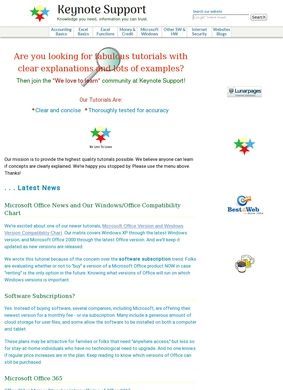
One person has written every tutorial on this site since 2006: Pat Kearns, who spent 19 years at IBM and turned that into a free reference covering Excel, accounting, web markup, and a scattering of personal finance topics. There is no team behind Keynote support, no editorial board, no rotating cast of guest contributors. What you read came from a single author with a clear technical background, and that fact shapes how much you can trust any given page.
Excel and accounting tutorials
The strongest material sits in the Excel sections. Excel Basics handles the foundational stuff, cell formatting, data entry, building simple formulas, and it assumes you are starting from close to zero. Excel Functions goes deeper, with dedicated walk-throughs of IF, SUMIF, AND, VLOOKUP and a longer list besides. Anyone who has tried to learn VLOOKUP from the official documentation knows how quickly that turns into a maze, and a plainly written third-party explanation often does the job faster. The accounting section on Keynote support runs along similar lines, explaining double-entry bookkeeping, debits and credits, the difference between assets and liabilities, and how the pieces feed into financial statements. For a student or a small-business owner trying to read their own books, that is genuinely useful grounding.
Spreadsheet functions and formulas
On those pages, the site stays inside the author's actual competence. Kearns lists Excel, the wider Office suite, Photoshop and HTML/CSS as areas of expertise, and the spreadsheet and bookkeeping tutorials read like they were written by someone who has done the work, not someone summarizing it secondhand. The Internet section on Keynote support is narrower but practical: HTML special characters, Greek letters, keyboard shortcuts, browser tips. These are the small lookups people actually search for, and having them in one consistent place has value.
Author expertise in technical topics
Everything on Keynote support is free. No paywall, no subscription tier, no gated PDF you have to hand over an email to download. Some articles carry affiliate links, and the site discloses that through a standing disclosure policy, which is the honest way to handle it. There is also a Terms of Use and a Privacy Policy, the basic legal furniture you would want a site collecting any traffic to have in place.
Free access with transparent policies
Then comes the part worth examining more carefully. Alongside the technical tutorials sits a Credit, Money & Life section covering credit scores, credit reports, Social Security retirement benefits, Health Savings Accounts, recipes, and assorted personal finance pieces. Recipes next to HSA rules next to Social Security guidance is an unusual mix, and it stretches the site well past the IBM-era skill set that makes the Excel pages trustworthy. Financial topics like retirement benefits and HSAs change with legislation and shift year to year. A single author maintaining a site this broad cannot realistically keep all of it current, and the brief gives no indication of when individual articles were last reviewed.
Financial content beyond the author's background
The staleness risk falls unevenly. A VLOOKUP tutorial from years ago still works; the function has not changed. A page about Social Security benefits or credit-report rules from the same era may quietly mislead, and Keynote support gives no obvious signal about when individual articles were last reviewed. A reader working through the financial sections has to bring their own scepticism rather than relying on the site to flag dated content.
Staleness risk in money and benefits pages
A search for third-party ratings turns up only the site's own pages and a SimilarWeb traffic entry; no scores on Google, Trustpilot, Yelp, or the BBB appeared. For a resource like Keynote support that has been online since 2006, that is a little surprising, though tutorial sites people quietly bookmark and return to often accumulate steady traffic without ever generating public reviews. Absence of reviews is not the same as bad reviews. It just means the content has to stand on its own.
Minimal public visibility online
Reaching the author is possible but not immediate. A Contact link lives on the About/Pat Kearns page, so there is a route in, but no phone number, mailing address or direct email appears on the homepage or in the header. For a free one-person reference that is a reasonable arrangement, and a contact form covers most legitimate reasons anyone would write in.
How to contact the author
So where does that leave Keynote support? The Excel and bookkeeping tutorials are the real asset here, written by someone with the background to write them, free of charge and free of friction. I would point a spreadsheet beginner toward this site without hesitation. The harder question is the financial and lifestyle content, where one author's reach exceeds the credentials, and where nothing on the page tells you whether a given article reflects current rules or advice from several years ago. Trust the Excel pages. Verify the money pages somewhere else before you act on them.