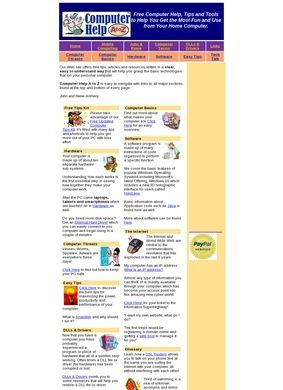
An article on affordable remote access for small businesses sits a few clicks from another on laptop component failure rates, and that pairing tells you most of what Computer help is going for. This is a tech blog built on WordPress with the Themebeez theme, aimed at two overlapping crowds: regular consumers who hit a problem with a device and want to fix it themselves, and small business owners trying to handle their own IT without a contract. There are no products to buy, no service to book, no diagnostic tool to run. Computer help is writing about computers, plain and simple, sorted into sections so you can land where your trouble lives.
Six topic areas organize the content
The sorting is the spine of the place. Six topic areas carry the content: Hardware for component failures and physical device issues, Software for applications and the system utilities that come with them, Mobile for smartphones and cellular questions, OS for operating-system walkthroughs, Web for browser, streaming and general internet snags, and a catch-all Other bucket that gathers gaming, social media and the odd corner of tech that fits nowhere else. That last category is honest in a way worth noting. Plenty of sites pretend everything slots neatly into a taxonomy; Computer help admits some of it is just miscellaneous and shelves it accordingly.
Security and modern tech concerns
The article topics say a lot about whoever is writing here. Identity verification software, recognising a data leak, AI surveillance systems: these are not the usual "how to clear your cache" filler that beginners blogs recycle indefinitely. They lean toward security and the awkward modern problem of knowing whether your information has already leaked somewhere. The remote-access piece aimed at small businesses is a smart pick too, because that is a genuine pain point for a small shop with three computers and no IT person on staff. Computer help is not content to just rehash the basics. Whether each individual guide is accurate and current is something a reader has to judge piece by piece, and that is the catch with any self-published troubleshooting site: the topics are well chosen, but the execution behind them is invisible from the outside.
Outbound links to related resources
One structural choice worth flagging is the outbound linking. Computer help points readers toward related tech resource sites, naming Repair4Laptop.org, Gria.org and Knoda.org among them. On its face that is generous, the sort of thing that shows the author wants you to actually solve your problem even if the fix lives elsewhere. It can also hint at a small network of sibling sites under common ownership, which is neither good nor bad on its own but worth noticing if you are trying to gauge how independent the recommendations are. A reader following those links is trusting that the destinations are as useful as the framing implies, and there is no way to confirm that from the homepage.
Contact information and transparency
A Contact Us page sits in the navigation, so there is at least a route to reach whoever runs the site. Beyond that link, though, the homepage and the pages pulled from it show no phone number, no physical address, no street location, nothing that ties Computer help to a real person or place. For a blog that gives away free advice, that is a smaller concern than it would be for a business taking your money, since you are reading, not buying. Still, when a site is offering guidance on something as sensitive as spotting a data leak, a reader is entitled to wonder who is behind the keyboard and what their footing is. The contact tab is a door; it is hard to see what is on the other side of it.
No external reviews or ratings
Reputation is where the trail goes cold. A search for outside reviews of computerhelpatoz.com turns up nothing that points back to this site. The results that do surface belong to other operations entirely, the New York Computer Help repair shop, Geek Squad, a couple of independent technicians, none of which have anything to do with Computer help despite the overlapping names. So there is no chorus of users vouching for the quality of the guides, no rating to lean on, no comment threads to skim for whether the fixes actually worked. The absence is not damning, because a quiet editorial blog can be perfectly competent and still attract zero outside reviews. It does mean a first-time visitor is reading on faith, with no external signal to confirm the advice is sound.
Structure shows judgment but lacks proof
That leaves Computer help in an honest but unproven spot. The structure is sensible and the topic choices show real judgement. A consumer who has a specific problem, a flaky drive, a phone acting up, a browser that will not behave, could plausibly find a useful walkthrough here, and the breadth across six categories means the net is cast wide. The small business angle is a genuine differentiator from the hundreds of consumer-only tech blogs out there, and the security-leaning articles read like they are trying to keep pace with what people are genuinely worried about now. But the things that would make it possible to recommend Computer help with any confidence are the things that are missing.
Missing credentials and third-party verification
No byline credibility is on display, no track record is visible to an outside reader, no third-party verdict exists, and no contact detail richer than a single tab. The outbound links to sibling-sounding domains add a faint question about how arm's-length the recommendations really are. None of that proves the content is weak. It just means nothing on the outside backs up Computer help's quality, and for a site dispensing advice on data leaks and surveillance, the gap between "looks reasonable" and "is reliable" is exactly the gap a careful reader cannot close from here.