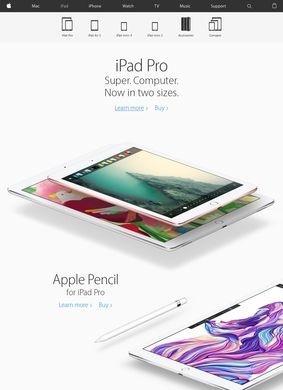
Six models split across four tiers sounds like a recipe for confusion, but the Apple: iPad lineup page handles the sorting well enough that the structure clicks into place quickly. At the top sit the iPad Pro models in 11-inch and 13-inch sizes, built on the M5 chip with a 10-core CPU and 10-core GPU, Ultra Retina XDR displays, ProMotion at 120Hz, and optional nano-texture glass that cuts glare for anyone working under harsh lighting. Storage climbs from 256 GB to 2 TB, which puts the Pro squarely at people who treat a tablet as a primary machine rather than a secondary screen.
iPad Air specs and pricing
One tier down, the iPad Air takes the same two screen sizes and pairs them with the M4 chip, Liquid Retina displays that also carry ProMotion, Touch ID, and storage spanning 128 GB to 512 GB. The gap between Air and Pro is honest: a slightly less powerful chip and a simpler display, not a stripped-down experience. For most people who want desktop-class processing without the Pro price, the Air is the more sensible read of the range.
Entry level iPad and iPad mini
The entry-level Apple: iPad runs the A16 chip on an 11-inch Liquid Retina screen with 128 GB to 512 GB of storage. Then there is the iPad mini, which stands out as the quiet surprise in the lineup: an 8.3-inch Liquid Retina display, the A17 Pro chip, and a body small enough to hold in one hand on a train. It is the model that exists for a specific kind of buyer, the reader, the note-taker, the person who wants a full Apple: iPad that disappears into a coat pocket. The mini is powered by a chip faster than the standard entry model, which is a reversal worth noting when comparing specs side by side across the range.
Apple Pencil Pro support
Every current Apple: iPad supports Apple Pencil Pro, so the accessory question does not branch into a confusing chart of which stylus pairs with which slab. All models run iPadOS and include Apple Intelligence, the set of AI features built into the operating system, with iPadOS 27 in preview for people who want to see what is coming. Universal Control lets an Apple: iPad work beside a Mac or iPhone with a single shared cursor, and Wi-Fi or Wi-Fi plus Cellular is available across the whole lineup, so connectivity is not locked to any one tier.
Chip progression across the lineup
The chips step down in a clean order, M5 to M4 to A17 Pro to A16, and the displays follow the same logic. Price differences map onto real capability differences instead of arbitrary segmentation. A student writing essays has no reason to reach for the Pro; an illustrator running heavy creative apps will feel the M5 and the larger XDR panel immediately. The page makes that sorting easier than a six-model range has any right to be.
Extra accessories for iPad
Apple Pencil comes in more than one generation, and the keyboard folios and cases turn any of these into something closer to a laptop when the situation calls for it. Beyond the hardware, Apple Trade In lets an old device count toward a new purchase, education pricing is available for students and educators, and AppleCare extends coverage past the standard warranty. Financing, free engraving, two-hour delivery or same-day pickup, and video consultations with Apple Specialists round out the buying experience. That last option has real practical value for a purchase this size: talking through configurations with a person before spending several hundred pounds can head off a return later.
Is the lineup too complex?
If there is a criticism, it is that the sheer breadth can be daunting before the structure clicks into place. Four tiers, two sizes on three of them, two generations of Apple Pencil, and a layered stack of services is a lot to absorb. The trade-in and financing tools help with the cost side, and the Specialist consultations exist precisely to cut through choice paralysis, but a first-time buyer should expect to read carefully before settling on a configuration.
Choosing the right iPad model
A student or educator comparing options should start with education pricing, then measure the standard Apple: iPad against the Air to judge whether the M4 chip is worth the step up for a given workload. Those already inside the Apple ecosystem should look at Universal Control and the mini before assuming bigger is better. The configuration tools let anyone price a specific model with the exact storage and connectivity they need, and the video consultation option is there if the choice between two tiers still feels close after reading the specs.