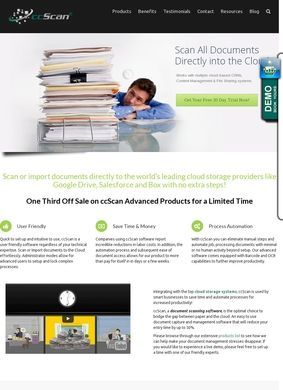
Scan or Import to the Cloud with ccScan is a Windows document capture and scanning application from Capture Components, LLC, based in San Juan Capistrano, California. The scope is deliberately narrow: feed it paper through a scanner and the digitized files land directly in whatever cloud or CRM destination you have configured. Supported destinations cover most of the platforms a typical office already pays for: Salesforce, Google Drive, Box, Dropbox, SharePoint, and Amazon S3, with a plain local file system option for anyone who prefers documents sitting on a drive instead. That list alone covers a wide enough range that most small to mid-sized operations will find their stack included.
OCR and barcode processing features
What pushes Scan or Import to the Cloud with ccScan past a glorified scan button is the processing between the scanner and the destination. It runs optical character recognition, so a stack of scanned pages comes out searchable and not flat images. It reads barcodes, which is decisive for operations that tag physical documents with them.
Automated routing to Salesforce records
It handles bulk scanning and automated routing, sending documents where they belong based on pre-set rules and saving someone the task of dragging files around by hand afterward. The Salesforce integration goes further than dumping a file into a folder: it can find an existing record or create a new one and attach the scan to it directly. For offices trying to get paper out of the process entirely, filing to a folder versus attaching to the right record is the difference between a shortcut and an actual workflow change.
Two modes for different users
There are two ways to live with the software. Administrators get a configuration mode where they can build and lock down complex workflows, and the everyday interface is stripped back so that someone without any technical background can operate a configuration that has already been set up for them. That split is sensible for the customers being targeted: nonprofits, customer service teams, and operations that push high volumes of documents through every day. Capture Components frames the pitch around labor displacement, specifically the hours staff spend sorting, naming, and filing scans by hand, and the software is clearly designed around that use case over casual or occasional scanning.
Release history and professional services
Capture Components keeps a listing on the Salesforce AppExchange, and the most recent build is noted as Release 66, dated October 2024. A release number that high points to steady, ongoing development over years and not a product shipped once and left to age. Professional services are offered alongside the licenses, so a buyer who does not want to wire up their own Salesforce routing can hand that off. Scan or Import to the Cloud with ccScan also comes with a fully functional 30-day free trial, which is the right way to sell software this dependent on a customer's specific scanner hardware and storage environment. Hardware compatibility and destination routing both need to be tested against a real office setup before anyone commits, and a trial that does not cripple features makes that honest evaluation possible.
Contact details instead of published pricing
Pricing is absent from the homepage, which is common enough for B2B tools requiring significant per-customer configuration. A prospective buyer cannot do a quick price comparison without a conversation, but the contact information for that conversation is published plainly: the company name, a physical address, and a direct phone number all appear openly. A FAQ page and a testimonials page are available for anyone who wants to read further. For a vendor asking businesses to route sensitive documents through its software, publishing a street address and a registered LLC name is a baseline that some competitors skip; Scan or Import to the Cloud with ccScan clears it without effort.
How reliable are the online reviews?
Outside opinion is where the picture gets harder to assess. Capture Components carries a G2 page with 31 reviews tied to ccScan, a modest but real body of feedback from a platform buyers in this space consult. The exact star average did not surface in a search, so the honest statement is that the reviews exist and the page is active.
Product pages also live on Slashdot and SourceForge, both carrying user reviews, though the counts and scores there were not confirmed either. The homepage describes Scan or Import to the Cloud with ccScan as "Five Star Rated," and that phrase deserves a note of caution: a self-applied rating on a company's own site is not a verified aggregate, and a careful buyer should lean on the third-party listings. No Trustpilot, BBB, Yelp, or Google Business presence turned up, which for a niche piece of enterprise software is unsurprising given how consumer-skewed those platforms are.
Filling gaps with the trial period
Thirty-one G2 reviews plus a couple of unscored product pages gives a buyer less independent feedback than they would typically want before committing to software that handles sensitive documents. It does not disprove anything about how Scan or Import to the Cloud with ccScan performs day-to-day, but it does mean most of the available information comes from documentation and the vendor's own framing and not from independent users. Documentation describes intent, not what happens when Scan or Import to the Cloud with ccScan encounters a finicky scanner model or a Salesforce org with non-standard field mappings. The 30-day trial exists precisely to fill that gap, and it is the most useful part of the package for anyone whose workflow is unusual or whose scanner is not a standard office model.
Taken altogether, Scan or Import to the Cloud with ccScan is a focused, mature tool. The destination list is broad, the OCR and barcode and automated routing features address the real friction in high-volume scanning, and the Salesforce record-matching is a genuine workflow improvement rather than a marketing checkbox. Release 66 and a non-crippled trial both point to a vendor that has been doing this work seriously for years and wants prospective buyers to confirm fit before paying. The outside reputation record has 31 reviews on G2 and additional user reviews on Slashdot and SourceForge, present but not deep.
What a buyer cannot get from the Scan or Import to the Cloud with ccScan homepage is pricing or a clear independent rating, and those two gaps, both typical for enterprise software sold direct, are the main things a trial period and a phone call are supposed to resolve.
Business address
Capture Components LLC
32158 Camino Capistrano STE A PMB 373,
San Juan Capistrano,
CA
92675
United States
Contact details
Phone: 415-286-1127