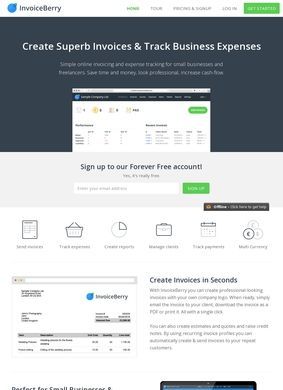
A 2.3 out of 5 on Trustpilot, drawn from 29 reviews, is the figure that ought to stop a prospective user mid-scroll, and it sets the tone for the whole call on InvoiceBerry. The product itself is a competent, deliberately narrow billing tool for UK sole traders and one-person firms, and its feature list backs that up. But its public reputation is split down the middle, and the loudest, most open venue rates it Poor. The honest verdict is a mixed one: a useful tool for a specific job, shadowed by a customer-satisfaction score no amount of clean design erases.
Who InvoiceBerry targets
Start with what the platform is for. A freelancer wraps up a job, needs to send a clean invoice, get paid without weeks of chasing, and keep a rough ledger of what came in and went out. That is the constant, unglamorous problem InvoiceBerry targets, aimed at people who bill but refuse to spend more than a few minutes a day inside accounting software. InvoiceBerry is built in the UK for small businesses, sole traders, and solo operators who would rather be doing the work than the paperwork that trails it.
Speed and template options
The pitch leads with speed. The site says you can assemble an invoice in under 60 seconds, which is the sort of line every tool repeats, but the design here actually supports it: choose a template, drop in the client and line items, add a logo, send. InvoiceBerry offers more than fifteen invoice templates to start from, plus custom email templates so the covering message matches a small firm's other correspondence. Anyone who has bodged an invoice in a word processor and exported a crooked PDF will feel the appeal immediately.
Billing cycle features
Past the invoice, the rest of the billing cycle is covered at a scale that fits the audience. Expense tracking sits next to invoicing, so a sole trader sees income and outgoings in one view. Payment tracking with automated reminders takes the most uncomfortable part of freelancing, the polite nudge to a client who has gone silent, and hands it to the software. Recurring invoices deal with retainers and subscriptions without repeated manual entry. Quote creation is there too, with one-click conversion from an accepted quote into an invoice, which closes a gap a lot of cheaper tools leave open.
Payment processing and currencies
Payment acceptance is the genuinely strong piece. The platform connects to Stripe, PayPal, Square, and WePay, so a client pays straight from the invoice through whichever processor fits. Multi-currency support runs past 200 currencies, well beyond what a typical micro-business ever touches, though useful for a freelancer balancing clients across three countries. Client management and a reporting and analytics layer fill out the rest, giving a basic but usable read on who pays on time and where the money comes from.
Pricing structure
Pricing is what decides whether a tool like this sticks, so it deserves a close look. InvoiceBerry offers a free 30-day trial that asks for no credit card, the right way to let someone test invoicing without commitment. After that, the Solo plan runs $15 a month and the Pro plan $30 a month, with the paid tiers adding unbranded invoices, more templates, extra client slots, and premium support. A growing freelancer, somewhere around the ten-client mark, tends to notice the branded footer on a sent invoice and want it gone; unbranded invoices arrive with the paid tiers.
Free tier and plan ladder
There is also a permanent free tier, capped at three clients, that lives on beyond the trial window. For a true side hustle or a tiny client base, the bill stays at zero until the work grows. The ladder reads cleanly: free for the smallest operators, $15 for a working solo trader, $30 once the client list and the appetite for polish expand. Nothing is bargain-basement, nothing is gouging, and the tiers track recognisable stages of a small business instead of arbitrary feature walls.
Support and integration
The supporting plumbing is in place. InvoiceBerry keeps its help documentation on a dedicated subdomain, and the platform integrates with major email providers so invoices and reminders go out through familiar channels. None of it is exciting, but it is the connective tissue that makes a billing tool work day to day, and it points to a product that has been maintained rather than shipped and abandoned. A support email, a contact form, and a physical London address on Wenlock Road are all published, so the company is reachable beyond a generic web form.
Mixed ratings across review platforms
Here is where the verdict turns mixed, and it deserves no spin. On Trustpilot the platform sits at 2.3 out of 5 across 29 reviews, a Poor rating. Twenty-nine is a small sample, and small open samples tilt toward the frustrated, but a sub-3 score is a sub-3 score and the comments are worth reading in full. The other side of the ledger is kinder: G2 carries fourteen reviews, Capterra thirteen verified ones, TrustRadius has reviews on file, and an independent assessment from SMBGuide scores InvoiceBerry 8.5 out of 10. TechRadar has published a review citing the versatility and affordability of InvoiceBerry, and a SoftwareAdvice profile gathers further feedback.
So outside opinion genuinely splits along predictable lines. The aggregate sites that grade software on features and value lean positive; the open-comment platform where unhappy customers go to complain hands it a beating. That pattern is common for low-cost SaaS, where detractors shout and satisfied users stay quiet, and it points to a capable but narrow tool. It does not erase the 2.3, though. A careful buyer should run the free trial against real clients, testing billing, reminders, and the payment flow end to end, and treat the Trustpilot threads as a checklist of what to probe.
What the platform refuses to be is full accounting software, and that restraint counts in its favour. It will not file taxes, run payroll, or stand in for a bookkeeper. It invoices, tracks what is owed and spent, chases late payers, and takes money in several currencies through several processors. For a freelancer or sole trader, that is frequently the entire job. The thing is focused enough to grasp in an afternoon and forget about the next day, which is what most of its users actually want.
The obvious yardstick is FreshBooks, a name most readers already carry. FreshBooks reaches deeper into accounting, time tracking, and project tools, and its overall reputation is stronger, but it costs more and demands more of someone who only wants to send invoices and get paid. InvoiceBerry undercuts it on price, keeps the free three-client tier FreshBooks does not offer, and stays simpler to learn. For real bookkeeping with invoicing bolted on, FreshBooks is the safer pick. For fast, branded invoicing with reminders and multi-currency payments at a small scale, InvoiceBerry is the leaner option, provided the Trustpilot score gets a serious read first. The listing settles the features and the pricing; what it cannot settle is whether those 29 angry reviews describe the experience you would have, and only the trial will answer that.