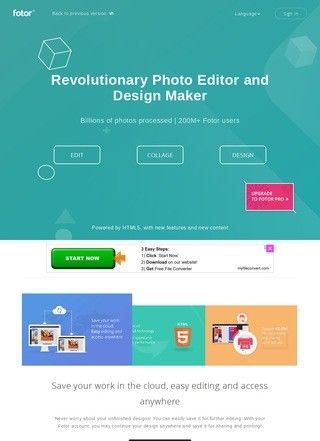
Photo editing tools tend to charge early and charge often, which makes Fotor's free tier genuinely unusual. Watermark-free exports at no cost are rare enough that most competing sites push them behind a paywall, yet Fotor lets you crop, retouch, fix brightness and contrast, and export to JPG, PNG, or PDF without paying a cent. That already covers what a casual editor usually needs. The platform lives entirely in the browser, with companion apps on iOS and Android if you prefer working on a phone. Nothing to install, no account required for the basics. That low barrier explains a good chunk of the reach it claims, somewhere north of 600 million users by its own count. That figure is worth treating as a marketing number rather than an audited one; the company has obvious incentive to round up.
Free editing without watermarks
Underneath the simple front door is a fairly deep toolbox. The standard editor handles the basics, including batch editing for people who need the same crop or adjustment across a stack of images. Then there is the AI layer, which is where Fotor has clearly put its recent energy: background removal, object removal, generative expand to stretch a photo past its original frame, object replacement, and text-to-image generation. There are also novelty-leaning features that tend to draw first-time visitors, such as AI avatar creation, cartoon, anime, and sketch effects, and a professional headshot generator that turns a plain selfie into something closer to a LinkedIn portrait.
AI tools for backgrounds and objects
The design side rounds things out and is arguably the reason a small business owner would keep the tab open. A collage maker covers quick personal stuff, while the graphic design creator ships templates for social media posts, posters, banners, and presentations, backed by a presentation maker for anyone building slides. You get a stock photo library baked in, more than 100 fonts, and a deep well of stickers and icons. A blogger or shop owner can assemble a passable promo graphic without ever opening a separate tool. Whether you found Fotor through a business directory listing or a web search, the breadth is the selling point: photo cleanup, AI tricks, and layout work living in the same place, all on one subscription.
Design templates and graphics
Reputation is where the picture gets complicated, and it would be a disservice to gloss over it. The numbers split hard depending on which platform you read. On G2, Fotor holds a 4.2 out of 5 across 337 reviews, a respectable score from a sizeable sample that reflects plenty of satisfied users getting exactly what they expected. GetApp carries around 27 detailed write-ups, and Capterra has a body of reviews on file. PCMag's editorial take is measured: good AI effects, but a workflow that lags the strongest competitors, which matches the sense of a tool that does many things well and a few things best in class.
Mixed ratings across review platforms
Then there is the other column, and it is loud. Trustpilot lists 1,535 reviews overall, with a visible cluster of roughly 447 users sitting at about 1.1 stars. The recurring theme is unexpected subscription charges. SmartCustomer tells the same story in miniature, 44 reviews at 1.2 stars, again centred on billing and cancellation trouble. When two separate platforms converge on the same grievance, that is a pattern and not a few cranky outliers. Anyone signing up should treat the trial-to-paid transition with care, note the renewal date, and keep the cancellation steps in mind before handing over card details.
Billing complaints on independent sites
Worth flagging too: the site advertises a 4.78 rating from visitors for its Windows app. A self-reported score on a company's own page is not the same kind of evidence as an independent platform total, and the gap between that number and the Trustpilot cluster is exactly why outside sources carry more weight here than the on-site badge.
Support through help center only
Contact is handled through a help center and an online form, which is normal for a web-first software product. There is no phone line or street address on the landing page, and the absence of a published email is not itself a mark against it given that the help center covers the same ground. What matters in practice is that if a billing dispute goes sideways, your only lever is a ticket queue. For a self-serve tool that is generally fine; for the specific problem its critics describe, a faster human channel would help.
Who should use Fotor
Content creators, entrepreneurs, bloggers, photographers, and ordinary people who want a quick edit are all named as the audience, and that aim feels honest. The free tier alone makes Fotor a reasonable bookmark for anyone who edits photos occasionally and resents paying monthly for the privilege. The AI features are the draw for people chasing headshots, avatars, or a fast background knockout, and most of those work without fuss. Fotor Pro is the upsell, gating the heavier AI capabilities behind a subscription, and that is where prospective buyers need to read the terms slowly given the billing record.
Free tier versus paid subscription
After weighing both sides: the product is capable and unusually generous at the free level, but the paid relationship carries documented friction that a buyer should walk into with eyes open. None of the complaints concern the quality of the editing itself, only money and cancellation, which is a fixable trust problem, though not one resolved on a marketing page. That distinction keeps Fotor in the recommendable column for free use and tempers the recommendation for the subscription tier.
Comparing Fotor to Canva
Placed against Canva, the comparison most people will reach for, Fotor competes well on raw photo editing and on watermark-free output at no cost, two areas where Canva is stingier. Canva pulls ahead on collaborative design workflow, template polish, and the smoothness PCMag implies is missing here, and it has a cleaner billing reputation to boot. If your work is mostly layout and team collaboration, that alternative is the safer pick. Fotor is a sensible tool for browser-based photo editing with AI extras, and the free plan is strong enough to be useful on its own terms, but anyone moving to the paid tier should read the cancellation policy before the trial clock starts.