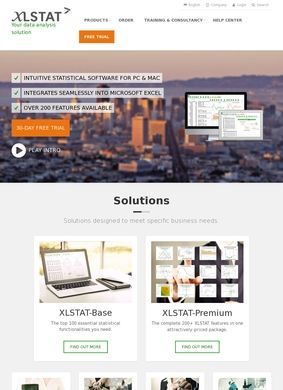
XLSTAT, the product behind this listing, installs as an add-on inside Microsoft Excel and runs its analyses in the spreadsheet you already know, no separate application to learn and no code to write. That single design choice explains most of what the page is selling. Someone comfortable with columns, formulas and pivot tables can point XLSTAT at a range and get regressions, factor analysis or sensory models back in the same grid. For anyone who has ever bounced off the syntax wall in R or SPSS, that framing is the whole pitch, and Statistical Software leans on it hard. Excel is the environment, and the analytics ride on top of it.
Three tiers match different user types
The catalogue splits into three tiers, and each one maps to a different kind of user. Essentials covers the basic descriptive and inferential toolkit. Standard is aimed at sensory, consumer and market research, the kind of panel and preference work that food and cosmetics companies run constantly. Advanced is the full suite, and the 2025.1 release adds AI-assisted features on top of the existing methods. Beyond the tiers there are bolt-on modules, including 3D plotting and LatentClass analysis, so a lab that only needs one specialised technique is not forced to buy the entire top shelf. That modular approach is sensible, and it is one of the more concrete things a reader can take away here. Statistical Software structures its range to fit the size of the job.
Data preparation and report output
Around the core analytics sit the supporting pieces you would expect from a mature tool: data preparation and processing, customisable charts, and report output that can be shaped for a specific audience. The no-code workflow is the connective tissue holding it together, since the point is to keep a researcher inside Excel from raw data to finished chart. None of this is exotic, but it is coherent, and coherence counts for a lot in a category where many packages feel bolted together from academic side projects.
Licensing covers students, academics, commercial teams
On who it is for, the site is refreshingly plain. Students get discounted pricing, academic researchers get an academic tier, and commercial teams pay commercial rates, with a separate course license for classroom use. That range of licensing tells you the product is trying to live in both the university computer lab and the corporate research department at once. The claimed reach backs the ambition up: more than 150,000 users spread across over 120 countries. Numbers like that are self-reported and worth reading with a pinch of salt, but they are at least specific, and the client names attached to them are not small. Nestle, L'Oreal, PepsiCo and Unilever all turn up as cited users, which fits the heavy emphasis on sensory and consumer-research tooling. Those are exactly the companies that run taste panels and preference studies at scale.
Who owns and supports the software?
There is a corporate parent worth noting. The product is owned and operated by Lumivero, a research and analytics software provider with a staffed development and support operation behind the code. For a tool a business plans to depend on for years, that backing means updates and support are more likely to keep coming, since continuity tends to follow the size of the company. It puts Statistical Software on firmer footing for long-term use. The 2025.1 versioning and the steady addition of AI features point to an active release cadence.
Review platforms report 4.7 out of 5
The reputation record is where Statistical Software looks strongest, and it is unusually well documented. Capterra carries an overall 4.7 out of 5 built on 398 verified reviews, a sample large enough to trust and a score high enough to mean something. Software Advice analysed that same pool of 398 and singled out the tutorials and the flexible choice of methods as the things users appreciate most. GetApp and Capterra listings echo the volume, and one detail stands out: the Excel integration itself pulls a 4.9 out of 5, higher than the overall figure, which lines up neatly with the central promise of Statistical Software.
G2 reviewers describe it as user-friendly, comprehensive, affordable and performant, and SoftwareWorld and GetApp both host active pages covering pricing and features. When independent platforms converge on the same praise, ease of use, tutorials, Excel integration, the case gets hard to argue with.
Slower adoption of new statistical methods
The criticism is worth repeating too, because it is consistent and it is fair. Reviewers note that newer, more specialised statistical methods get added slowly, so a researcher chasing a very recent technique may find it missing or late. There is also recurring grumbling about reinstallation friction when moving to a new computer, the sort of licensing hassle that stings precisely because the day-to-day experience is otherwise smooth. Neither complaint touches the core analytics, but both are worth weighing before a whole team signs up.
Getting in touch is handled adequately without being showy. A sales and contact page sits at the expected place, and enquiry routes are folded into the contact and pricing sections instead of pushed onto the homepage. That is a mild point against quick reassurance, but hardly a red flag given this much third-party track record and a named parent company. A prospective buyer who wants to talk to sales can find the path in a click or two, and given how much independent feedback already surrounds Statistical Software, most of the reassurance a buyer needs comes from the review platforms, not the homepage.
Strong case for Excel-based analysis workflows
Pulling it together, the case for XLSTAT is easy to state and mostly earned. If a team already works in Excel and wants real statistical depth without migrating to a dedicated environment, this is a strong fit, and the sensory and consumer-research tooling in the Standard tier is a genuine differentiator that the big-name clients seem to validate. The free trial download lowers the risk of finding out, which is the right way to test whether the no-code workflow suits how a given researcher thinks. Statistical Software is not trying to be everything to everyone, and the tiered pricing keeps it honest about that.
The reservations about Statistical Software are narrow, not fatal. A statistician who needs bleeding-edge methods the week they are published will occasionally feel the lag, and IT-heavy shops that reimage machines often should read the licensing terms closely before rollout. For the far larger group who need solid, well-supported analysis inside a spreadsheet they already trust, the verdict lands clearly on the positive side. The review record does most of the persuading here: 398 verified ratings and a 4.7 average is a bigger, more consistent record than a lot of comparable tools can show. A trial run is a reasonable ask for the intended audience, with eyes open about the two known rough edges.
One last caution: the AI-assisted features in the 2025.1 Advanced tier are the newest and least tested part of the offering, so anyone drawn in specifically by those should treat them as promising extras rather than the reason to buy. The dependable core, the Excel integration, the method breadth, the tutorials, is what has earned Statistical Software its ratings, and that is what a buyer is really paying for. Judged on the published evidence, Statistical Software comes out well, and the trial download means no one has to take that on faith.