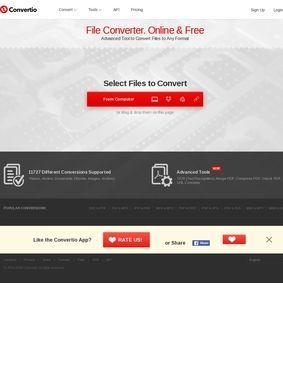
Turning a stack of HEIC photos into JPGs, pulling text out of a scanned PDF, or shrinking a video that refuses to attach to an email are everyday chores for a lot of people. Convertio handles all of that from a browser tab, with no installer and no account required before the first conversion. The pitch is simple: drop a file in, pick a target format, download the result. What makes it more than a one-trick page is the breadth behind that simple front door.
Over 300 formats across media types
The format count advertised sits north of 300, spread across audio, video, images, documents, archives, presentations, fonts, and ebooks. That number sounds like marketing until you start poking at the edges and find the odd corners covered too: font files, ebook formats, archive types that most quick online tools skip entirely. For the common jobs (a PNG to PDF, an MP4 to a smaller MP4, a DOCX to something more portable) Convertio is the kind of utility that quietly replaces three or four bookmarks you used to keep around for different file types.
Custom settings for each conversion
Where it pulls ahead of the throwaway converters is the control it hands over. Each conversion exposes custom settings instead of forcing a default and hoping for the best: quality sliders, codec choice, aspect ratio, rotation. There is built-in OCR for getting editable text out of scans and images, which is a genuinely useful step up from plain format swapping. For anyone wiring conversions into their own software, Convertio offers a developer-facing API with CLI documentation, hosted on a separate developers.convertio.co subdomain. A status page at status.convertio.co exists too, which is an honest sign that the operation is run with uptime in mind rather than left to coast.
Free tier with 1 GB file limit
Pricing follows the usual freemium shape. The free tier accepts files up to 1 GB, roomy enough that plenty of people will never hit the wall; a premium subscription opens larger files and heavier usage for those who do. The free ceiling is high enough that the service feels genuinely usable before any money changes hands, which is not always the case with tools that gate the useful sizes behind a paywall from the start.
Immediate deletion of uploaded files
File privacy gets a clear answer on the site, which counts for a lot when you are uploading documents you would rather not see floating around. Convertio deletes uploaded files immediately after processing and purges converted output after 24 hours. That is a defined retention policy stated up front, so you are not left guessing how long your invoice or contract sits on someone else's server. A casual converter glosses over this; a serious one spells it out.
Video compression, subtitles, GIFs, text-to-speech
Convertio also leans into adjacent media work beyond straight conversion. From the same interface you can compress video, add subtitles, edit GIFs, run text-to-speech, and translate video. Multi-language support spans more than 15 languages, so the interface is not locked to English-only users. None of these extras feel like the main event, but together they push Convertio from a single converter toward a small toolbox for handling media files without installing anything.
The scale claims are eye-catching: over 3.19 billion files converted, totalling 58,299 TB pushed through the pipes. Self-reported numbers always deserve a pinch of salt, yet they line up with the broader picture of a service that has been running long enough and busy enough to attract real outside scrutiny. That scrutiny is where the credibility case firms up.
What review platforms reveal about Convertio?
On Trustpilot, Convertio carries more than 10,000 reviews with a score that sits at the top of the scale, which is a substantial volume for a free utility and hard to game at that count. G2 lists a smaller pool of 14 reviews averaging 4.4 out of 5, and RatingFacts shows 93 reviews landing near 3.97, a more middling figure that keeps the overall reading honest. TechRadar's editorial review came down positive, and Scamadviser flags the site as legitimate and safe. The picture across these platforms is consistent: a tool people use repeatedly and rate well, with enough mixed signals in the smaller samples to confirm the high marks are not manufactured.
Support requires finding a separate subdomain
Reaching a person is the one weak spot. There is no phone number or physical address anywhere on the main homepage, which also skips a contact page or email. Support gets routed to a separate support.convertio.co subdomain, so help is reachable, but you have to know to go looking for it. For a self-serve web tool that handles most problems through its own interface, that is a reasonable trade, though anyone who prefers a clear line to a human before trusting a service with sensitive files should factor it in. The listing here notes that limitation, so users are not caught off guard.
Comparing OCR capability to format breadth
The OCR and the format breadth are the standout reasons to keep Convertio bookmarked; the muted contact footprint is the main thing holding it back from feeling fully buttoned-up. For occasional conversions the free tier is hard to argue against. For steadier or programmatic use, the API and premium tier give it room to grow. The published evidence, from review volumes to a stated file-deletion policy to proper developer infrastructure, adds up to a picture of a mature service rather than a fly-by-night tool.