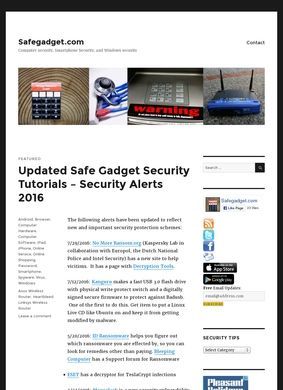
Where does an ordinary person turn when their laptop starts acting strange and the only advice online seems to assume a corporate IT budget? SafeGadget.com answers that with a free set of plain-language guides aimed squarely at consumers who want to keep their own machines and phones safe. It does not sell a product or push a subscription. The whole point is to walk someone through securing what they already own, from a Windows desktop to an iPhone, without charging for the help.
Device guides for Windows, Mac, Android, iPhone
The coverage is broader than the name might suggest. There are step-by-step guides for hardening a Windows PC and a Mac, separate how-tos for Android and for iPhone, and a section on locking down Google Chrome. Wi-Fi gets its own treatment, with attention to the risks of public wireless networks, which is the sort of thing people ignore until it bites them. Passwords are handled across creation, storage, and day-to-day management, the three places where most home users quietly go wrong.
Software directory and malware recovery tools
One stretch of the site worth lingering on is the software directory. SafeGadget.com points readers toward free antivirus, anti-spyware, and internet security tools, sorted by what they do: full suites, standalone antivirus, antispyware, intrusion detection. Someone in a panic after a malware scare rarely knows the difference between a scanner and a real-time shield, so that sorting does practical work for a confused visitor. The site also runs malware recovery walkthroughs for the moment the infection has already happened, and it links out to legitimate utilities like Microsoft's own Malicious Software Removal Tool. Sending people to a Microsoft-published cleaner is a deliberate choice, since plenty of "free security download" pages steer users somewhere far worse.
Read across all of it, the editorial line stays consistent. SafeGadget.com frames itself as a single gathered set of resources for securing a computer and other gadgets against viruses, spyware, hackers, and the usual run of online threats. The audience is clearly the general public, not enterprise buyers or security professionals. Nothing on offer requires a license fee or a vendor relationship, and the topics map onto the problems real households hit: a slow infected PC, a phone of uncertain trustworthiness, a coffee-shop network, a password reused once too often.
From passwords to public Wi-Fi risks
That consumer focus is the strength here, and also the spot where a reader should keep some perspective. Security software moves fast, and a list of free tools is only as good as its last update. A guide to Chrome hardening or a recommended antivirus suite can drift out of date in ways a casual visitor will not notice, so the advice is best treated as a solid starting map to verify, not gospel. The underlying principles around passwords, public Wi-Fi, and recovery steps age far more slowly, and that is where SafeGadget.com keeps its value over time.
Transparency and contact information missing
On the question of who stands behind SafeGadget.com, the picture is sparse. The site would not load during this review, returning errors on more than one attempt, and search snippets carried no phone number, no postal address, and no contact page that could be confirmed. A visitor wanting to ask a question, flag an out-of-date recommendation, or report a broken download link would have little obvious route to do so, and no named author or editor turned up either. For a resource whose entire job is to be trusted on security matters, that absence deserves naming plainly even though the content itself reads as genuinely useful and carefully organized.
No third-party reviews or outside verification
Outside reputation is equally hard to pin down. No notable third-party reviews of SafeGadget.com surfaced anywhere. A search on the name mostly turns up SaveGadget.com, an unrelated electronics trade-in company in Florida, and none of that firm's ratings or feedback have any bearing on the cybersecurity guides here. The case for SafeGadget.com rests on the substance of what it publishes, not on a chorus of outside voices vouching for it.
Taken on those terms, SafeGadget.com is a focused free reference for home security basics, the kind a worried relative could be pointed at without much risk. The Windows, Mac, Android, and iPhone guides cover the platforms most people own, the password and Wi-Fi material targets the habits that cause the most trouble, and the curated software lists at least try to steer people toward safe downloads instead of leaving them to guess. Pair it with a quick check that a recommended tool is still current and still maintained. The site asks for no money, no account, and no email address, though it offers no clear way to reach whoever maintains it.