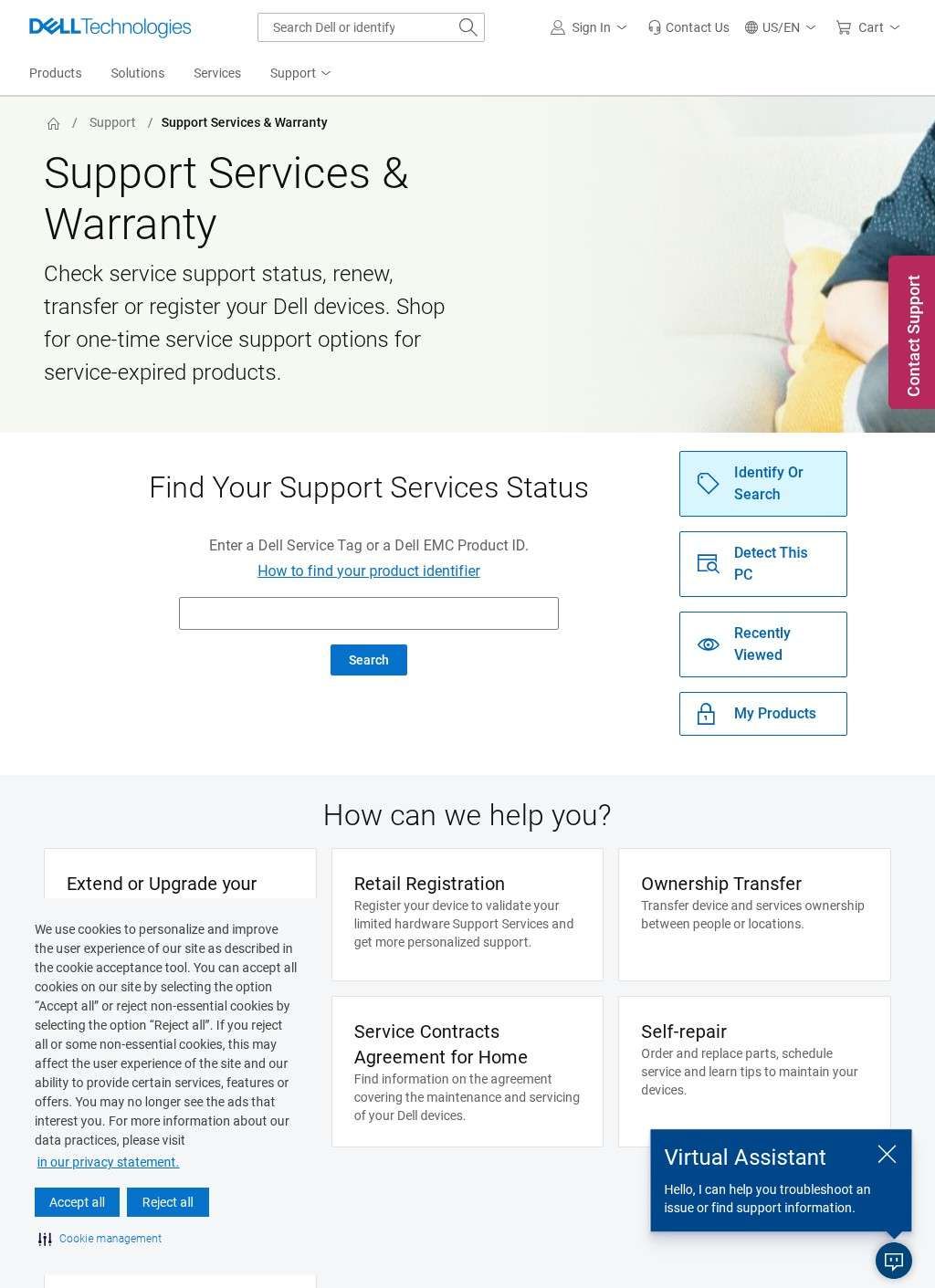
Type a Dell Service Tag into the box at the top of the page and within a second you know exactly where you stand: what coverage a machine carries, when it lapses, and what you can buy to push that date further out. That single lookup is the spine of Dell Support Services & Warranty, the official self-service hub for managing support on Dell hardware. It functions as the operational layer where an owner of a Dell or Dell EMC device goes to find out what they are entitled to and to act on it.
Service tag lookup across all Dell hardware
The service-tag check works across the full range Dell sells. Punch in a tag or a Dell EMC Product ID and Dell Support Services & Warranty returns status for desktops, laptops, servers, storage arrays, and networking gear. For anyone who cannot read the tag off a sticker, there is a "Detect This PC" option that identifies the machine automatically, which spares the awkwardness of crawling under a desk with a torch to read a worn label. That detail tells you the hub was built for real situations, not an idealized one where every label is pristine.
Automatic detection for missing labels
Coverage itself is handled through a few distinct paths, and Dell Support Services & Warranty keeps them separate. You can extend or upgrade an existing plan, the pitch being lower repair bills and less downtime once a stock warranty runs short. There is retail registration, where a device bought through a shop gets logged so its hardware entitlements are validated and personalized support is activated. Ownership transfer is its own track too, letting a device and its service contract be formally reassigned between people or locations, which is useful when hardware is sold on or shifted across an organization. Each of these is a discrete administrative action with its own consequences, and the hub treats them that way.
Coverage paths for different ownership situations
The contract side splits cleanly between home users and business users. A household with one laptop and an IT department running a rack of servers do not need the same maintenance and servicing terms, and Dell Support Services & Warranty routes them to different agreements accordingly. The terms a consumer signs for a single machine would be the wrong framework for an enterprise managing storage and networking at scale, and forcing both down one path would help neither.
Home users versus business users
When something does break, Dell Support Services & Warranty lays out the repair routes. Self-repair is there for people who would rather do the work themselves: you can order replacement parts, get maintenance guidance, and schedule on-site or depot service. Mail-in repair covers the case where you ship a covered device to Dell for depot servicing. Both sit alongside live technical support for the moments when a parts order or a how-to guide is not enough. Self-repair as a first-class option is worth noting, because plenty of manufacturers would prefer customers never open a chassis at all.
Repair options and self-service parts
One of the more practical inclusions is the one-time service option. Hardware outlives its warranty, and not everyone wants to buy a fresh multi-year plan to fix a single fault on an aging machine. Dell Support Services & Warranty offers pay-per-incident repairs for out-of-warranty products, handled through an in-site shop. It is a fair middle ground between abandoning an old device and committing to coverage that outlasts the hardware's useful life. The absence of that option is a common frustration with manufacturer support, so its presence here counts for something.
Pay-per-incident repairs for older devices
Around these core functions, Dell Support Services & Warranty threads links to the wider Dell support ecosystem: Drivers & Downloads, Manuals, and PC Diagnostics all sit a click away. A support question rarely stays in one lane. Someone checking warranty status is often the same person hunting for a driver or running diagnostics to work out whether a fault is hardware or software. Keeping those tools adjacent means a single visit can move from "is this covered" to "let me try to diagnose it" to "I need to order a part" without bouncing across unrelated corners of the site. Dell Support Services & Warranty is the junction where those threads meet.
Links to drivers, manuals, diagnostics
The audience the hub is built for is genuinely broad, and the design reflects that. A home consumer with a single Inspiron, a small business running a handful of workstations, and an enterprise IT team responsible for servers and storage all land in the same place but follow different routes through it. The home-versus-business contract split, the EMC Product ID lookup sitting beside the consumer service tag, the enterprise hardware categories: these are not decoration. They are the structure of a tool that has to cover a one-laptop household and a datacenter from the same front door, and Dell Support Services & Warranty manages that without forcing either group into a flow built for the other.
Design for multiple user types
What gives Dell Support Services & Warranty its value is concentration. Warranty status, plan upgrades, registration, ownership transfer, parts ordering, repair scheduling, and pay-per-incident fixes are all chores a Dell owner will face at some point in a device's life, and Dell Support Services & Warranty collects them in one place. The lookup-first design means most visits start with a concrete answer about a specific machine, and the action you need tends to be on the same screen as the answer. There is little ceremony here, which is the right call for a page people reach when something needs sorting.
Concentration of warranty management tasks
Dell Support Services & Warranty is precise about coverage and clear about the options that follow. The published evidence is an institutional resource that does what it describes: it gives Dell hardware owners an accurate picture of where a specific machine stands and puts the next practical step within reach. That is a more useful thing than it sounds, and most people who own Dell hardware will eventually want it.