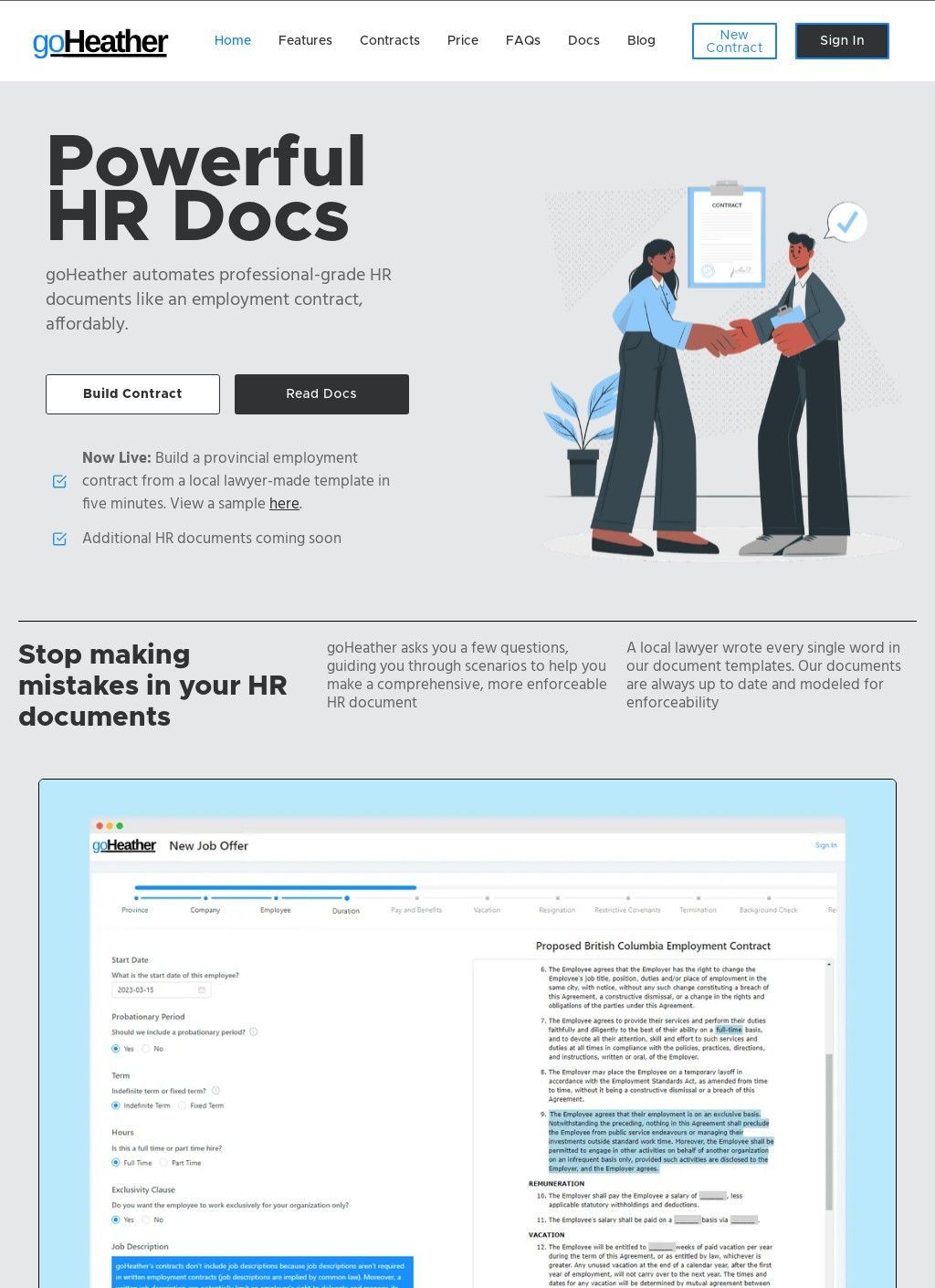
goHeather is an AI-powered legal-technology platform for drafting, reviewing and comparing contracts, built for businesses and legal teams working in common-law jurisdictions. Upload a contract as a PDF or a Word file and the system reads it, flags the clauses that carry risk, proposes edits clause by clause, and adds guidance tuned to the jurisdiction the agreement falls under. Custom playbooks let a team encode its own review standards, so the software checks a document against house rules instead of a generic checklist that treats every contract the same way.
The goHeather pitch fits in one breath: contract review that behaves like a junior lawyer who has already read the playbook.
Reading and drafting contracts
The review side is the heart of the product. goHeather takes an uploaded document and works through it, marking where a clause exposes the business, suggesting alternative wording, and explaining the reasoning against the law of the relevant country. Drafting sits alongside review, so a user can start a fresh agreement from a template as well as repair an existing one.
The jurisdiction-specific angle is the part that separates the tool from a generic proofreader for legal text. A clause that reads as standard in one common-law country can be unenforceable in another, and software that tags the mismatch while a user is still editing saves a round-trip to outside counsel on the routine questions. Playbooks push the idea further, turning a firm's accumulated preferences into rules the review applies automatically on every document it touches.
Where it plugs into a workflow
The template range goHeather ships is specific, and worth knowing before choosing a plan. A Microsoft Word add-in brings the review into the tool most contracts are already written in, which removes the copy-and-paste step that quietly kills adoption of a lot of legal software. There is a chat feature for asking questions about a contract in plain language, document comparison tools for lining up two versions side by side, multi-language support, and what the site describes as enterprise-grade security.
The comparison tools earn their keep during a negotiation, when two redlined drafts have to be reconciled and a single missed change can cost real money, while the multi-language support widens the reach to teams handling agreements that cross a border. E-signature is listed as coming soon, so anyone hoping to close the loop and sign inside the platform will have to wait or sign elsewhere for the time being.
The templates and who they serve
The drafting templates cover employment contracts written for Canada specifically, along with purchase agreements, NDAs and rental agreements across several common-law jurisdictions. That Canada-only limit on employment drafting is a genuine catch for a US or UK buyer who assumed the feature travelled everywhere. On audience, goHeather aims wide: small and mid-sized businesses, larger companies, in-house legal teams, and small law firms across the USA, Canada, the UK, Australia and other common-law countries.
A solo founder checking a supplier NDA and an in-house team standardising a stack of contracts are both meant to be served by the same tool, which is an ambitious spread for one product. That breadth cuts both ways: a small firm gets enterprise features it may never touch, while a larger legal team could find the template set too shallow for its more unusual agreements.
How solid is the track record
Credibility starts with being reachable, and here goHeather does well. The company lists a San Francisco office and a Toronto one, an email, a contact page, and a Book a Demo page, so a prospective buyer can find a person or request a walkthrough without digging. Two named offices on two sides of the border read as a real operation with a footprint, which counts for something in a field crowded with anonymous AI tools that give no address at all.
Support answered out of a staffed office tends to beat a nameless ticket queue when a contract is time-sensitive, and holding both a US and a Canadian base hints the company can cover working hours across the two markets it names most often.
Independent reviews are the weak spot. Trustpilot carries two reviews for goHeather with no aggregate star rating attached: one flagged a page limit on the subscription, the other called the service easy, quick and credible. SoftwareAdvice shows no reviews yet, Futurepedia lists the product with no ratings behind it, and both Capterra and GetApp Canada hold profiles that display no visible user scores.
A coupon-aggregator page advertises a 4.9 out of 5 from fourteen users, but that figure comes off a deals listing site rather than an established review platform, so it counts for little on its own. Editorial write-ups on an AI-tools site and a legal-tech directory round out the coverage, though those are commentary pieces, not user verdicts. Two reviews amount to almost no signal, and the split between them, one grumble about a plan limit and one round endorsement, tells a prospective buyer very little about how the service performs day after day.
The Book a Demo route is the sensible middle path while the review history stays this sparse. A walkthrough on a company's own contracts reveals more than any star rating could, and goHeather keeping a clear demo path suggests a vendor comfortable being watched at work rather than one hiding behind a signup wall.
So the balance comes out uneven. goHeather presents a capable feature set, contract review living inside Word, custom playbooks, version comparison, multi-language handling, and a transparent, easy-to-reach company behind it, yet almost no independent user track record confirms the software does what the pages claim. Running it against a real set of contracts through the demo is the most sensible way to test those claims for now. The Canada-only employment templates and the still-pending e-signature feature remain two concrete gaps to weigh, and the review count is still too sparse to settle the question either way.
Important pages
Business address
goHeather
10 Dundas St. East (10th floor), Suite 1002,
Toronto,
Ontario
M5B 2G9
Canada