Cloud storage sits somewhere between a utility and a platform, and Dropbox: Simplify Your Life has spent fifteen years trying to be both. The free tier starts at 2 GB and paid plans climb into multiple terabytes, which sketches the range: a single person wanting photos backed up on one end, an enterprise running file governance across hundreds of staff on the other. The core job is syncing files across a laptop, a phone, and a browser so they stay identical without anyone thinking about it. That part Dropbox: Simplify Your Life has always done well.
Personal versus business plan tiers
The personal side splits into Plus, Essentials, and Professional, while the business side runs through Business, Business Plus, and Enterprise. The gap between a freelancer paying for extra space and an organisation buying Enterprise is not measured in gigabytes alone. It is the administrative layer underneath: a console for managing team members, setting user permissions, reading audit logs, and approving or wiping devices. A solo user never touches that. A company with a security policy lives in it.
Sharing links and collaboration tools
File sharing through links is the feature most people reach for first, and it stays straightforward: a folder or document becomes a URL someone else can open without an account. Real-time collaboration sits on top of that, and the platform extends it with several tools that go past plain storage. Dropbox Paper is a collaborative document editor built for notes and project planning. Dropbox Sign, which used to be called HelloSign, handles e-signatures. Dropbox Capture records the screen and lets someone send a short video instead of writing a long email. Dropbox Dash is the newest addition, an AI-powered search that reaches across connected services rather than only inside the folder tree.
Connecting with everyday office apps
A storage service that ignores the rest of your software stack is close to useless, and the integration list here addresses that directly. Files connect with Microsoft Office and Google Workspace, so a document can be edited in the application people already use. There are tie-ins with Slack and Zoom, and a published API that opens the door to thousands of third-party apps. Dropbox: Simplify Your Life does not ask you to abandon your existing workflow; it slots into the gaps between the programs already running. Developers get their own platform on top of that, and the APIs are how that long roster of connected apps came to exist in the first place. Each connection makes the storage more useful to whoever already pays for it.
Mobile access and security certifications
Mobile coverage rounds things out, with apps on both iOS and Android, so the sync that works on desktop carries over to a phone without any extra setup. Security sits where a serious file platform needs it: 256-bit AES encryption, two-factor authentication, remote device wipe, and compliance with GDPR, HIPAA, and SOC 2. That compliance list is the language a procurement team needs to hear before approving the tool for medical records or customer data. For a business weighing whether files of patients or clients can sit on an outside server, those certifications are the difference between a yes and a no.
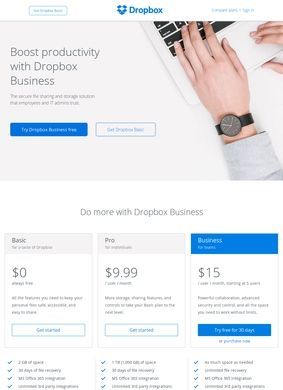
It helps to be clear-eyed about what each plan buys. The free 2 GB is generous enough to test the syncing and almost nothing else; a few phone backups will fill it. The personal paid tiers exist mostly to solve that space problem and to add heavier features like Professional-level sharing controls. Business plans are where the admin console, audit logs, and device management earn their keep, and Enterprise is aimed squarely at organisations that need to govern files at scale and answer to auditors. Picking the wrong rung means either paying for an admin layer nobody uses or hitting a permissions wall the lower tier cannot solve.
Dropbox Dash and universal search
Dropbox Dash deserves attention because it points at where the product is heading. Universal search that spans connected services, reaching past stored files into Slack threads or Google Drive documents, is a genuine shift from the original idea of a synced folder. Whether it pays off depends on how many of a given person's tools are plugged in, since a search spanning two apps is far less compelling than one spanning a dozen. For a team that has already routed Slack, Google Workspace, and several other apps through Dropbox: Simplify Your Life, that breadth could be reason enough to consolidate storage rather than spreading files across multiple providers.
The collaboration trio explained
The collaboration trio of Paper, Sign, and Capture is worth treating as a bundle. Together they cover a lot of the small jobs people otherwise leave the platform to complete elsewhere. Paper replaces a separate notes tool, Sign replaces a separate e-signature subscription, and Capture replaces the clumsy process of recording, uploading, and linking a screen video by hand. None of the three is necessarily the best option against a dedicated competitor, but having them inside the same account, tied to the same files and permissions, is the kind of consolidation that saves a small team money and cuts login fatigue. Finding Dropbox: Simplify Your Life in a business directory alongside other cloud-storage options is common; what sets it apart is how much surrounding workflow it can absorb.
One honest caveat: the breadth that makes Dropbox: Simplify Your Life appealing also makes it easy to overpay. A user who only wants files synced across two machines is buying into a platform built to do far more, and the pricing reflects the full feature set. Against a pure-storage rival, the per-gigabyte cost can look high until you start using Paper, Sign, Capture, the admin tools, and the integrations, at which point the bundle starts to justify itself. Dropbox: Simplify Your Life rewards people who commit to it and quietly overcharges those who do not.
Inside the admin console
The admin console is the part most reviews skip, and it is the part that decides whether a company stays. Granular user permissions let an administrator control who sees which folders. Audit logs record who did what, useful for both security investigations and compliance reporting. Device approvals stop files from syncing to a machine nobody vetted, and remote wipe closes the loop when a laptop walks out the door. For an IT lead, that control panel is the product; the consumer-facing sync is almost incidental to the purchasing decision.
Taken together, Dropbox: Simplify Your Life is a storage core wrapped in a steadily growing set of work tools, with the security and compliance scaffolding that lets it operate inside regulated industries. Dropbox: Simplify Your Life pulled in casual users with the free 2 GB entry point, which remains a reasonable starting point for evaluation. The personal tiers solve the space problem and add collaboration features. The business and enterprise plans turn the whole thing into managed infrastructure.
Choosing the right Dropbox plan
Dropbox: Simplify Your Life is not a product that hides what it is: the free plan is a trial more than a destination, the integrations are the quiet reason it stays sticky once adopted, and the newer AI search and collaboration additions are the bet on what file management looks like going forward. Whether Dropbox: Simplify Your Life is the right fit comes down to how much of that platform a team will use.